Coming December 2026
AI Video Generator
Describe a scene or bring your own footage, see the price, then render. Captions, clips and translation live in the same workspace.
Preview reel
Prompt in, film out
Each preview sits next to the exact words that described it, so you can see how a prompt becomes a shot.
- AI preview · coming December 2026
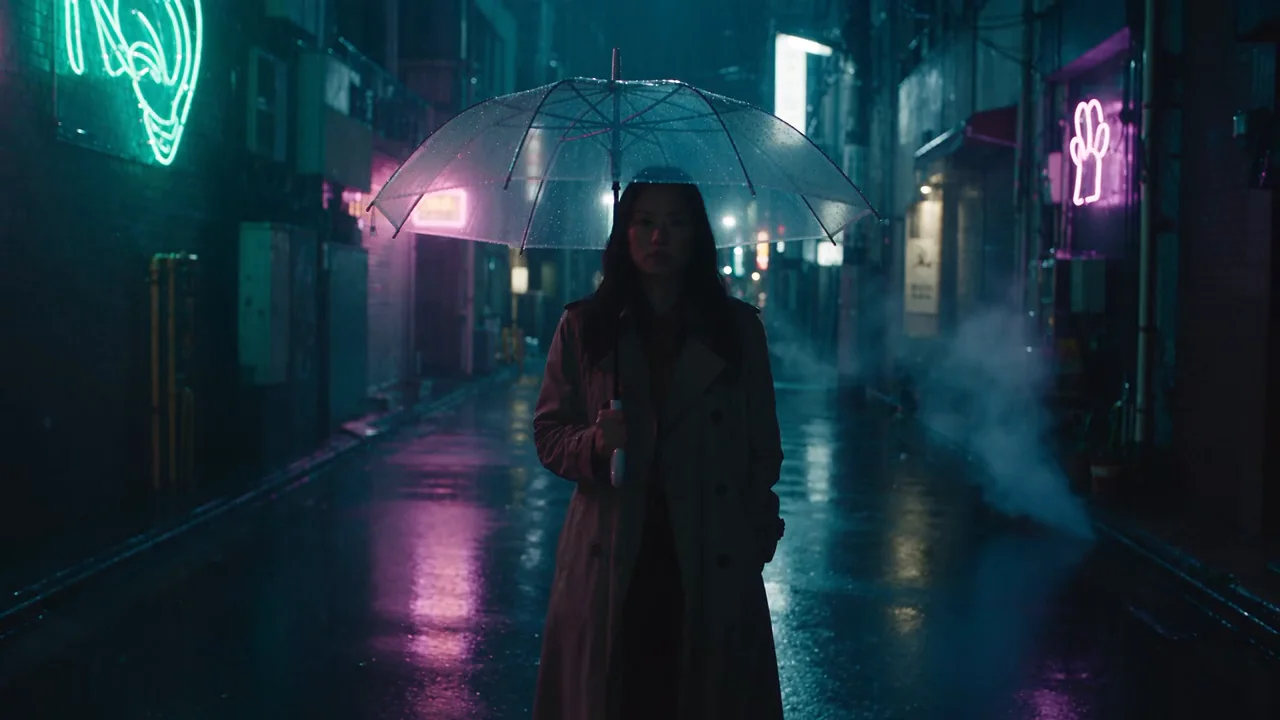
Film noir. Preview clip for a cinematic night scene. Generated with an AI video model. PromptCinematic night scene in a rain-soaked Tokyo back alley. A woman in a long charcoal trench coat holding a clear umbrella walks slowly toward the camera, face partly lit by flickering neon signs in magenta and teal (signs show abstract glowing shapes, no readable text). Puddles mirror the neon, steam drifts from street vents, raindrops streak through the light. Slow dolly backwards matching her pace, anamorphic lens with horizontal flares, shallow depth of field, 35mm film grain, moody teal-and-magenta grade, feature-film quality.
- AI preview · coming December 2026

Sci-fi epic. Preview clip for a science-fiction establishing shot. Generated with an AI video model. PromptBlockbuster science-fiction establishing shot. A colossal angular starship slowly descends through swirling clouds over an amber desert planet lit by two setting suns. Below, a dust storm rolls across the dunes; two tiny cloaked figures stand on a ridge in the foreground for scale, their cloaks flapping. Slow upward tilt revealing the full scale of the ship, volumetric light shafts, atmospheric haze, anamorphic widescreen, photorealistic VFX quality, no text.
- AI preview · coming December 2026

Animation. Preview clip for an animated story. Generated with an AI video model. PromptHand-drawn anime style cinematic shot at golden hour. A teenage girl in a school uniform and red scarf stands at the railing of a city rooftop, wind lifting her hair and scarf as cherry blossom petals swirl past. Behind her a sprawling city skyline glows under towering painterly cumulus clouds. Gentle camera push-in from behind her shoulder, soft warm light, rich watercolor backgrounds, high-end animated feature quality, no text.
- AI preview · coming December 2026

Aerial documentary. Preview clip for an aerial documentary shot. Generated with an AI video model. PromptEpic aerial drone shot gliding low and fast over a glassy Norwegian fjord at sunrise. Thin mist hovers on the water, sheer granite cliffs rise on both sides, a single waterfall plunges from the rim. The camera rises and sweeps forward into a wide reveal as golden light breaks through layered clouds and hits the mountain peaks. Crisp detail, natural color, IMAX nature documentary quality, smooth stabilized motion, no people, no text.
- AI preview · coming December 2026

Wildlife. Preview clip for a nature documentary close-up. Generated with an AI video model. PromptNature documentary close-up. A snow leopard rests on a rocky Himalayan ledge as heavy snowflakes fall, then slowly turns its head toward the camera, pale eyes catching the light, breath visible in the freezing air, whiskers dusted with snow. Long telephoto lens, very shallow depth of field, soft overcast light, rich fur detail, calm and majestic, award-winning wildlife cinematography, no text.
- AI preview · coming December 2026

Music video. Preview clip for a music video. Generated with an AI video model. PromptMusic video shot in an empty concrete warehouse filled with haze. A dancer in a flowing silver dress spins in slow motion under a single shaft of violet and amber light from a high window, the fabric trailing in long arcs, dust glittering in the beam. Smooth gimbal orbit around her, high contrast, deep blacks, glossy highlights, editorial fashion film aesthetic, 120fps slow-motion look, no text.
All previews are generated with AI image and video models. The generator opens December 2026.
Three ways in
Start anywhere
Begin with a prompt, a script or footage you already have. Each path ends in the same workspace.
From a prompt or a script to a finished video
Describe a scene or paste a script, then read the plan as plain text before anything is rendered.
- Shot list, voiceover and captions shown as text first
- Change the tone, trim a scene or swap a visual
- The price is shown before you approve the render

Your own footage, turned into new videos
Start from your own recordings. The generator builds around them instead of replacing them.
- Exemplary AI already finds your strongest moments today
- Soon: wrap them in generated scenes, intros or b-roll
- Your voice and face stay yours; generated parts are labelled

On brand, every single time
Set your brand once and every new video follows it, without a reminder.
- Colours, fonts, logo and caption style in one kit
- Templates apply it automatically to every render
- Captions already follow your style and word highlights today
Everything in one place
What the generator will do
Twelve things we are building into one workspace. The two tagged Live today already work, and the rest arrive with the generator in December 2026.
Live todayComing December 2026
- AI preview · coming December 2026
Text to video
Describe a scene in plain words and get a clip back, with the cost shown first and every word of the prompt open to edit.
Image to video
Bring a product photo or a drawing to life with gentle, controlled motion, so a still can open a video.
Script to video
Paste a script and receive scenes, voiceover and captions that follow it line by line, ready to read before you render.
- Live today
Auto captions
Accurate, styled captions on any video, in the look you pick, with word highlights if you want them.
Try it now - Live today
Subtitle translation
Translate your subtitles into other languages and reach viewers who watch with the sound off or in a second language.
Try it now - AI preview · coming December 2026
Footage to video
Build around your own recordings, with generated scenes filling only the gaps you choose to fill.
Voiceover
Add a narrated track to a script, and adjust the wording and the pace before you render.
Resize and reframe
Turn one video into vertical, square and wide versions without a manual crop, keeping the subject in frame.
B-roll
Cover a talking section with matching scenes so the video keeps moving and the viewer keeps watching.
Brand kit
Save your colours, fonts and logo once, and every video uses them, whoever on the team makes it.
Templates
Start from a layout made for a product demo, an explainer or a faceless story, with pacing already set.
Price before render
See what a video will cost before you press render, never afterwards, while you can still change it.
How to make a video with AI
1. Add your footage, script or idea
Upload a recording, paste a script or type a sentence about the video you want. Your own material stays the source of truth, and the generator builds around it, so nothing you already made is thrown away.
2. Describe it and enhance the prompt
Write what you want to see in plain words. One tap on Enhance adds the detail a good prompt needs, such as framing, mood and pacing, and you can edit every word.
3. Render, review and keep going
Check the price, render, then download, redo a scene or save it. Captions, trims and translation are all a click away in the same workspace, so the video is ready to post when you are.
Pick a genre, then tell the story
A genre will set the camera language, the pacing, the colour and the sound of a video before you write a word. These six are the first we plan to build, and each one can start from a prompt, a script or your own footage.
- AI preview · coming December 2026CinematicRain, neon and a film look, for trailers, noir and mood pieces.
- AI preview · coming December 2026DocumentarySteady, observed shots and calm narration for subjects that deserve patience.
- AI preview · coming December 2026AnimationPainted, stylised scenes with a hand-drawn feel, for stories that live outside real life.
- AI preview · coming December 2026ExplainerClear scenes that follow a script one idea at a time, with captions on by default.

- AI preview · coming December 2026Music videoFlowing, rhythmic visuals cut to a track, from abstract loops to full scenes.
- AI preview · coming December 2026Social reelShort, vertical, hook-first cuts made to stop a thumb and say one thing well.

Generate with leading video models
Different models are good at different shots. The generator is being built to route a prompt to the model that suits it, so you describe the scene and keep working in one place.
- AI preview · coming December 2026
Veo 3.1
Planned for launch: cinematic shots with detailed light and natural, believable motion.
- AI preview · coming December 2026

Kling 3
Planned for launch: dynamic movement and lively scenes where something is always happening.
Model availability may change before launch. The names belong to their makers.
Why make your videos where your clips already live
Most video generators stop at a rendered file. You then export it, move it to another editor for captions, and to a third tool for translation. Exemplary AI is built so the whole path, from the first idea to the posted clip, stays in one place, with your footage and your brand carried along.
- AI preview · coming December 2026

For marketing teams
A launch needs a hero video, a cutdown for each channel and a version in every market you sell to. The generator will draft the first cut from a brief, apply your brand kit, and hand you vertical, square and wide versions together. Clips from your webinars and demos join the same project, captions are on by default, and subtitles can be translated for each region. One workspace replaces a chain of exports, so the person who approves the video is looking at the same file everyone else is.
- AI preview · coming December 2026
For creators
You already have an audience and a backlog of recordings. The generator will help you publish more of what they like without sitting in front of a camera every day. Turn a long video into shorts today, then add generated intros, b-roll and endings when the generator opens. Your voice stays in the video, your captions match your channel, and you choose what is generated and what is yours. The aim is more finished posts from the same hour of effort, with nothing hidden from your viewers.
- AI preview · coming December 2026
For faceless channels
A channel that never shows a face still needs a steady look, a clear voice and a script that holds attention. The generator will take a script, narrate it, add scenes that match each line and burn in captions, all from a template so every episode feels like part of one series. Edit the words and the scenes follow. Because the template carries the structure, you spend your time on the idea and the writing, which is the part viewers actually come back for.
- AI preview · coming December 2026
For everyone who already uses Exemplary
If you cut clips, add captions or translate subtitles in Exemplary AI today, nothing about that changes. The generator joins the same workspace, so a generated scene can sit beside a clip from your own recording on one timeline, share the same caption style and export in the same formats. Your projects, your brand settings and your history are already there. There is no new account to learn and no files to move.
Four tools that already work, today
You do not have to wait for December to start. These run now, in the workspace the generator will join, and they are free to try.
- Live todayAI clipsTurn one long video into short clips with the strongest moments found for you, ready to caption and post.
- Live todayCaptionsAdd accurate, styled captions to any video in the look you choose, and fix any word in a click.
- Live todayTranscriptionTurn audio and video into text you can search, edit and reuse in posts, notes and show pages.
- Live todaySubtitle translationTranslate subtitles into other languages and reach more viewers without re-recording anything.
Questions, answered
Can I use the AI video generator today?
Not yet. The generator will launch in December 2026. You can join the waitlist on this page and we will email you once, on the day it opens. The clips, captions, transcription and subtitle translation tools already work today, and you can start them free while you wait.
What is the waitlist for?
It is a single email when the generator opens, sent on the day it is ready. You can also say what you plan to make, which helps us decide which templates to build first. Joining does not commit you to anything, you can ignore the email, and we only use your address to tell you about this launch.
What do I get for joining the waitlist?
Everyone on the list gets 3 free videos at launch. You also get a personal link to share after you join, and any reward for referrals will be announced before it applies, so nobody is surprised by the terms. There is nothing to pay to join and no card to enter.
Will I see the price before I render?
Yes. Showing the price of a video before you render it is a design rule for the generator, not a promise we will revisit later, so you never find out the cost afterwards. You will see it next to the render button, when you can still change the length, the format or the scenes to bring it down.
Can I use my own footage or only prompts?
Both. You will be able to start from a prompt, from a script, or from footage you upload. Your own recordings can sit alongside generated scenes, and the generated parts are labelled, so you always know which moments came from a camera and which came from a model.
Will generated videos be labelled?
Yes. Any media on this site that was generated is labelled as generated, and previews are marked as previews until the feature is live. The images and clips on this page were made with outside AI tools to show a direction, not by the generator. Label generated video where the platform you post on asks for it.
Which formats will it support?
Vertical 9:16, square 1:1, portrait 4:5 and landscape 16:9 are planned for launch, covering short-form feeds, social posts, websites and presentations. You will pick the format before you render, and the reframe tool is meant to give you several versions of the same video, so a single idea can go to every channel without starting over.
What can I do right now while I wait?
Turn a long video into short clips, add captions and subtitles, transcribe audio and translate subtitles. These work today, and the generator will build on the same workspace, so the projects and caption styles you set up now will already be there when it opens.
Will it replace my own videos?
No, and it is not meant to. The generator is for the gaps: an intro you cannot film, b-roll you do not have, a version for a market you have not reached. Your own footage, voice and ideas stay at the centre, and you decide how much of any video is generated.
Who owns the videos I make?
The licence terms for generated video, including how they apply to music and voices, are not final. We will publish them in plain language before the generator opens and link them from this page. Until then, please do not assume rights we have not stated.
How is this different from other AI video tools?
Most tools make a clip and stop. Exemplary AI is a workspace where a video is also clipped, captioned, translated and resized, with your brand applied throughout. The generator is one more step in that path, with the price shown first, which is why it is built into the product instead of sold as a separate app.
Will there be a free plan?
Exemplary AI has a free plan today, and the waitlist gives you 3 free videos at launch. We have not published the pricing for the generator itself, and we will not guess at it here. When it opens, the price of each video will be shown before you render it.
Learn more about AI video
Guides and honest comparisons from the team that builds Exemplary AI, written for people who make videos every week and want to know which tool fits which job.
Read our blog
AI Tools
The Best AI Video Generation Models in October 2026: What Changed and Which to Use

AI Tools
8 Best AI Video Generators, Plus One We Are Building
AI Tools
Best AI Shorts Generators: Clips or New Videos?

AI Tools
Best AI Clip Makers in 2026: Choose by Workflow
Video Editing
Best AI Caption Generators for Video
Content Creation
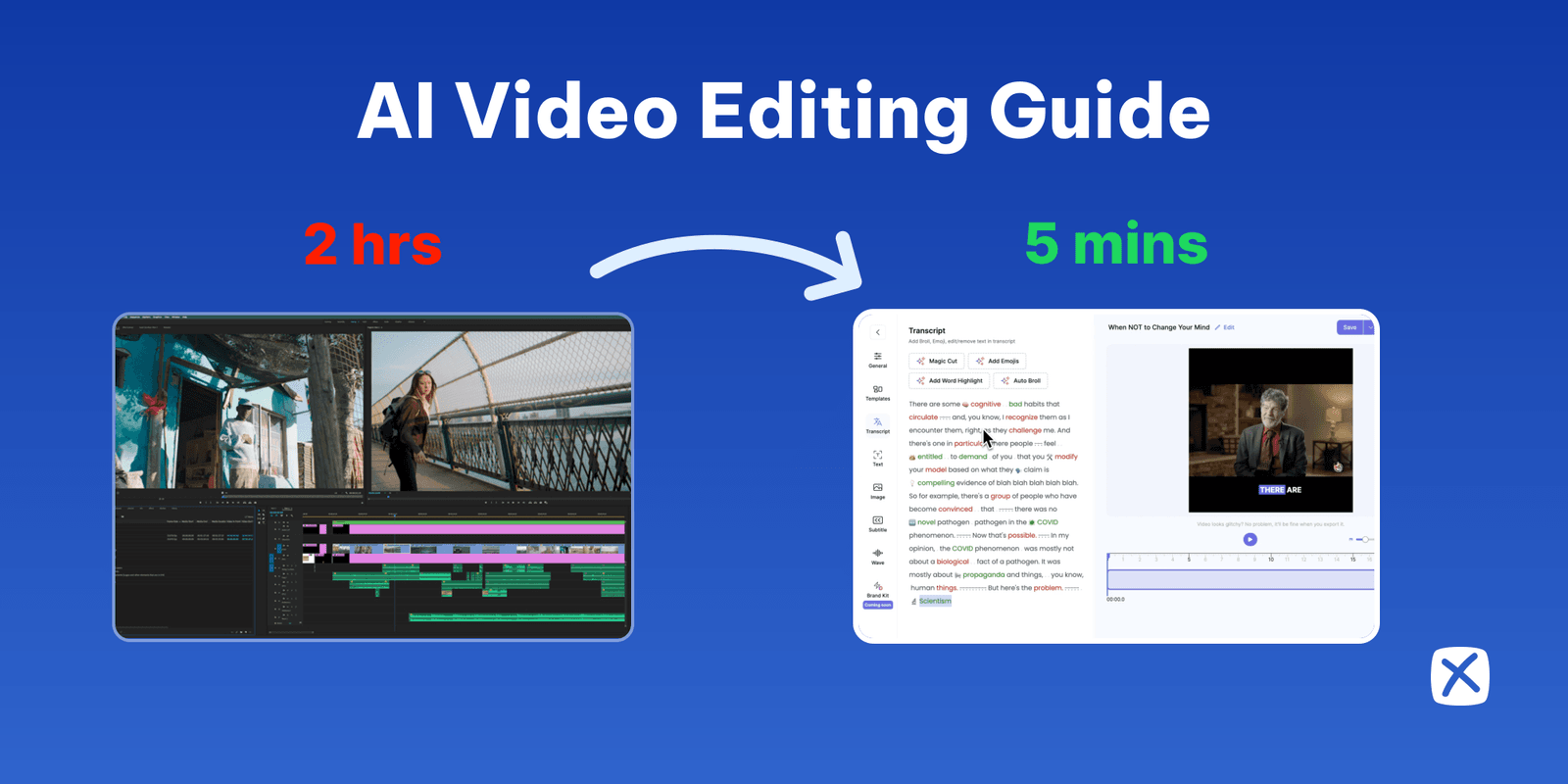
101 Guide To AI Video Editing With Exemplary AI
Be first in line for December
Leave your email and we will write once, on the day the AI video generator opens. Tell us what you plan to make and you will help decide which templates come first.
Explore more AI tools
For marketing
- AI product video generator
- AI clips: long video to short clips
- AI Writer
- Marketing teams
- Social media
- Small business
- Sales
- Courses and e-learning
- Blog post generator
- Video chapter generator
- Resize videos
- Add text to video
- Add a watermark to video
- Video hook generator
- Social media post generator
- Subtitle translator
- Pricing
For creators and side projects
- YouTube Shorts maker
- Twitch clip maker
- Instagram Reel maker
- Kick clip maker
- Viral clip finder
- YouTube to TikTok
- Long video to short video
- Horizontal to vertical video
- AI video editor
- Auto video editor
- YouTube title generator
- YouTube description generator
- Hashtag generator
- YouTube video summarizer
- Animated subtitles
- Silence remover
For faceless channels
- Auto subtitle generator
- Audiogram maker
- Audio to video
- Video translator
- Music visualizer
- Sound wave generator
- Audio waveform generator
- Transcribe a YouTube video
- Video caption generator
- Burn subtitles into video
- Word highlight in subtitles
- Add emoji to subtitles
- Add B-rolls
- Audio to text
- Podcast transcript generator
- Audio translator