Open vs Closed Captions: Key Differences
Closed captions can be turned off; open captions are burned in. When to use each, captions vs subtitles vs SDH, and what WCAG, ADA and FCC rules say.

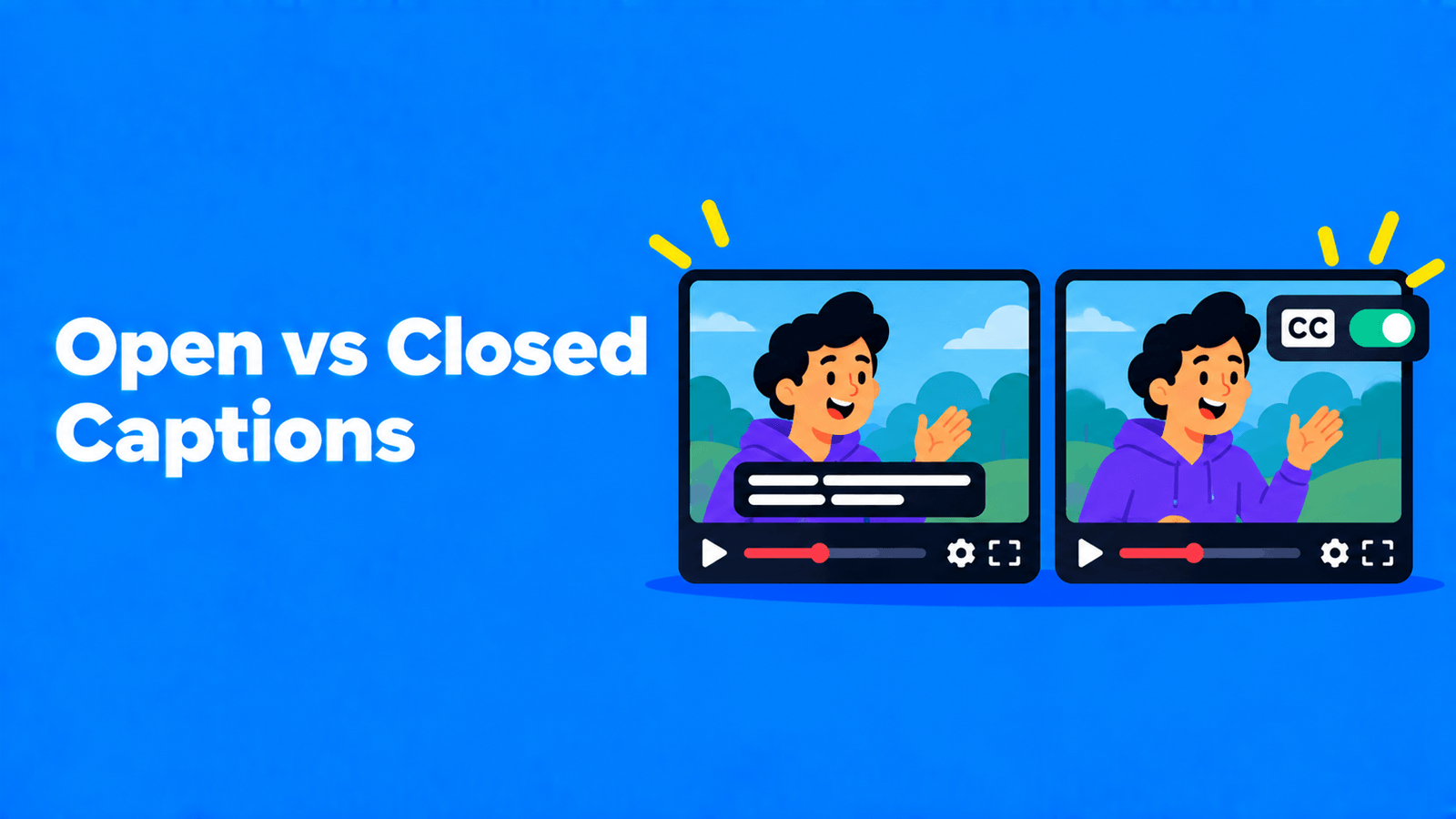
The difference is whether the viewer can turn them off. Closed captions "can be hidden or shown by people watching the video", while open captions "are always displayed and cannot be turned off" (W3C WAI). Closed captions live in a separate track or file, such as SRT or WebVTT, that the player shows on request. Open captions are burned into the video picture, so they appear wherever the file plays. Use closed captions when the player supports them (YouTube, your website, streaming and TV). Use open captions when the video travels as a plain file or plays muted in a feed, or when the captions are part of the design. You can also do both: burned-in captions for social clips, a caption file for the full video.
Open vs closed captions at a glance
| Closed captions | Open captions | |
|---|---|---|
| Can the viewer turn them off? | Yes | No |
| Where the text lives | A caption track or file (SRT, VTT, SCC and others) | In the video frame itself |
| Can the viewer restyle them? | Yes, where the player allows it. YouTube lets viewers change font, colour, size and background (YouTube Help) | No. The style is fixed when you export |
| Fixing a typo after publishing | Edit or re-upload the caption file | Re-export and re-upload the video |
| Several languages | One track per language on the same video | One language per video file |
| Needs player support? | Yes | No, it plays anywhere the video plays |
| Text a platform can read | Yes. YouTube search can filter for videos with captions (YouTube Help) | No separate text, only pixels |
What closed captions are
Closed captions are a text track that plays alongside the video. On YouTube, that's the CC button: viewers click it to turn captions on or off (YouTube Help).
The track usually comes from a file you upload. YouTube accepts basic formats such as SubRip (.srt) and SubViewer (.sbv), advanced formats such as WebVTT (.vtt) and TTML, and broadcast formats such as Scenarist (.scc) (YouTube Help). The formats differ in what they can carry. YouTube reads SRT timing and text but no styling, while WebVTT supports positioning and basic bold, italic and underline. On the web, WebVTT is the most common caption format, according to the W3C. For a side-by-side comparison, see SRT vs VTT.
Platforms can also make closed captions for you. YouTube's automatic captions use speech recognition, but YouTube warns they "might misrepresent the spoken content" and says you should always review them (YouTube Help).
Strengths: viewers choose whether to see them and how they look, you can fix them without re-uploading the video, and one video can carry many languages.
Weaknesses: they only work where the player supports caption tracks. Download the video file, send it in a chat app or drop it into a slide deck, and the captions usually stay behind.
What open captions are
Open captions are part of the image. They're rendered into the video when you export it, so they show in every player, feed and messaging app, with the font, size, colour and position you chose. They're also called burned-in or hard-coded captions.
Strengths: they look the same everywhere, need no player support, and you control the design, including animated word-by-word styles.
Weaknesses: nobody can turn them off or resize them, a typo means a new export, a video carries only one language, and they can cover something important in the frame. If you're making them, our guide on how to burn subtitles into a video walks through the export.
Captions vs subtitles vs SDH
The words get mixed up, but they aren't the same thing:
- Captions are "a text version of the speech and non-speech audio information needed to understand the content" (W3C WAI). They're written for viewers who can't hear the audio, so they include sounds and who is speaking, not just dialogue.
- Subtitles translate the spoken audio into another language. W3C notes that captions are needed for accessibility, "whereas subtitles in other languages are not directly an accessibility accommodation."
- SDH (subtitles for the deaf and hard of hearing) is the term streaming services use for same-language subtitles that include speaker identification and sound descriptions. Netflix's style guide, for example, puts SDH sound effects and speaker IDs in brackets (Netflix Partner Help).
Open and closed describe how any of these is delivered. You can have closed subtitles, open captions, or a closed SDH track.
Which one to use
| Situation | Better choice | Why |
|---|---|---|
| Long-form YouTube video | Closed | Viewers can switch them off or restyle them, you can add languages, and YouTube can filter search by captions |
| Video on your own website or course platform | Closed (WebVTT track) | Standard for web players, and you can edit the file without re-encoding |
| Short vertical clips for TikTok, Reels or Shorts | Open, plus the platform's own captions where available | Burned-in text survives reposts and downloads. See adding captions to TikTok for TikTok's built-in option |
| Video shared as a file (chat apps, slides, email) | Open | There's no player to load a caption file |
| Several languages on one video | Closed | One track per language instead of one export per language |
| Programming shown on US television | Closed | FCC rules, below |
If you can only do one, start with a clean, reviewed caption file. You can always burn it in later, but you can't pull clean text back out of burned-in pixels.
What accessibility rules say about captions
This is a summary, not legal advice.
- WCAG. The Web Content Accessibility Guidelines require captions for prerecorded audio in synchronized media at Level A (success criterion 1.2.2) and for live audio at Level AA (1.2.4) (W3C, W3C). WCAG's explanation covers both types: "Closed Captions are equivalents that can be turned on and off with some players. Open Captions are any captions that cannot be turned off." Either way, the captions must identify who is speaking and include meaningful sound effects, not just dialogue.
- ADA Title II (US state and local governments). The Justice Department's web rule makes WCAG 2.1 Level AA the technical standard for state and local governments' web content and mobile apps. An interim final rule published on April 20, 2026 moved the compliance dates to April 26, 2027 for entities serving 50,000 or more people, and April 26, 2028 for smaller entities and special district governments (ADA.gov).
- FCC (US television). The FCC's caption quality standards cover accuracy, synchronicity, completeness and placement. Placement means captions "shall not block other important visual content on the screen" (47 CFR 79.1). Nonexempt full-length programming shown on US television with captions must also have closed captions when it's delivered online. The rule's definition of video programming excludes consumer-generated media (47 CFR 79.4).
Caption quality checklist (for both types)
The Described and Captioned Media Program's Captioning Key sums up good captions as accurate, consistent, clear, readable and equal (DCMP). In practice:
- Review every line. Automatic captions are a draft. Names, numbers and jargon are where they slip.
- Include what the audio tells you. Add speaker names when it isn't obvious who's talking, and meaningful sounds like [laughter] or [door slams].
- Keep captions short. DCMP prefers no more than two lines per caption (DCMP). Netflix's English style guide caps lines at 42 characters (Netflix Partner Help).
- Give people time to read. DCMP recommends each caption stays up at least 1 second and at most 6 seconds.
- Don't cover faces or on-screen text. DCMP places captions at the bottom unless they would hide names, faces, mouths or essential graphics, in which case they move to the top. This matters most for open captions, which you can't move after export.
Making both from one transcript
A subtitle tool can give you both from the same transcript: download the caption file for closed captions, or export the video with the text burned in. In Exemplary AI (our product), you generate subtitles in any of 99 languages, fix words and timing in the subtitle editor, and download SRT, VTT or TXT for closed captions. You can also burn them into an MP4 export. For short social clips, AI Clips adds animated burned-in captions in styles such as Karaoke, Pop word and Highlight word. If you're building the caption file by hand, see how to make an SRT file.
FAQ
Are open or closed captions better for accessibility?
Closed captions are usually more flexible, because viewers can resize and restyle them and turn them off. WCAG counts both as captions, as long as they're accurate, synchronized and include speakers and meaningful sounds. Open captions are a good fit where closed captions won't survive, such as reposted clips or shared files.
Can you turn off open captions?
No. They're part of the video image. If you need a version without captions, export the video again without them.
Is an SRT file open or closed captions?
Closed. An SRT file is a separate caption track the player loads. It becomes open captions only if you burn it into the video on export.
What does CC mean on YouTube?
CC stands for closed captions. The CC button turns the caption track on and off, and Settings > Subtitles/CC > Options lets you change how captions look (YouTube Help).
Are subtitles the same as closed captions?
Not quite. Captions include speech plus non-speech sounds for viewers who can't hear the audio. Subtitles usually translate the dialogue for viewers who don't speak the language. Both can be open or closed.