Spotify's Skip Ahead Button: What It Means for Podcast Ads
Spotify is testing a skip ahead button that lets some Premium users jump past podcast ads. What Spotify confirmed, and what podcasters and sponsors can do.

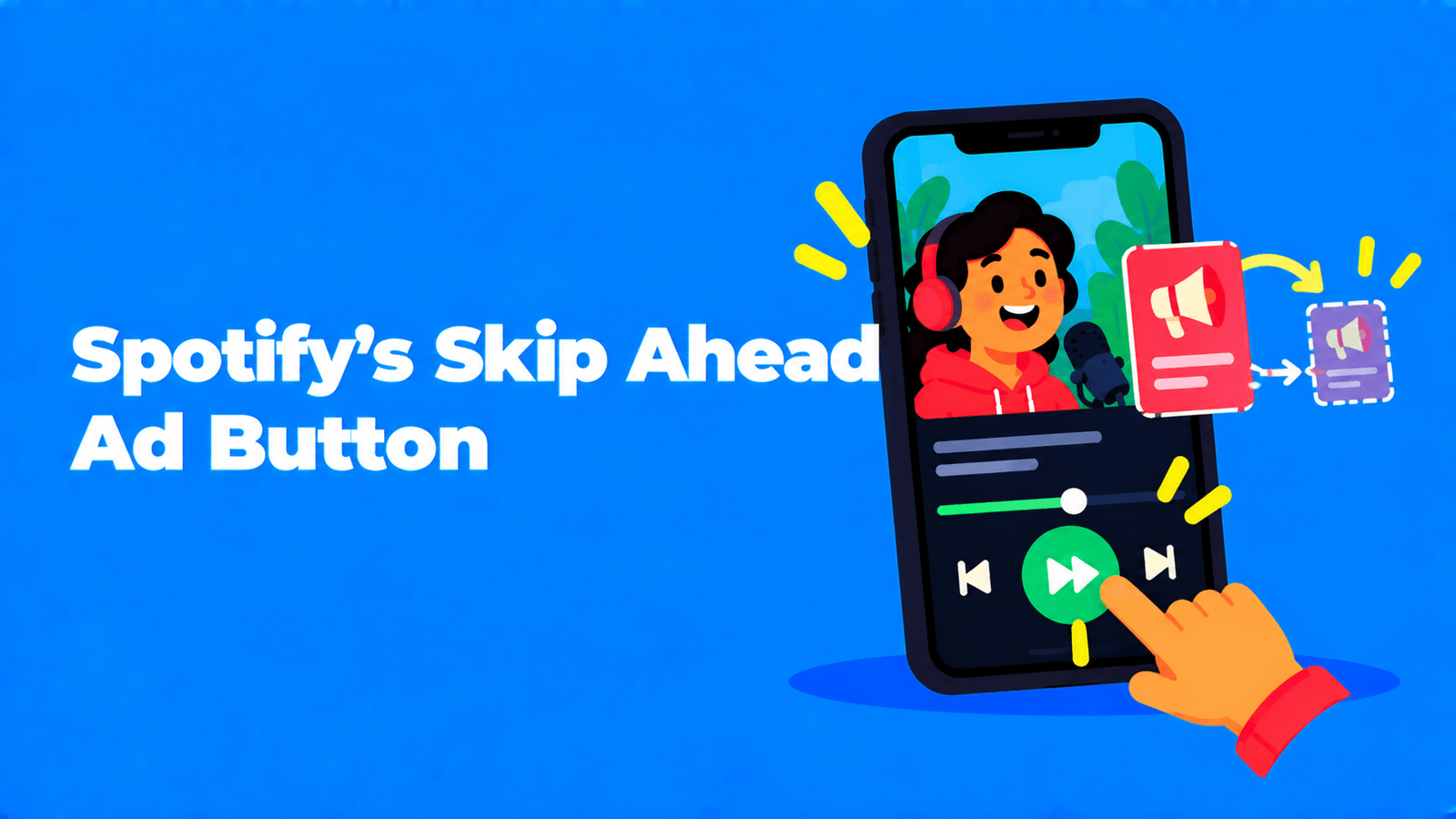
Spotify is testing a "skip ahead" button that lets some Premium subscribers jump past a podcast's intro, outro or ad break with one tap. Spotify's own help page for creators says the button can appear during ads "regardless of content or publisher," and that shows cannot opt out (Spotify for Creators). It's still a test, limited to some Premium users in select markets, and only on iOS and Android. For podcasters and sponsors, the practical message is simple: an ad read that sounds like a separate segment is now one tap away from being skipped on Spotify. Integrated reads, measurement that doesn't depend on the audio, and sponsor placements outside the episode matter more than they did.
What Spotify has confirmed
Podnews first reported the test on August 4, 2026 (Podnews). Spotify has not announced it in a press release, but it published a help article for creators, "Understanding the 'Skip ahead' button" (Spotify for Creators). Here is what that page says:
| Question | Spotify's answer |
|---|---|
| Who sees it? | "Some Spotify Premium users in select markets." Free listeners don't get it. |
| When does it appear? | When a Premium subscriber is listening to or watching a podcast "with the Spotify app open on their screen." The button is temporary and only appears on the Now Playing view. |
| What does it skip? | Segments people might want to skip, "e.g., intros, outros, ads." Tapping it moves playback to where that segment ends. |
| Which ads? | "Regardless of content or publisher." |
| Which devices? | Spotify for iOS and Android. Not desktop, web or connected devices. |
| Can a show opt out? | No. The test "can not be opted out at the show or organization level." |
| How are segments chosen? | Based on "segments people often skip." Spotify says it will make the feature "even more personalized and comprehensive." |
The existing controls haven't changed: every listener can still use the 15-second skip buttons and the playback scrubber.
A Spotify spokesperson gave this statement to Podnews and Semafor: "We regularly conduct tests at Spotify — some tests become permanent features, while others help inform future product development. We're exploring ways to make podcast listening and viewing more intuitive for Premium subscribers based on how people use the platform, with the goal of helping listeners spend more time enjoying podcasts. We'll continue to evolve the experience as we learn." (Semafor)
As of September 18, 2026, the help page still describes a test. We found no Spotify announcement of a wider rollout, a pause or a publisher opt-out.
What was reported, and where reports disagree
Some details come from reporting, not from Spotify:
- Markets. Podnews says the test is running in the US and the UK (Podnews). Spotify only says "select markets."
- Why Spotify is doing it. Semafor reported that Spotify told publishers the button kept people listening to podcasts longer, and that the test is at an early stage while Spotify gathers feedback from podcast companies, publishers, users and advertisers (Semafor).
- Spotify's own ads. Semafor reported that marketing bought directly through Spotify couldn't be skipped while publishers' own ads could. Spotify's help page says the opposite ("regardless of content or publisher"), and Podnews saw the button inside Spotify's own Bill Simmons show. When an example of an ad with no skip control circulated, Spotify told Podnews: "Spotify does not make podcast ads unskippable. A bug caused the 15-second skip to not be visible in the example, and it was fixed" (Podnews). Go by Spotify's written policy, and test it on your own show if it matters to a deal.
- How much skipping happens today. Podnews cited ad-tech company Bumper's data showing that fewer than 10% of ad breaks are skipped in real listening (Podnews). That figure describes listening before a one-tap skip existed, so it's a baseline, not a forecast.
The reaction from podcast companies was sharp. Semafor quoted Crooked Media co-founder Tommy Vietor calling the move an attempt to "destroy the podcast industry," and reported that several networks raised monetization concerns with Spotify.
Why this matters for ad-supported shows
Host-read and network-sold ads are usually priced on downloads or impressions, on the assumption that a listener who plays the episode hears the break. A one-tap skip that shows up exactly when the break starts weakens that assumption for one group: Premium listeners on Spotify's mobile apps, with the app open. Background listening, lock-screen listening, free listeners and other apps are not affected by this test.
How big the effect is depends on how much of your audience that group represents, and nobody outside Spotify has published data on how often the button gets tapped. So treat it as a risk to plan for, not a proven revenue loss.
It also fits a pattern. When Spotify launched its Partner Program, it said Premium subscribers in the US, UK, Canada and Australia would get video podcasts "uninterrupted by ads" from January 2025, and that creators would earn from Premium subscribers' video consumption (Spotify Newsroom). For current eligibility and countries, see our guide to Spotify Partner Program requirements. Read together, the two moves point the same way: on Spotify, creators increasingly earn from Premium listening through Premium, while inserted ads get easier for Premium listeners to skip.
What podcasters should do
- Check your exposure. Look at your host's app breakdown to see what share of your listening happens on Spotify. If Spotify is a small slice, this is a watch item. If it's your biggest app, talk to your sponsors before they ask.
- Make reads part of the show. Spotify says the button targets "segments people often skip." It hasn't said how it detects them, but a break with a stinger, a change of voice and a scripted block looks and sounds like a separate segment. A read that grows out of the conversation, in the host's own words, is harder to separate and more worth hearing. Keep the sponsorship clearly disclosed.
- Give every sponsor a second placement that isn't in the audio. Put the offer, link and code in the episode description and your show notes, where they work whether or not the break was heard. Our podcast show notes guide covers how to write notes people actually read. Exemplary AI can transcribe each episode so you can pull accurate quotes and timestamps for those notes.
- Sell inventory outside the episode. Video episodes, short vertical clips on TikTok, Reels and Shorts, and newsletters are all placements a skip button can't touch. If you film your show, a sponsor mention can live in a clip that travels further than the episode. Exemplary's AI podcast clips generator cuts a full episode into captioned 9:16 clips you can review before posting. See podcast clips for TikTok and Instagram.
- Look at Premium-side income. If your show qualifies, Spotify's Partner Program pays partly on Premium video consumption, not only on ad impressions. For how video pays elsewhere, see Apple Podcasts video monetization.
What sponsors should do
- Ask for performance, not just downloads. Promo codes, vanity URLs and "how did you hear about us" answers measure what actually worked, whatever app the listener used.
- Update contracts. Spell out how delivery is counted and what happens if a platform change reduces ad exposure. That protects both sides while the test runs.
- Buy integrations and bundles. A host-read integration plus a show-notes link plus a clip is less exposed than a single pre-roll slot.
- Watch the test, don't panic. Spotify calls it a test that may or may not become permanent. Revisit your Spotify-heavy buys if Spotify announces a full rollout.
For a wider view of where podcast money is moving, including video on YouTube, Spotify and Netflix, see our video podcast playbook for 2026.
FAQ
What is Spotify's "skip ahead" button?
A temporary button that some Spotify Premium subscribers see while a podcast plays with the app open. It appears during segments such as intros, outros and ads, and tapping it jumps to where that segment ends. Spotify describes it as a test.
Can I stop the skip ahead button from appearing on my podcast?
No. Spotify's help page says the test "can not be opted out at the show or organization level."
Does skip ahead skip ads sold by Spotify?
Spotify's help page says it applies to ads "regardless of content or publisher." Early reporting by Semafor said Spotify-sold ads couldn't be skipped, but Podnews saw the button on Spotify's own shows, and Spotify says it doesn't make podcast ads unskippable.
Who can see the skip ahead button?
Some Premium subscribers in select markets, reported to include the US and the UK, on Spotify for iOS and Android. It isn't on desktop, web or connected devices, and free listeners don't get it.
Will Spotify roll it out to everyone?
Spotify hasn't said. Its statement says some tests become permanent features and others only inform future products.