Caption Styles for TikTok, Reels and Shorts
Preview every style in Exemplary AI's caption library, from bold word-by-word looks to clean boxed text, then put one on your video and export an MP4.
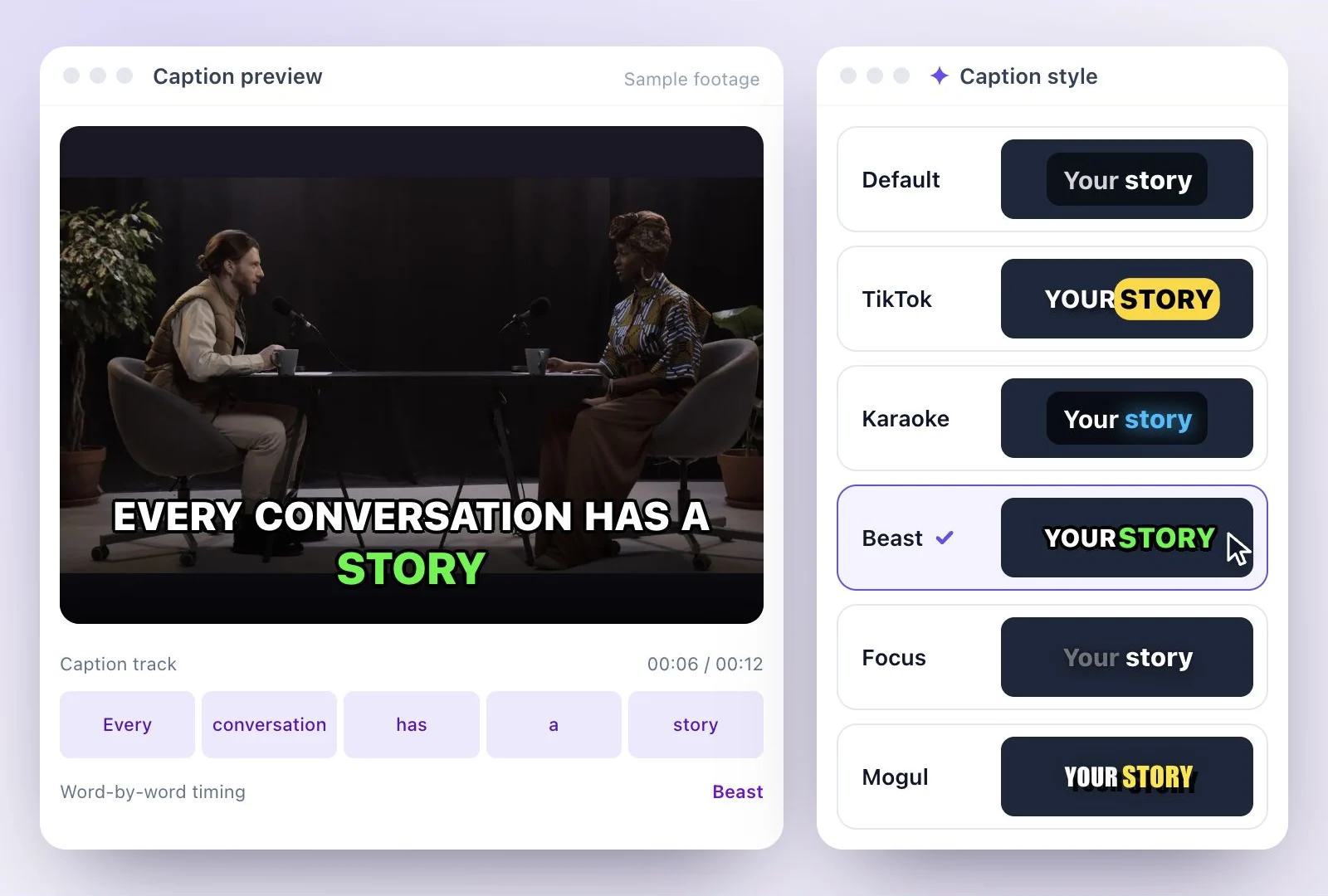
Choose from 26 caption styles: bold word-by-word looks for TikTok, Reels and Shorts, clean text for interviews and lessons, and expressive lettering for creative stories.
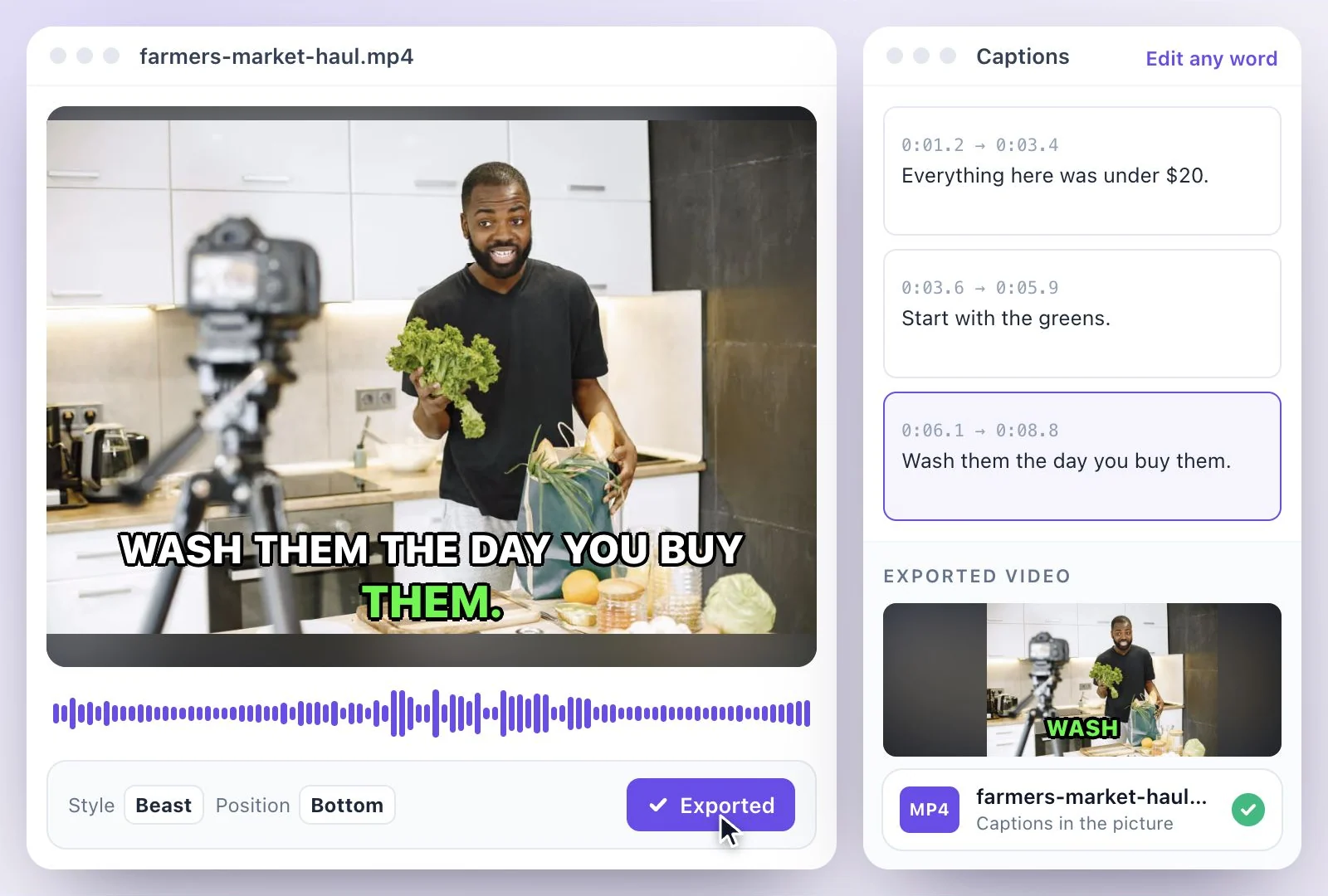
Preview each look below, then apply it to your video. In a captions project, place the text at the top, center or bottom and export an MP4 (H.264) with the captions burned in. Free plan: 500 one-time credits; files up to 500 MB and 30 min long; 720p video exports with a watermark.
Caption styles at a glance
Facts checked .
- Styles
- 26 named styles
- Looks
- Bold, clean and creative
- Position
- Top, center or bottom of the frame, in a captions project
- Word emphasis
- Highlights, colored pills, underlines and word-by-word effects
- Export
- MP4 (H.264) with the captions burned in
- Free plan
- 500 one-time credits; files up to 500 MB and 30 min long; 720p video exports with a watermark
How to add a caption style to a video
The caption styles, by look
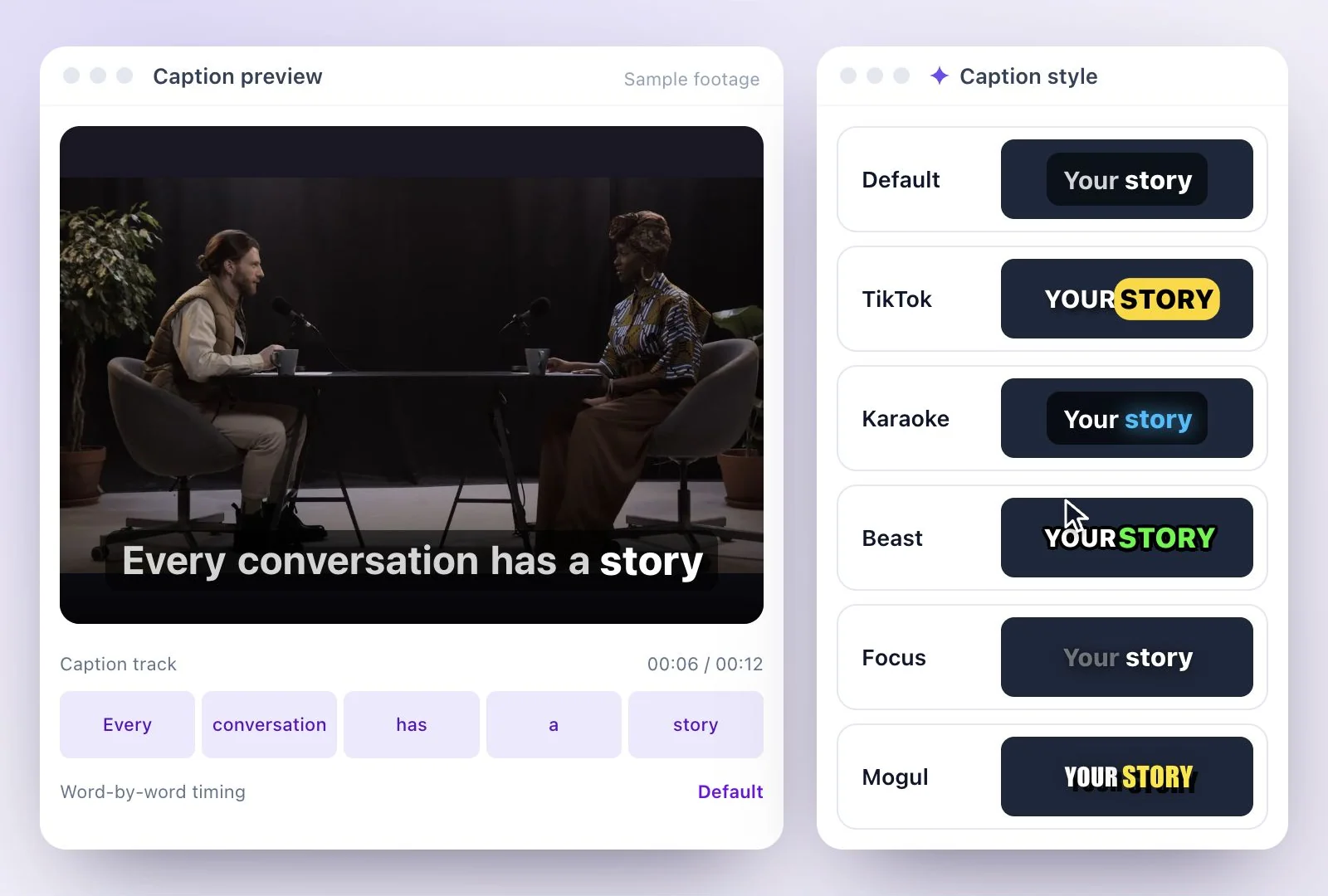
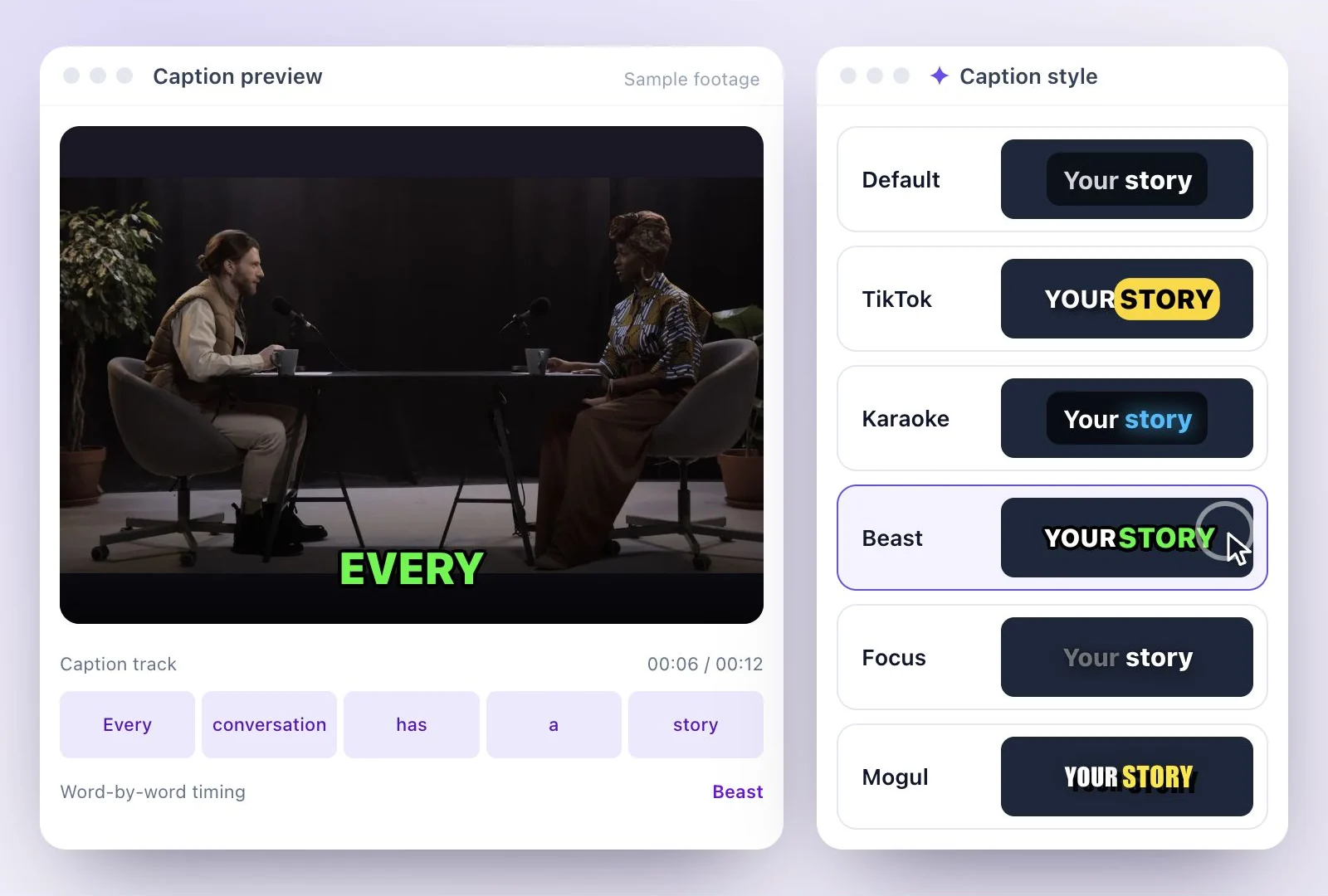
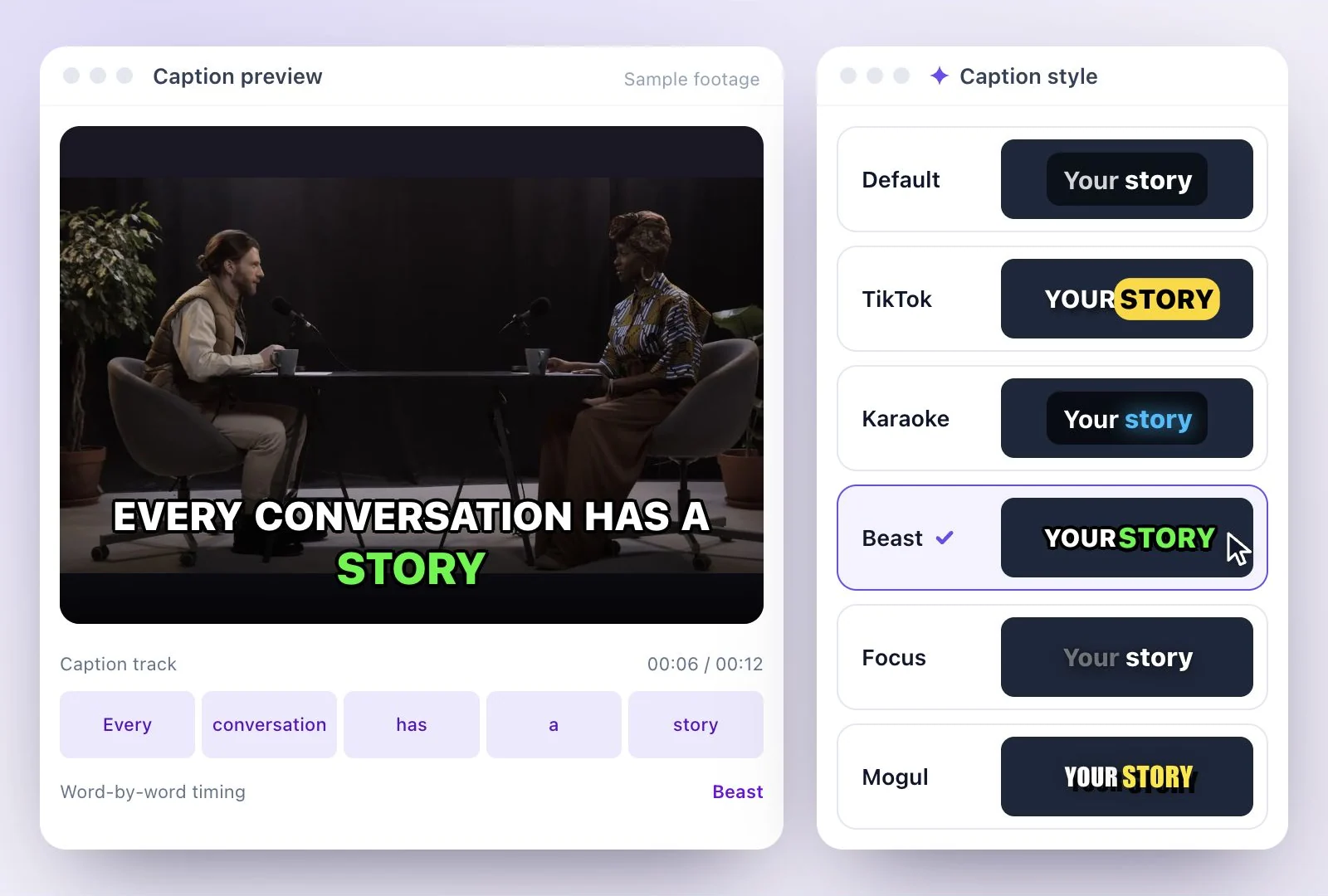
Bold, word by word, for high-energy shorts. TikTok sets uppercase Montserrat and pops the spoken word onto a gold pill. Bounce uses heavy uppercase Impact and enlarges the spoken word in orange-red. Hustle snaps a red pill behind the spoken word. Beast is chunky comic italic caps with a thick black outline, two words at a time, the spoken word flashing green. Mogul shows one to three condensed capital words at a time, the spoken word glowing yellow. Impactful shows one giant word at a time. Spotlight puts a solid yellow pill behind each spoken word. Flame turns the spoken word red with a glow.
Highlight the spoken word. Karaoke fills the line as it is spoken, with sung words held in a cyan glow. Focus keeps the line soft and out of focus, and pulls each word sharp as it is spoken. Underline simply underlines the spoken word.
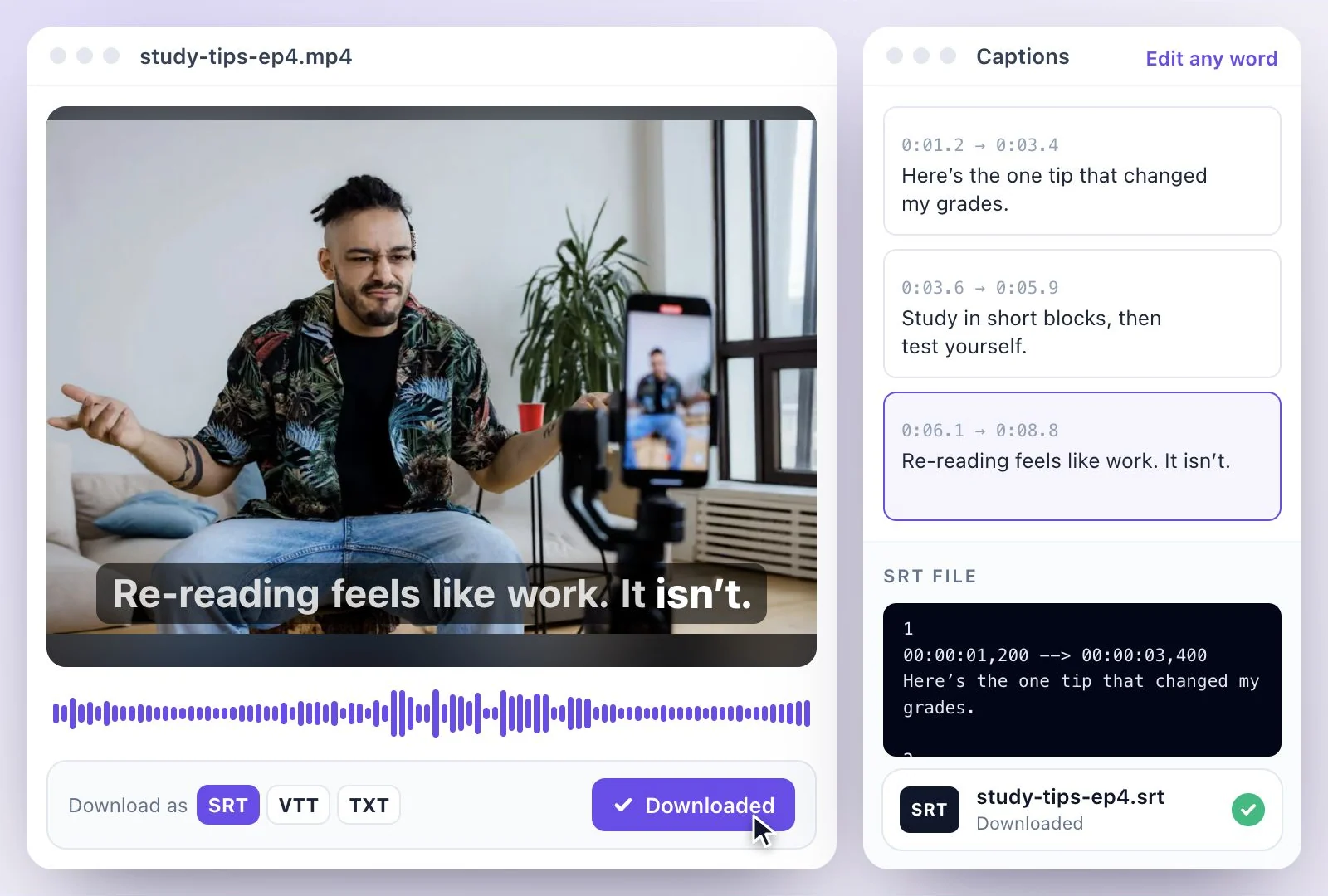
Clean, for interviews and education. Default is clean boxed text in Inter with a slight lift on the spoken word. Classic is a clean sans-serif with a blue pill on the spoken word. YouTube is boxed, translucent Roboto with a blue highlight. Soft sets muted gray text on a white card and turns the spoken word dark. Elegant is Playfair Display italic, underlining the spoken word.
Themed. Neon glows white with a violet sweep. Retro is gold display type with a hard orange drop shadow. Graffiti is marker lettering on a near-black card, the spoken word in yellow. Code is monospace on a blue card, highlighting the spoken word like a search hit. Typewriter is green monospace that reveals words as they are spoken. Handwritten is Caveat script with a soft green highlight. Royal puts gold spoken words on a deep violet card. Candy is a pastel pink card with the spoken word in teal. Glitch is bold caps on a slow push-in, the spoken word splitting into red and cyan and jittering.
Stacked. Stack builds wide, heavy capitals into a tight two-line block, word by word, and turns the spoken word violet.
Putting a style to work
For clips cut from a long video, start in AI Clips, which picks the moments and captions them; the YouTube Shorts maker walks through the vertical format. For a video that is already short, burn the subtitles into the video in a captions project.
Why Use Exemplary AI's Caption Styles?
A library of named looks, applied to captions that already follow your words.
See them before you choose
The gallery on this page previews every style by name, so you can pick a look before you start a project.
Match the mood of your video
Keep an interview calm and readable, make a short clip bold, or give a creative story its own character.
Timed to each word
Captions come from a transcript timed word by word, which is what lets the highlight and word-by-word styles follow the speaker.
Placed where they read
In a captions project, set the captions at the top, center or bottom, so they stay clear of faces and of the buttons that apps lay over vertical video.
Common questions
What caption styles can I use on TikTok videos?
Which caption style works for interviews or tutorials?
Are the caption styles animated?
Can I move the captions to the top or center?
Do the caption styles look the same on Reels and Shorts?
Can I change the caption style after picking one?
Which caption styles can I pick for AI clips?
Can I try the caption styles for free?
Discover more Subtitles & Captions
- Auto subtitle generator
- Video caption generator
- Subtitle translator
- Subtitle editor
- Animated subtitles
- Burn subtitles into video
- SRT generator
- SRT to VTT converter
- Add subtitles in DaVinci Resolve
- Add subtitles in Premiere Pro
- Add subtitles in Final Cut Pro
- Add subtitles in Canva
- Captions vs subtitles
- TXT to SRT converter
- SRT to TXT converter
- Add subtitles to Video
- Add subtitles to TikTok Video
- Add subtitles to Instagram Reels
- Tamil Subtitle Generator
- Hindi Subtitle Generator
- Arabic Subtitle Generator
- German Subtitle Generator
- Chinese Subtitle Generator
- Indonesian Subtitle Generator
- Persian Subtitle Generator
- Hebrew Subtitle Generator
- Thai Subtitle Generator
- Greek Subtitle Generator
- Malay Subtitle Generator
- Bengali Subtitle Generator
- Tagalog Subtitle Generator
- Urdu Subtitle Generator
- Zulu Subtitle Generator
- Albanian Subtitle Generator
- Uzbek Subtitle Generator
- Mongolian Subtitle Generator
- Nepali Subtitle Generator
- Sinhala Subtitle Generator
- Pashto Subtitle Generator
- Amharic Subtitle Generator
- Tigrinya Subtitle Generator
- Somali Subtitle Generator
- Yoruba Subtitle Generator
- Hausa Subtitle Generator
- Igbo Subtitle Generator
- Samoan Subtitle Generator
Give your words a place on screen
Upload a video to review its transcript, adjust the captions, and export the finished result.