Chat with a YouTube Video
Import a YouTube video by its link, then ask Emmy anything about it. Every answer cites the moment it came from, so you can jump there and check.
Free to start — no credit card required.
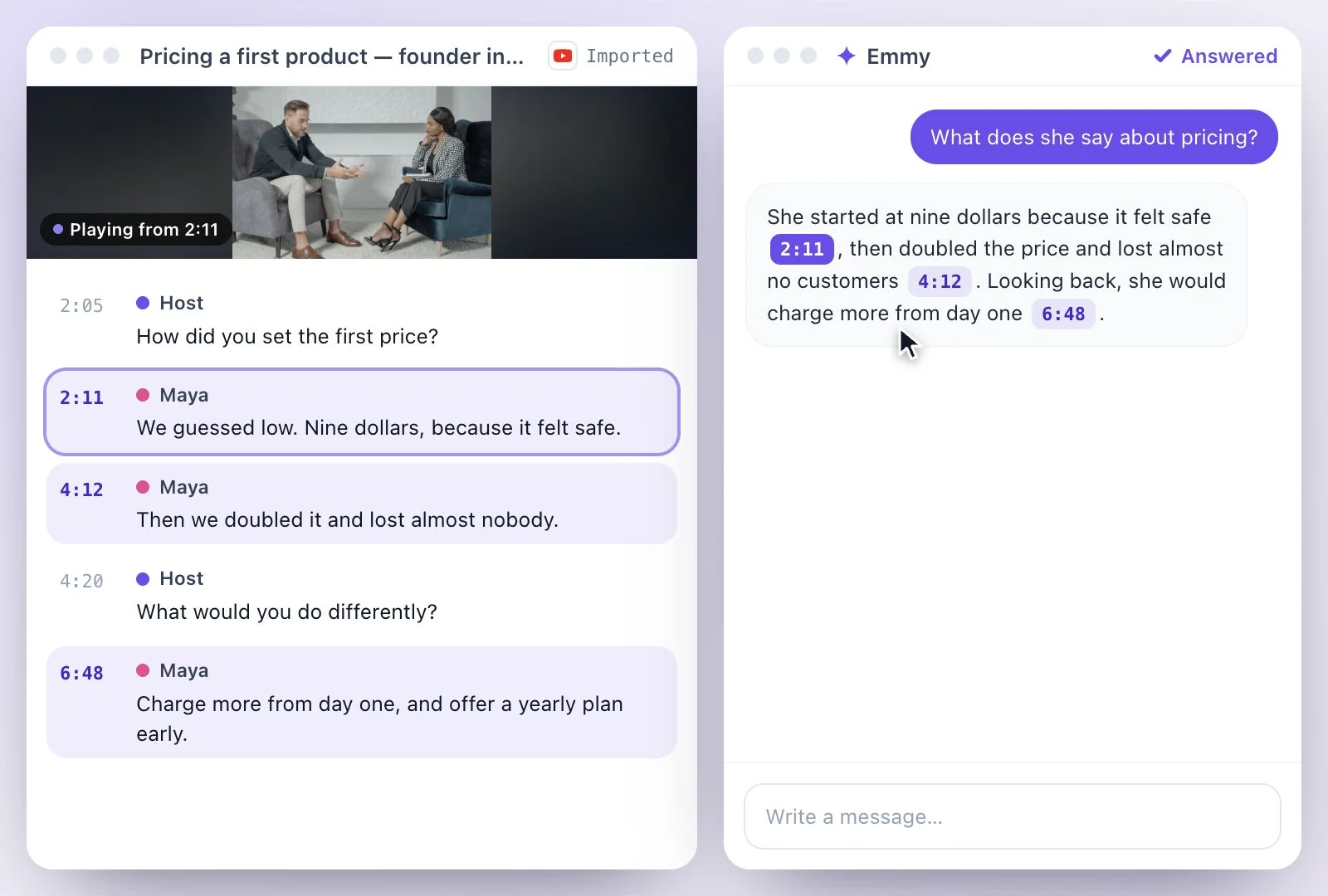
Paste a YouTube link and Exemplary AI transcribes the video; then open Ask Emmy (⌘J) and ask what you want to know.
Emmy answers from the transcript and cites the moment each answer came from: click a timestamp to jump there. It reads what is said, not what is on screen, and each message uses credits. The Free plan includes 500 one-time credits; files up to 500 MB and 30 min long; 720p video exports with a watermark. Credits are used by the tasks you run, rather than a fixed number of generations.
Chat with a YouTube video at a glance
Facts checked .
- Input
- A single YouTube, TikTok, Instagram, Facebook, Vimeo or X link, imported first; the chat takes no links
- Answers from
- The transcript: what is said, not the picture
- Citations
- Each answer cites the moment it came from; click to jump there
- Open it
- Ask Emmy, or ⌘J
- Beyond answers
- Drafts posts and summaries, makes a clip from a moment, translates the transcript
- Credits
- Each chat message uses credits
- Free plan
- The Free plan includes 500 one-time credits; files up to 500 MB and 30 min long; 720p video exports with a watermark. Credits are used by the tasks you run, rather than a fixed number of generations.
How to chat with a YouTube video
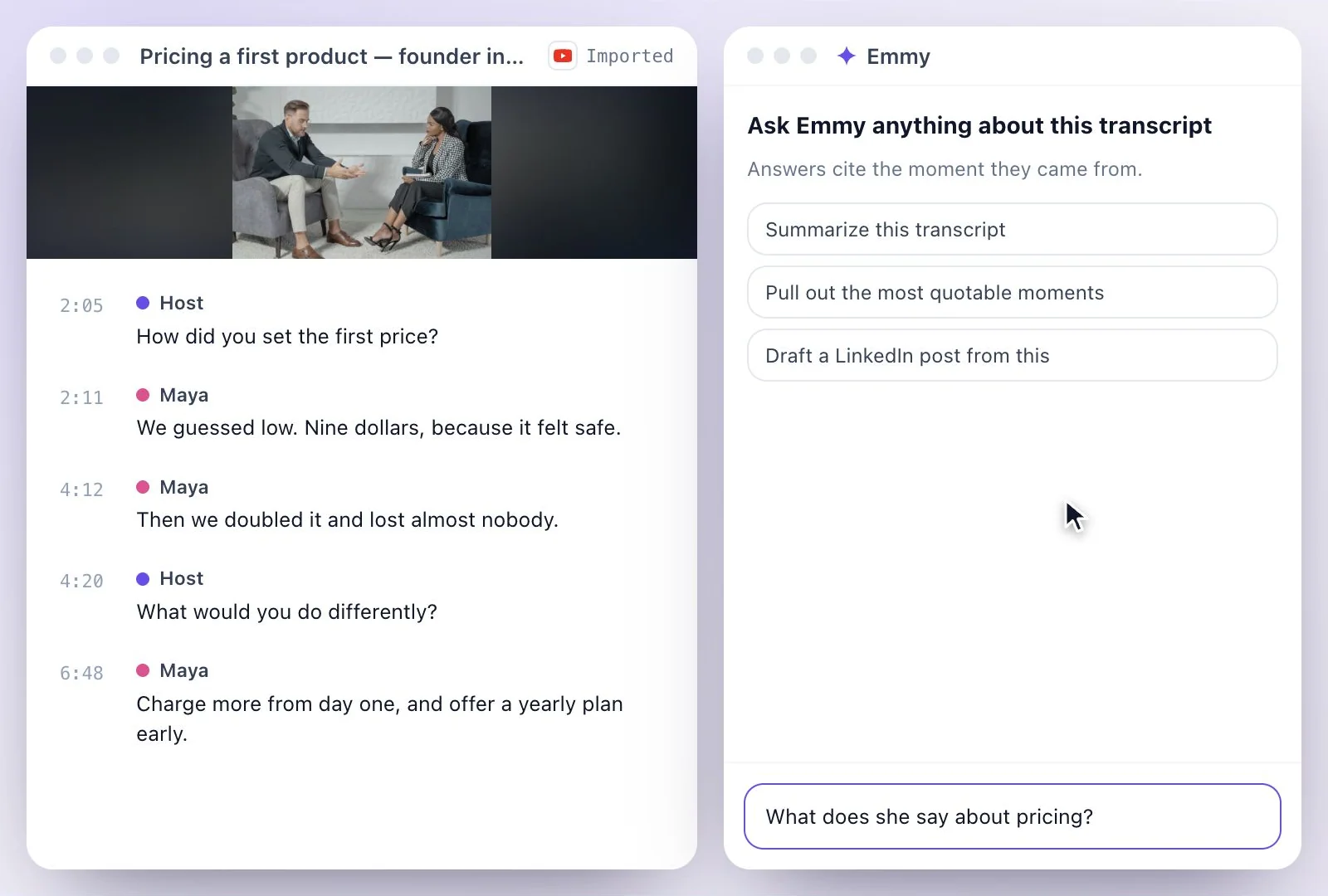
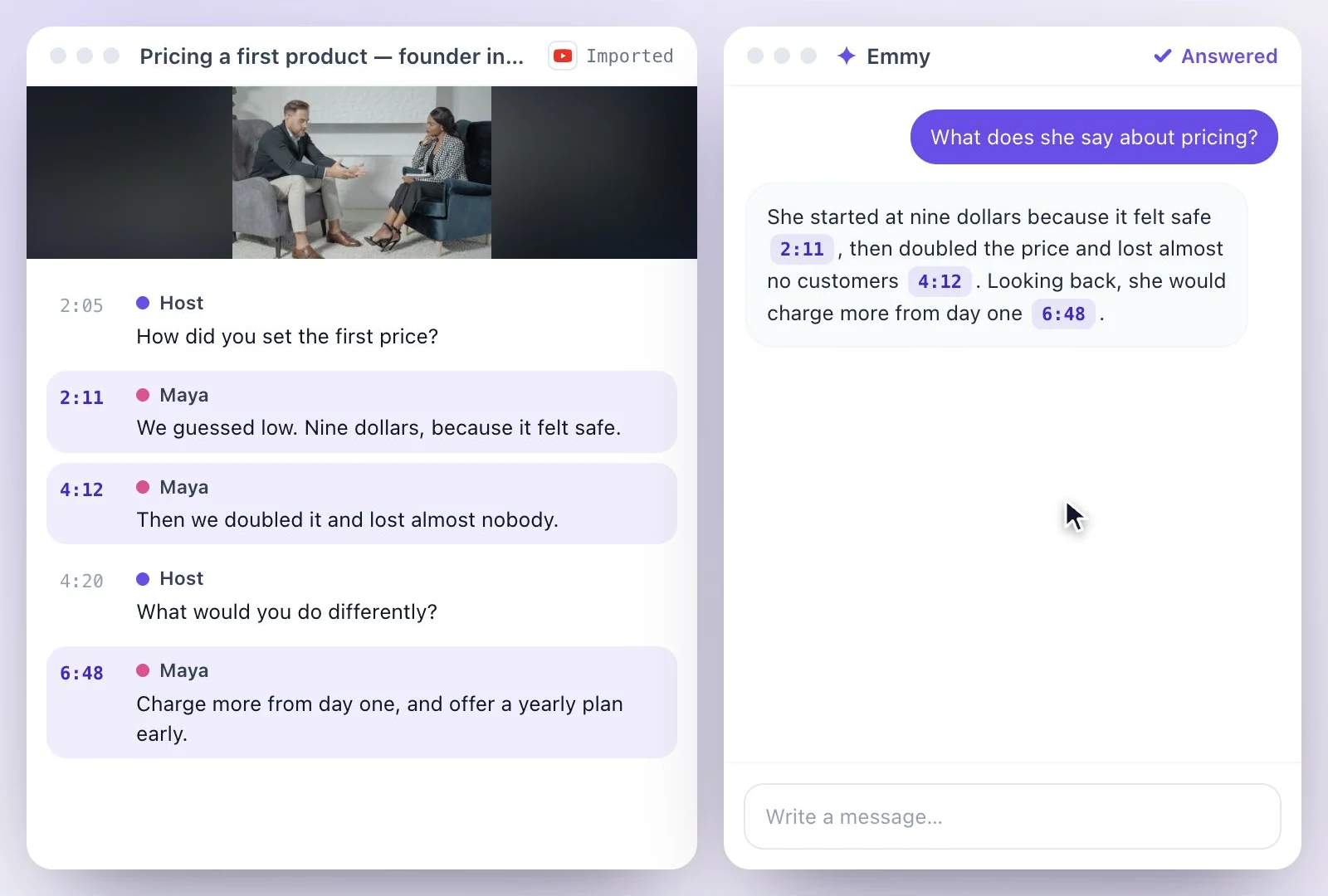
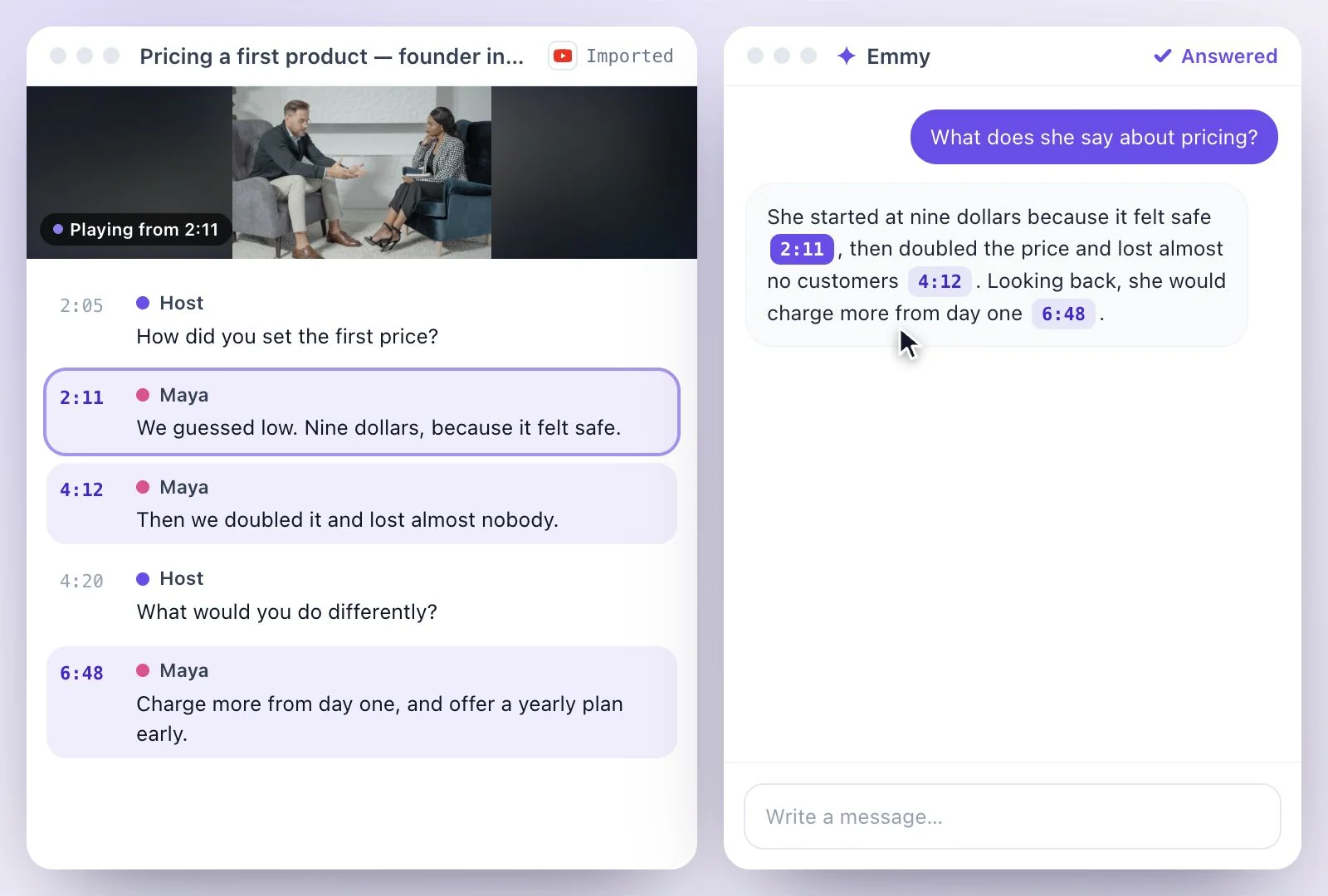
What to ask a video
Ask what you would ask the speaker: what they say about a topic, which tools they mention, where they explain a step, what they recommend. Because every answer cites its moment, you can check it in the video instead of trusting a summary.
Emmy cannot see the picture. If something only appears on screen, such as a chart, a slide or a product shot, ask about what is said around it. For notes to keep, see YouTube to notes or the YouTube video summarizer; for everything Emmy does, see Emmy.
Questions Answered from the Video
The transcript is the source, and every answer points back to it.
Answers with timestamps
Each answer cites the moment it came from; click it and the video jumps there.
Starts from the link
Paste the YouTube link once; the video is transcribed, and the chat opens beside the transcript.
More than answers
Ask Emmy to draft a post or a summary from what you found, or to cut a clip of the moment.
Transcript beside the chat
The full transcript stays open next to the chat, so you can read around any answer.
Common questions
Can I chat with a YouTube video?
Can I paste a YouTube link straight into the chat?
Does Emmy understand what is shown on screen?
How do I check where an answer came from?
Does chatting with a video use credits?
Is chatting with a YouTube video free?
Discover more AI Content
- Summary Generator
- YouTube Video Summary Generator
- Video Chapter Generator
- Podcast Show Notes Generator
- Lecture to Notes Generator
- YouTube to Notes Generator
- YouTube Tags Generator
- YouTube to LinkedIn Post Generator
- TikTok Caption Generator
- Video Hook Generator
- Emmy Generator
- YouTube Description Generator
- YouTube Timestamp Generator
- YouTube Video Title Generator
- Hashtag Generator
- Social Media Post Generator
- Blog Post Generator
- Meeting Minutes Generator
Turn a recording into your next draft
Start with your source, generate a draft, and review it before you share.