Loom Alternative: How Exemplary AI Compares
Exemplary AI turns a recording into a transcript in 99 languages, short clips, subtitles, audiograms and written content, all in one workspace. Loom combines screen recording, shareable videos and meeting recaps.
The product
Why choose Exemplary AI
Create clips, transcripts and written content from the same recording, with editing and translation in one workspace.
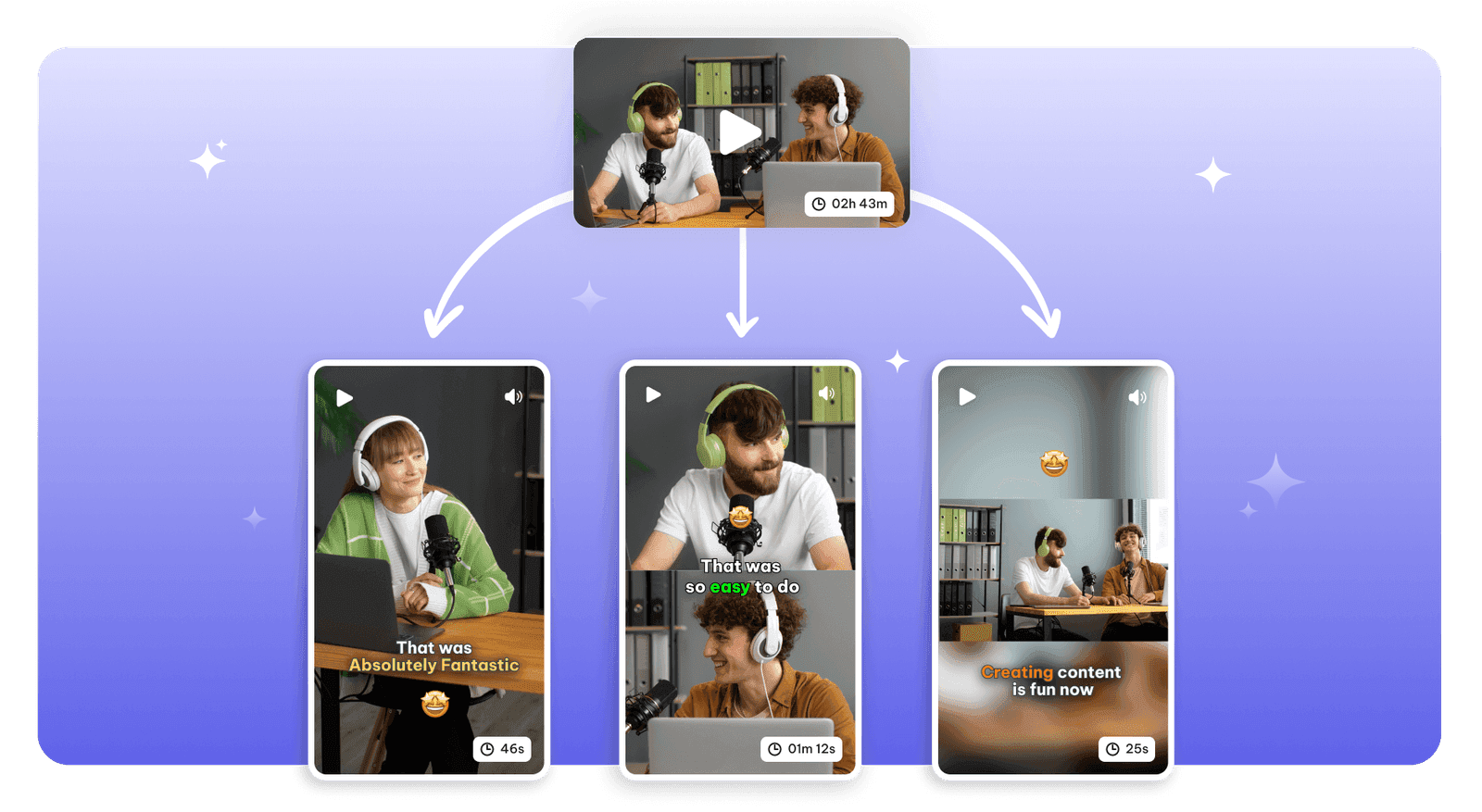
Trim video by editing its transcript and remove unwanted pauses.
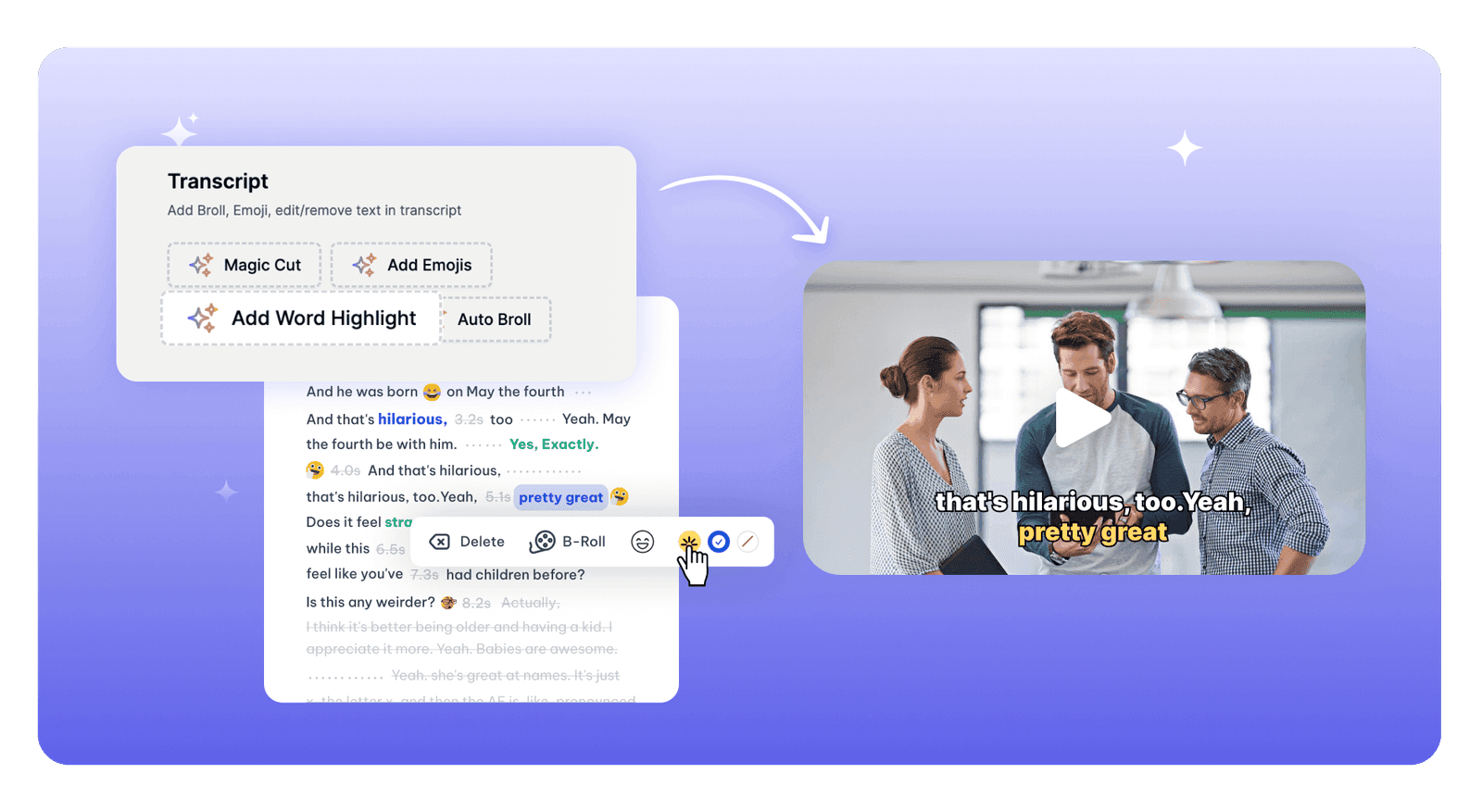
Highlight words in captions and export clips ready for social platforms.
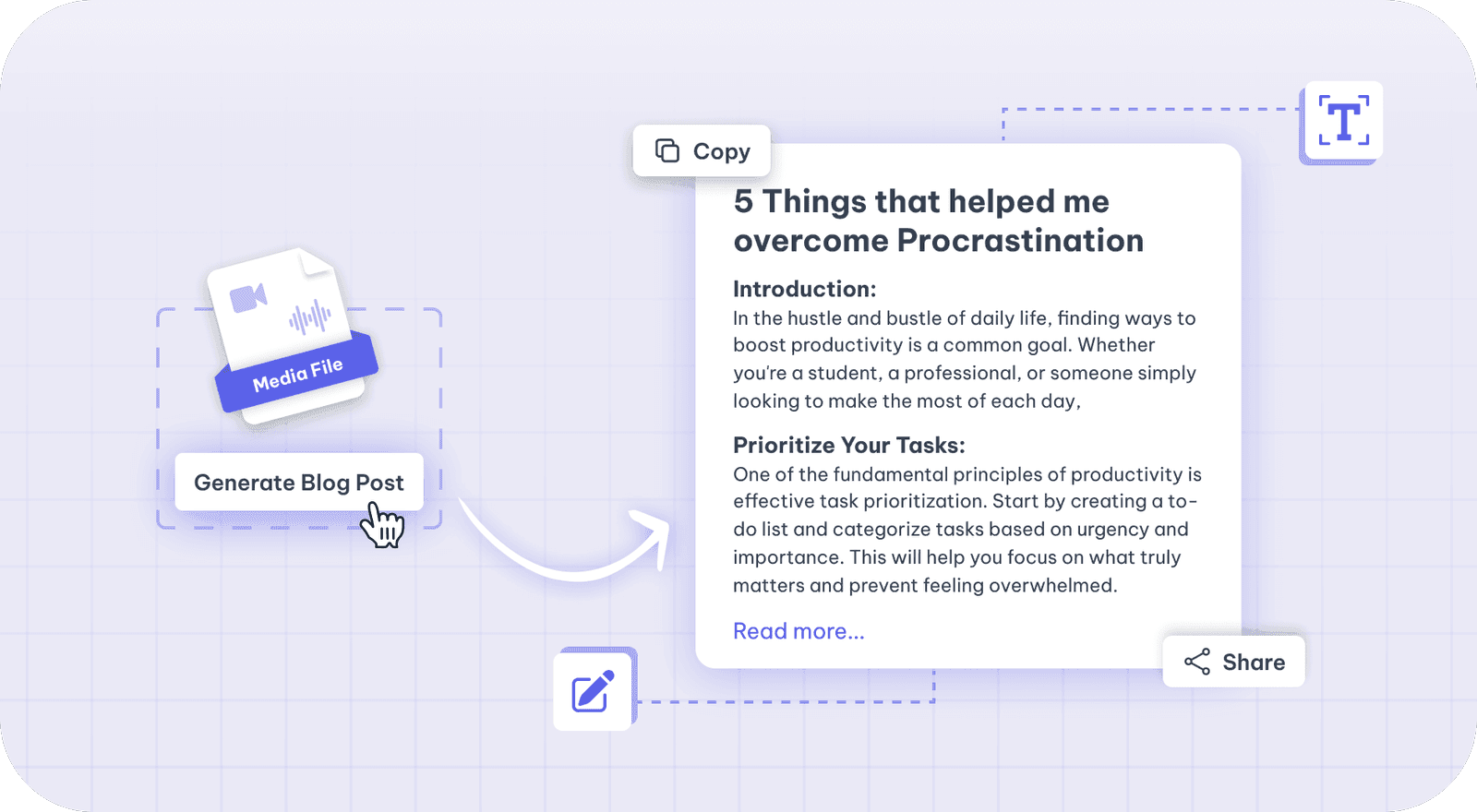
Turn your transcript into blog drafts, show notes, summaries and social posts.
At a glance: Exemplary AI combines clips, transcripts, subtitles and AI writing from the same recording. Loom offers screen recording and asynchronous team communication.
Exemplary AI vs Loom
Prices and features as of October 2026. Exemplary AI prices are in USD, with currency conversion at checkout. Explore plans.
| Feature | Exemplary AI | Loom |
|---|---|---|
| Free plan | Yes 200 one-time credits; files up to 500 MB and 30 min long; 720p video exports with a watermark | Yes 25 videos/person; screen recordings up to 5 minutes; unlimited meeting length. |
| Paid plan pricing | Pro: US$29/mo; Creator: US$39/mo; Studio: US$49/mo Billed monthly in USD. Annual billing and allowances are on the pricing page. | — |
| Languages | 99 languages transcription; 116 languages for translation | 50+ languages transcription |
| AI clips from long video | Yes AI clip maker, on every plan | — |
| Transcription | Yes 99 languages | Yes |
| Subtitles / captions burned in | Yes Burned-in captions, or SRT/VTT download | — |
| Translation | Yes 116 languages | — |
| Speaker labels | Yes Speaker-labelled transcripts | — |
| YouTube timestamps / chapters | Yes YouTube timestamp generator | Partly Business + AI generates Loom video chapters; YouTube chapter export was not confirmed. |
| Audiograms | Yes Audiogram maker | — |
| Public API | No Not available in consumer plans | — |
| Mobile app | Web app Runs in the browser | Yes |
| Team workspaces | Yes Creator: up to 3 users; Studio: up to 5 users | Yes |
Where Exemplary AI wins
- AI clips from long video, Subtitles / captions burned in, Translation, Speaker labels, Audiograms: Exemplary AI includes AI clips, burned-in captions, translation, speaker labels and audiograms alongside clips and transcripts in one workspace.
Where Loom wins
- Fast screen recording and shareable video links suit asynchronous explanations.
Plan and upload details
Loom plan allowances
Plan allowances vary by subscription.
Exemplary AI plan allowances
- Free plan: 200 one-time credits; files up to 500 MB and 30 min long; 720p video exports with a watermark
- Paid plan credits a month: 3000 (Pro), 8000 (Creator), 18000 (Studio)
- Max file size and length: Free: files up to 500 MB and 30 min long; Pro: files up to 2 GB and 4 hours long; Creator: files up to 4 GB and 8 hours long; Studio: files up to 10 GB and Unlimited long
- Languages: 99 languages for transcription, 116 languages for translation
Before you switch
Is Loom free?
How much does Loom cost?
How many languages does Loom support?
Does Loom have a mobile app?
Other tools people weigh this against
- vs TurboScribe
- vs Opus Clip
- vs vidyo.ai
- vs Submagic
- vs Riverside
- vs Klap
- vs VEED
- vs Vizard
- vs Repurpose.io
- vs 2short.ai
- vs Cockatoo
- vs Munch
- vs Maestra
- vs GravityWrite
- vs Flixier
- vs Qlip AI
- vs Happy Scribe
- vs Headliner
- vs Descript
- vs Trint
- vs Notta
- vs Transkriptor
- vs Zubtitle
- vs Pictory
- vs StreamYard
- vs Sonix
- vs Rask AI
- vs Castmagic
- vs Podsqueeze
- vs Captions
- vs CapCut
- vs WayinVideo
- vs Choppity
- vs Ssemble
- vs Fireflies
- vs Kapwing
- vs Fathom
- vs Deciphr
- vs Cleanvoice
- vs Otter
- vs RemakeIt
- vs Podcastle
- vs ZapCap
- vs Wisecut
- vs AutoPod
- vs Crayo
- vs Revid
- vs Fliki
- vs InVideo
- vs Spikes Studio
One upload. Every format you need.
Drop in a recording and work from the transcript — clips, captions, chapters, show notes and posts all come from the same file.