Which AI agent integrations work without internet access?
Assess offline AI agent integrations by checking endpoint location, authentication, dependencies, and data freshness rather than assuming local plugins are disconnected.

Sarath Chandran
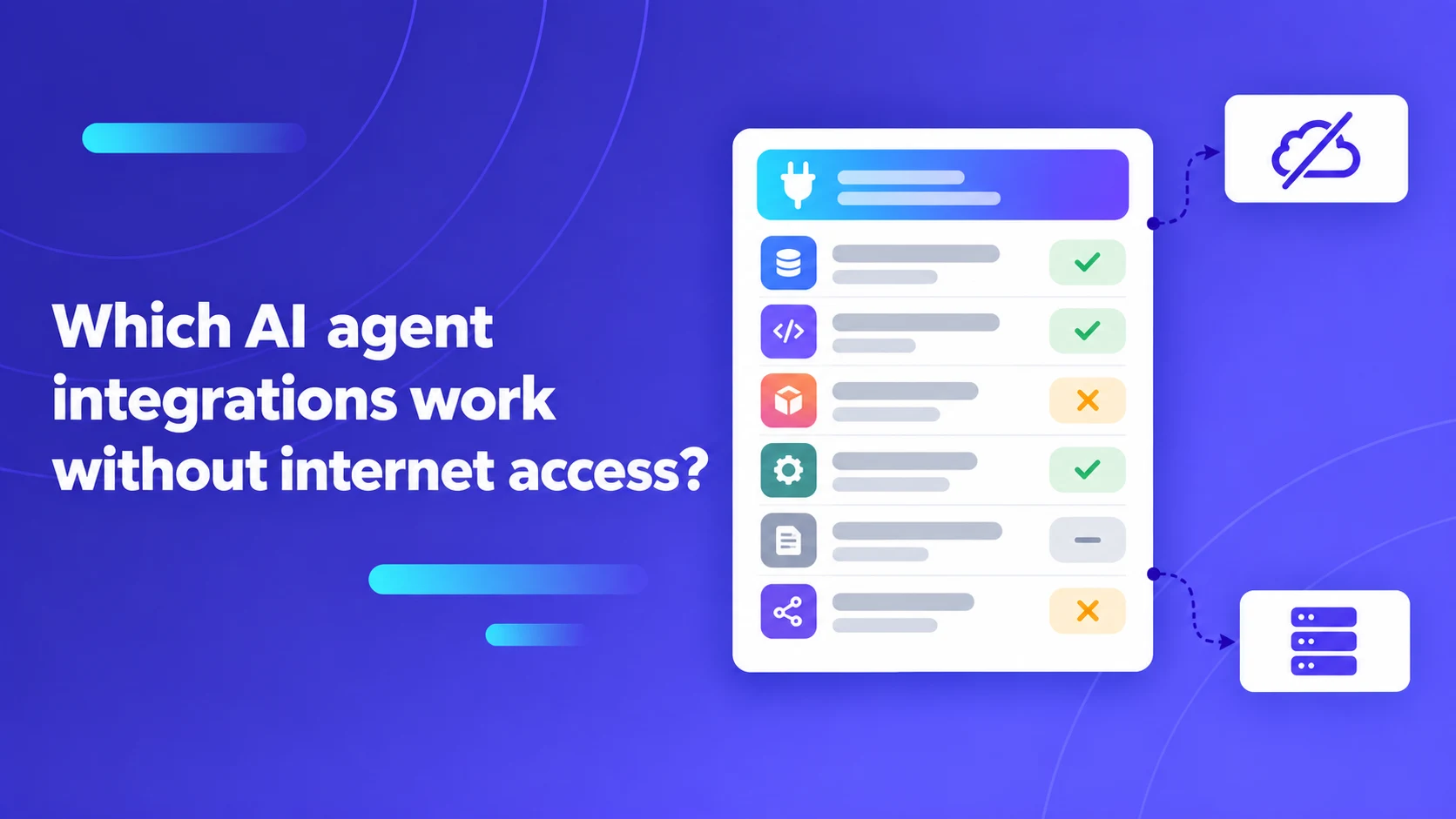
An AI agent integration works without internet access only when every dependency needed for the intended operation is reachable inside the approved boundary. A locally installed connector is not enough if it calls a public API or depends on an external identity service.
In sovereign government enclaves, defense installations, critical utilities, and air-gapped financial banking networks, AI agents cannot rely on public cloud APIs. Organizations deploy autonomous agents to accelerate complex knowledge work: summarizing internal technical documentation, querying localized relational databases, generating maintenance code, and coordinating enterprise resource planning (ERP) tickets. However, software connectors frequently harbor hidden runtime dependencies: telemetry pings, dynamic cloud plugin registries, external OAuth token validation endpoints, and remote vector databases. When the network cord is cut, an integration that worked seamlessly in a staging environment can fail silently or crash with unexplained socket timeouts.
Key Architecture Rule: Offline compatibility is not a static binary attribute of an integration connector; it is an operational property of an entire execution path. Every component—model inference runtime, tool orchestration gateway, identity provider, transport layer, and underlying database—must resolve within the physical or logical network perimeter.
Follow the complete integration invocation path
To determine whether an autonomous agent tool can function in a disconnected environment, systems architects must trace the complete execution path from initial prompt formulation to final backend write.
A comprehensive invocation audit must inspect:
- Model Context & Reasoning: Does the language model run on local inference servers (e.g., vLLM or Ollama), or does the orchestration layer attempt an egress HTTPS call to a commercial frontier model?
- Tool Schema Resolution: Are tool schemas and Model Context Protocol (MCP) servers loaded from local disk manifests, or does the agent attempt to query a remote marketplace?
- Transport & Network Routing: Does the connector communicate via local Unix domain sockets, loopback interfaces (
127.0.0.1), or strictly routed private subnet IPs? - Authentication & Authorization: Does the integration authenticate via localized mutual TLS (mTLS), internal Kerberos tickets, or local service account tokens, or does it attempt to reach a public SaaS identity provider?
- Transitive Network Requests: Does the underlying API gateway, database driver, or microservice initiate outbound calls to third-party telemetry, license validation, or analytics endpoints?
A hostname with an internal appearance (such as gateway.internal.corp) does not guarantee isolation. A reverse proxy or API gateway may forward specific endpoints to public SaaS providers. Conversely, a private API deployed on an isolated virtual machine can provide complete operational capabilities to an agent without a single byte of internet traffic.
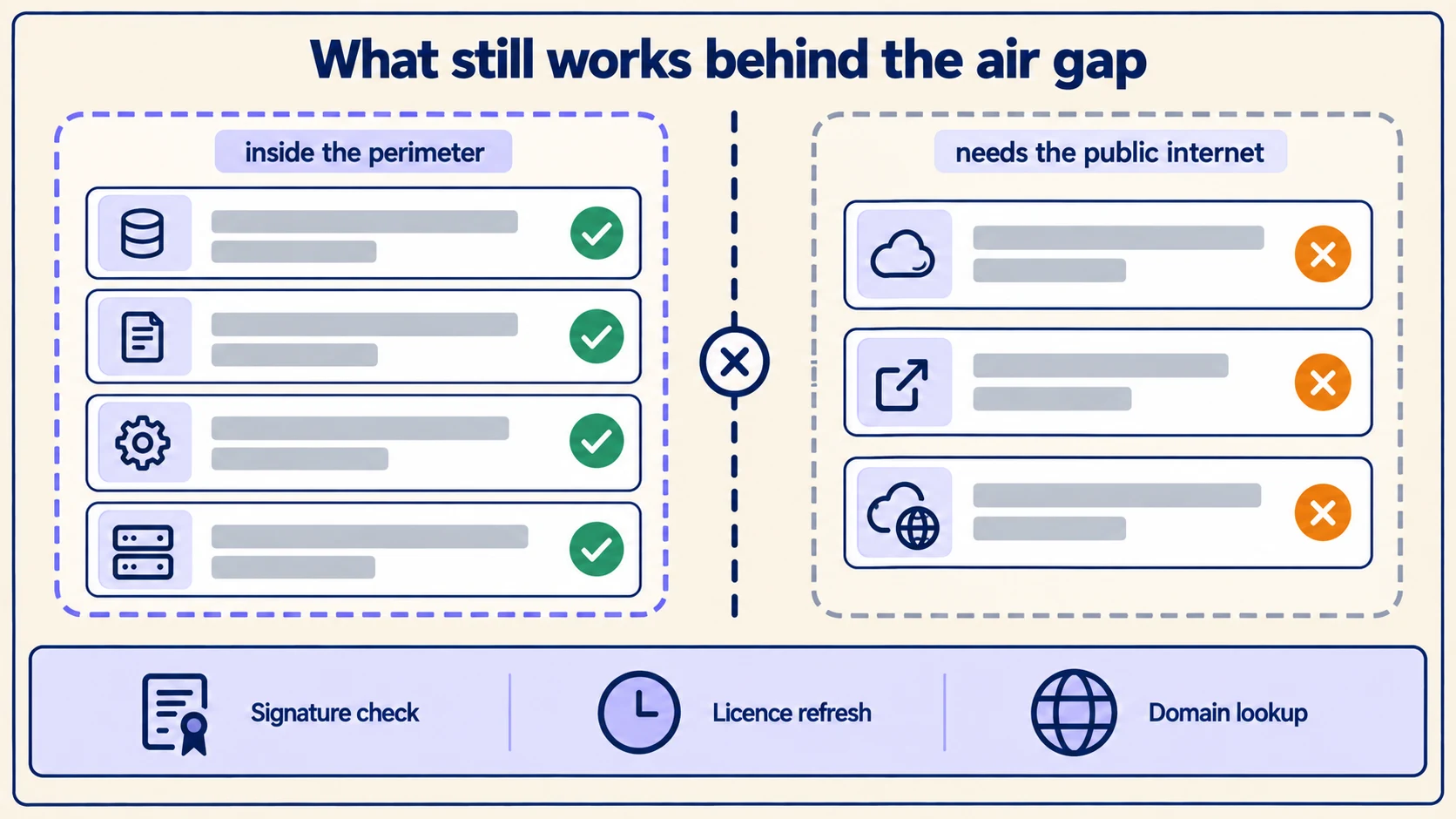
An illustrative offline compatibility matrix and technical protocols
Before approving agent toolsets for disconnected enclaves, security engineering teams must construct an empirical compatibility matrix. The table below illustrates how different enterprise integrations behave in disconnected environments. The examples below are deliberately synthetic and illustrative; they do not represent specific vendor benchmarks or product capabilities.
| Integration target | Operational feasibility in disconnected enclave | Mandatory local infrastructure required | Latent external failure modes to audit |
|---|---|---|---|
| Internal Relational DB (PostgreSQL / Oracle) | Fully Supported: Standard SQL drivers run natively over private TCP/IP. | Local database instance, internal connection pooler, local DNS records. | Public package repository lookups during dynamic driver initialization. |
| Enterprise Document Store (Elasticsearch / Milvus) | Fully Supported: Retrieval-Augmented Generation (RAG) executes within enclave. | Self-hosted embedding model, local vector index, on-premises object storage. | Hardcoded calls to public embedding APIs (e.g., OpenAI or Cohere). |
| Internal Issue Tracker (Self-Hosted GitLab / Jira) | Fully Supported: REST/GraphQL APIs function over internal HTTPS. | Local service accounts, internal CA root certificates, on-premises server. | Webhook notifications attempting to ping external Slack or SaaS notification hubs. |
| Public SaaS CRM (Salesforce / HubSpot) | Unsupported: Requires live outbound public connectivity. | Disconnected alternative: Periodic read-only database replica imported via diode. | Network timeout exceptions, credential validation failure on public token servers. |
| Public Web Search Engine | Unsupported: Live search indexing requires global internet access. | Disconnected alternative: Curated internal intranet search or offline knowledge base. | Agent stalls in infinite retry loops waiting for external HTTP responses. |
| External Identity Provider (Okta / Azure AD) | Conditional: Fails if token refresh requires reaching public endpoints. | Disconnected alternative: Local Active Directory / LDAP, Keycloak, or SPIFFE/SPIRE. | Expired JWT bearer tokens failing cryptographic validation after 60 minutes. |
| Packaged MCP Agent Plugin | Conditional: Dependent on runtime dependency management. | Offline binary bundles, vendored libraries, local configuration manifests. | Python pip or Node npm attempting background dependency resolution at runtime. |
Understanding these transport boundaries prevents deployment delays. When an agent tool fails, operations teams can quickly isolate whether the fault lies in the model's schema generation, local routing, or backend service availability.
Separate plugin distribution from runtime execution behavior
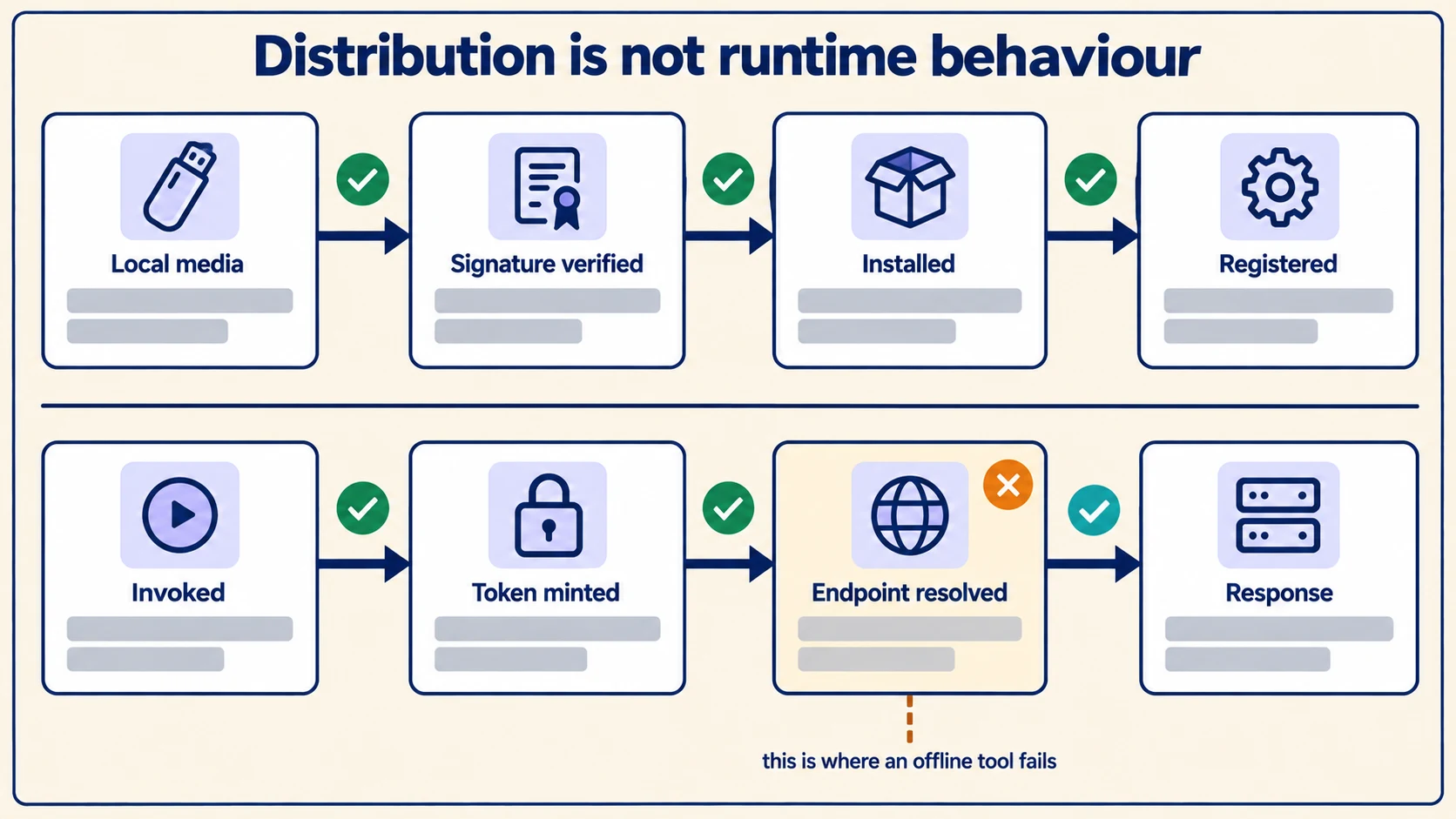
A common misconception in air-gapped architecture is conflating offline distribution with offline runtime capability. Delivering a software plugin via a physical USB drive or secure bastion host does not prove that the code will execute without network dependencies.
Dify's documentation on installing plugins from local packages illustrates how application packages can be imported into self-hosted platforms without querying public marketplace registries. However, once installed, an imported plugin script may still contain code that attempts to fetch external assets, download language models, or report telemetry upon its first invocation.
Apply the same scrutiny to model weight distribution. Hugging Face's offline mode documentation specifies explicit environment variables (such as HF_HUB_OFFLINE=1 and TRANSFORMERS_OFFLINE=1) designed to prevent libraries from attempting remote network checks. In an air-gapped enclave, failing to configure explicit offline flags causes processes to hang for 30 to 120 seconds while underlying libraries wait for DNS timeouts against public servers.
Pro Tip: In air-gapped environments, always configure container images withPIP_NO_INDEX=1,NPM_CONFIG_OFFLINE=true, and explicit firewall egress blocks (iptables -A OUTPUT -d 0.0.0.0/0 -j REJECT). Forcing early failure exposes hidden network dependencies during CI/CD staging rather than during production agent execution.
Audit cryptographic validation and authentication lifecycles
In internet-connected environments, client applications frequently rely on Online Certificate Status Protocol (OCSP) responders or Certificate Revocation Lists (CRLs) hosted by public Certificate Authorities (CAs) to validate TLS certificates. In a disconnected network, an application configured for standard TLS certificate verification will stall or fail if it cannot reach the external OCSP responder.
To ensure resilient offline authentication:
- Internal Certificate Authority: Issue all internal service certificates from an on-premises enterprise root CA, and pre-install the root certificates into system trust stores across all container base images.
- Pre-Shared Workload Identity: Deploy localized workload identity frameworks—such as SPIFFE/SPIRE or mutual TLS (mTLS)—that issue cryptographically verifiable x509 certificates locally.
- Service Account Lifecycles: Audit token refresh mechanisms for database and API connectors. If a connector relies on OAuth2 authorization code flows that redirect users to public cloud login screens, replace it with local client credentials or API keys managed through an on-premises secrets vault (such as HashiCorp Vault).
Never attempt to resolve connectivity failures by disabling TLS verification (NODE_TLS_REJECT_UNAUTHORIZED=0 or curl -k). Weakening cryptographic controls inside an internal enclave creates lateral movement vulnerabilities that compromise overall infrastructure security.
Manage data currency and air-gapped snapshot synchronization
When live SaaS connectors cannot be deployed into a disconnected network, engineering teams frequently implement data diodes or unidirectional secure file transfer mechanisms to import point-in-time database snapshots.
While snapshot replication provides valuable data access, it alters the operational contract of the AI agent:
- Document Data Freshness Latency: An AI agent querying a replicated product catalog is answering questions based on the snapshot timestamp, not the live transactional state. If the synchronization pipeline runs nightly, inventory counts may be up to 24 hours stale.
- Schema Drift Vulnerabilities: When external systems update database schemas or data models, snapshot ingestion pipelines can silently fail or drop newly introduced columns, causing agent tool calls to fail.
- Explicit Agent Framing: Prompt the agent with explicit metadata regarding data currency. If the database snapshot was taken at
2026-09-17T00:00:00Z, the agent's system prompt must inform the model of that timestamp so it does not falsely claim to provide real-time status.
A nine-point reproducible acceptance runbook for offline agent tools
Before certifying any agent integration for production deployment in a disconnected environment, execute an empirical verification runbook in an isolated network sandbox:
- Deploy in True Isolation: Boot the complete agent platform and integration connector inside a dedicated virtual network with zero external internet routing.
- Capture Network Telemetry: Run packet capture tooling (
tcpdumpor Wireshark) on the container's network interface to record all outbound egress attempts. - Exercise Cold Initialization: Clear all local caches, reboot the services, and verify that the connector starts cleanly without attempting remote asset downloads.
- Authenticate via Local Credentials: Verify that the agent acquires and validates local service account tokens or certificates without contacting public identity providers.
- Execute Read Operation: Trigger an agent tool call that queries an internal database or document store, and verify that the returned data is accurate and complete.
- Execute State-Modifying Operation: In an authorized test environment, trigger an agent tool call that creates a ticket or updates a record, and verify the resulting state in the target system.
- Simulate Credential Expiration: Force the expiration of the agent's authentication token, and verify that the connector successfully re-authenticates via the local token authority.
- Simulate Service Unavailability: Disconnect the target internal service, trigger the agent tool call, and verify that the agent receives a structured error message and explains the downtime gracefully.
- Inspect Audit Trails: Confirm that all tool invocations, parameters, and responses are logged to local audit stores, as detailed in our guide to AI agent action audit trails.
By applying this rigorous evaluation framework, enterprise security and platform teams can expand agentic capabilities while strictly adhering to air-gapped security postures.
For complete infrastructure planning, review our comprehensive air-gapped AI operating requirements and our technical analysis of on-premises AI outbound data flows. Explore ExemplaryAI's supported enterprise integrations and sovereign deployment options, then schedule an enterprise architecture briefing to evaluate secure offline agent workflows tailored to your enclave requirements.