Why enterprise AI assistants answer from outdated documents
Diagnose outdated AI answers by testing source updates, ingestion, indexing, retrieval, and conversation context with a reproducible freshness checklist.

Sarath Chandran
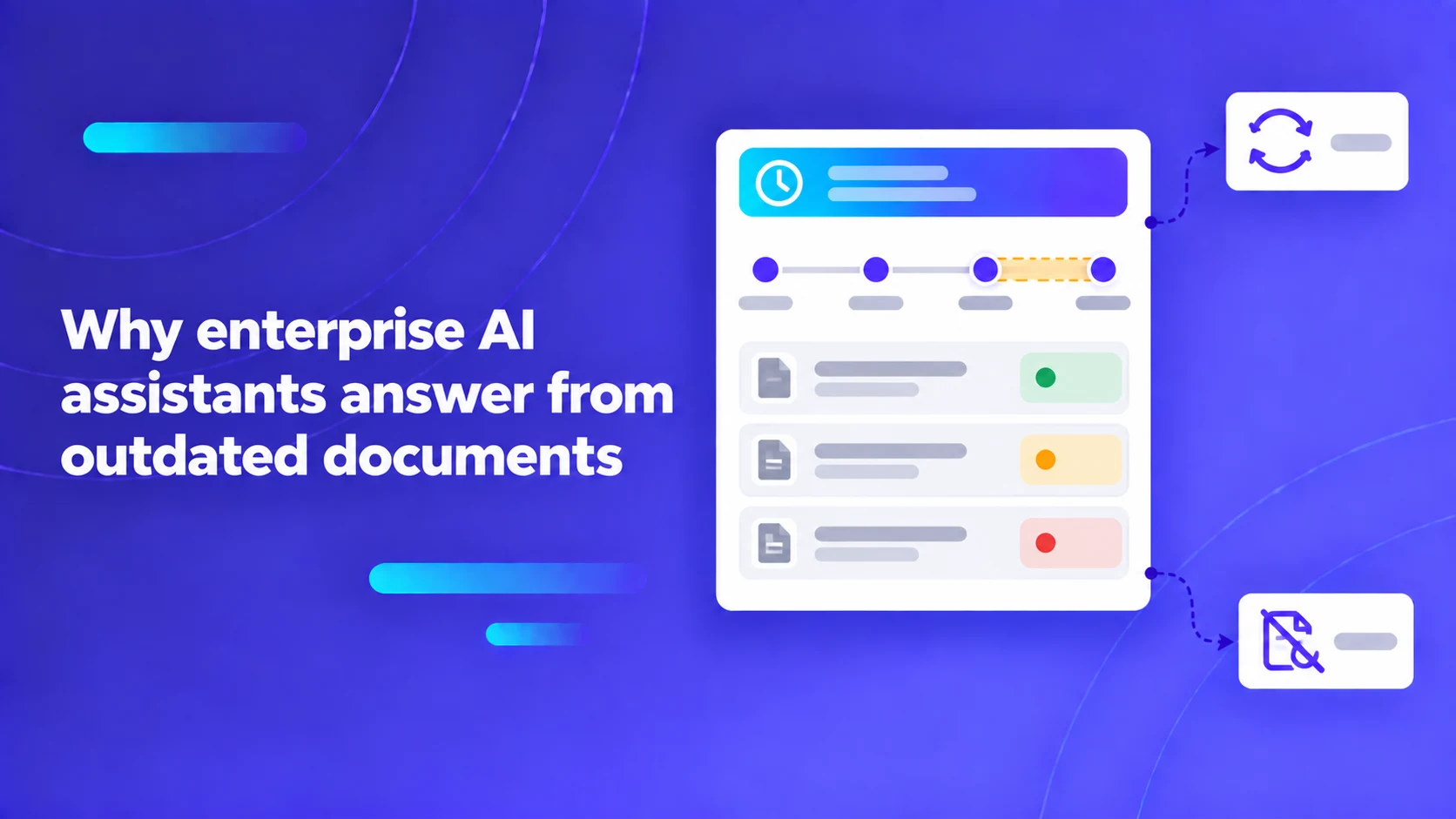
An enterprise AI assistant can answer from outdated documents even when the source repository is current. The delay may sit between the source edit, ingestion, indexing, retrieval and the conversation using the result. Improving enterprise AI knowledge freshness starts with measuring those boundaries separately.
In fast-moving corporate environments, information becomes obsolete within hours: product pricing tiers change, security incident triage protocols are updated, and code deployment freezes shift from Thursday to Wednesday. When an enterprise integrates a Retrieval-Augmented Generation (RAG) assistant, employees expect the AI to reflect these critical changes immediately. However, behind the simple user interface lies a multi-stage data synchronization pipeline: enterprise source repositories (SharePoint, Google Drive, Confluence, Salesforce), Change Data Capture (CDC) polling workers, document chunking parsers, embedding models, vector database indexers, semantic prompt caches, and user conversation history buffers. If synchronization latency is unmonitored, an employee querying the assistant will receive obsolete, confident guidance from superseded documentation, triggering operational mistakes.
Key Architecture Rule: Knowledge freshness is a metric of the end-to-end data pipeline, not of the LLM generation timestamp. Always track the complete 4-timestamp lifecycle: Source Edit Time, Ingestion Time, Vector Indexing Time, and Query Generation Time.
Follow enterprise knowledge across the four-timestamp lifecycle
A green "Connected" status badge beside a cloud connector provides zero proof that an AI assistant's answers are current. The connector may be connected while an upstream ingestion queue is stalled with 50,000 pending files, or while an embedding worker is crashing on malformed PDFs.
Platform architects must trace data currency across four distinct operational timestamps:
The table below outlines the four foundational timestamps, their technical evidence, and the diagnostic boundaries they establish.
| Timestamp marker | Underlying technical event | What it proves | What it fails to prove |
|---|---|---|---|
| T1: Source Modified | Author saves edit in SharePoint or Confluence. | Document was updated in source repository. | Zero proof that the AI platform was notified. |
| T2: Ingestion & Parse | Connector pulls file; chunking parser extracts text. | Raw text was extracted from the new file version. | Zero proof that vector embeddings were updated. |
| T3: Vector Index Commit | Embedding model generates vectors; HNSW graph updates. | The vector index can now retrieve the new vectors. | Zero proof that old vectors were pruned. |
| T4: Query Generation | User submits prompt; LLM synthesizes answer. | Assistant generated a fresh conversational response. | Zero proof that the response reflects T3 over T1. |
Microsoft's documentation on unstructured data knowledge sources in Copilot Studio highlights the distinction between direct live querying of external search services and asynchronous indexing into local vector storage. The chosen synchronization architecture directly dictates your achievable Freshness Service Level Agreement (SLA).
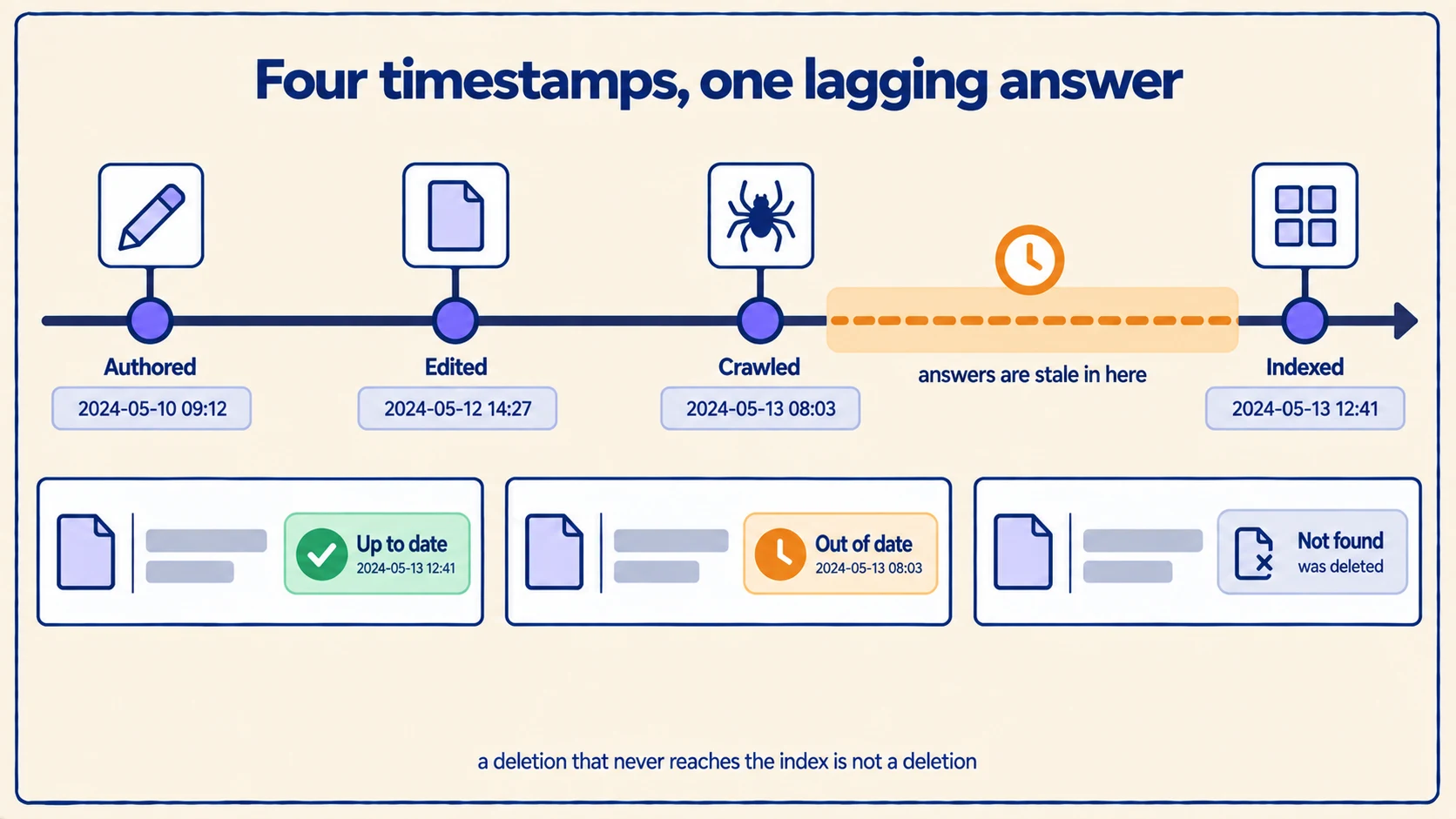
A worked enterprise scenario: The shifting release calendar
To observe how synchronization lag manifests in production, consider a concrete enterprise scenario: an engineering organization manages an internal deployment calendar in Confluence. At 09:00 AM on Monday, the VP of Engineering updates the deployment policy, shifting the mandatory production deployment freeze from Thursday afternoon to Wednesday afternoon.
The table below traces how an employee's query is handled across different stages of the synchronization lifecycle. The figures below are deliberately synthetic and illustrative; they do not represent measured benchmarks or proprietary vendor claims.
| Timeline event | Clock time | System state & synchronization status | Assistant response to "Can I deploy Wednesday?" |
|---|---|---|---|
| Policy Updated in Confluence | 09:00 AM | Version 4 published; T1 recorded. | Stale: "Yes, deployments are permitted on Wednesday." |
| CDC Connector Ingestion | 09:12 AM | File pulled; T2 recorded; queue depth 12. | Stale: System still queries legacy vector index. |
| Vector Index Commit (HNSW) | 09:15 AM | Embeddings written; T3 recorded. | Current: "No, Wednesday afternoon is under freeze." |
| Stale Semantic Cache Hits | 09:16 AM | Un-invalidated semantic cache intercepts query! | REGRESSION: Emits cached 09:00 AM stale answer! |
| Cache Invalidation Executed | 09:20 AM | Semantic cache purged for deployment topic. | Current: Correctly warns user of Wednesday freeze. |
Notice what occurred at 09:16 AM: even though the vector database was successfully updated at 09:15 AM, the user received an obsolete answer because an intermediate semantic prompt cache returned the stale response generated ten minutes earlier! Tracking all caching and synchronization layers is essential to prevent stale data regressions.
Pro Tip: In high-concurrency enterprise RAG deployments, always bind cache invalidation webhooks to your vector ingestion pipeline. When a document is re-indexed at T3, emit an immediate purge event to your Redis semantic cache targeting all cache keys tagged with that document's metadata identifier.
Differentiate between polling intervals and indexer latency
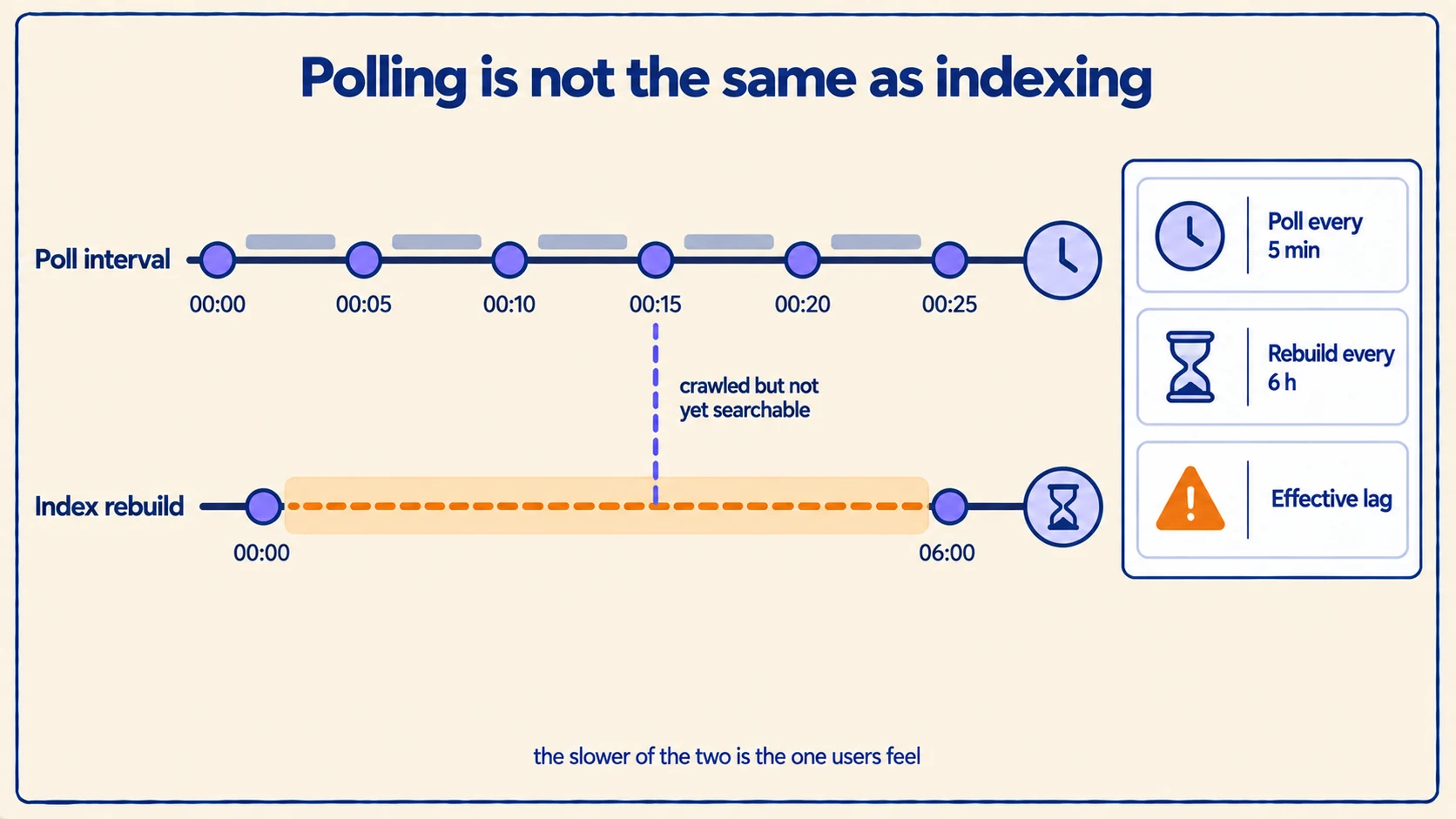
In enterprise search architectures, scheduling an indexer to run every 15 minutes does not mean answers update within 15 minutes. Azure AI Search's documentation on indexer scheduling explains that indexers are placed into execution queues where execution delays depend on concurrent cluster load, file sizes, and downstream API rate limits.
True end-to-end freshness latency is the sum of every stage, not the schedule alone:
1freshness latency = polling interval2 + queue wait time3 + OCR / parsing latency4 + embedding generation time5 + index build and commit timeIf a 100-page PDF requires 4 minutes of OCR parsing and 2 minutes of embedding generation, an indexer scheduled every 15 minutes will exhibit a real-world freshness latency of up to 21 minutes. Establish explicit, documented SLAs for different document categories: operational emergency alerts require event-driven webhook synchronization (< 60 seconds), whereas annual compliance policy updates can tolerate 24-hour batch synchronization.
Instrument the four timestamps as a single metric
Most teams discover a freshness problem when a colleague complains that the assistant quoted a policy that changed last week. By then the lag has been running for days. The four timestamps are only useful if the pipeline emits them, and emitting them costs almost nothing: each stage already knows when it ran.
Attach the timestamps to the document record itself and carry them forward, so any chunk retrieved at query time can report how old it is. Three derived numbers are worth alerting on, and they answer different questions:
| Derived metric | How it is computed | What a spike tells you |
|---|---|---|
| Ingestion lag | T2 minus T1 | The connector is not being notified, or its poll is too slow. Look at webhook delivery and queue depth. |
| Index lag | T3 minus T2 | Parsing or embedding is the bottleneck, not discovery. Look at OCR duration and embedding batch size. |
| Answer lag | T4 minus T3, sampled per query | Retrieval or caching is serving an older state than the index holds. Look at cache keys and replica sync. |
Track each as a distribution rather than an average. A median index lag of four minutes with a ninety-ninth percentile of six hours is not a healthy pipeline; it is a healthy pipeline with a class of documents that fails silently, and the mean hides it. The OpenTelemetry metrics guidance on histograms over gauges applies directly here.
Two additional counters catch failures the latency metrics cannot see:
- Documents in the source but absent from the index. A connector that crashes on one malformed PDF will otherwise look perfectly healthy while quietly skipping that file forever.
- Chunks in the index whose source no longer exists. This is the phantom-vector count, and it should be zero. Any non-zero value means deletion handling is broken.
Choose event-driven or scheduled synchronization per source
Freshness is bought with engineering effort, and not every repository deserves the same investment. The useful question is not "how fast can we sync?" but "what is the cost of this document being an hour out of date?"
An incident runbook that has just been rewritten during a live incident is worth a webhook. An annual travel policy is not. Deciding this per source, rather than setting one global interval, is usually the single largest freshness improvement available:
| Synchronization mode | Typical latency | Operational cost | Appropriate for |
|---|---|---|---|
| Event-driven webhook | Seconds | High — requires an endpoint, retry handling, replay protection and a dead-letter queue | Incident runbooks, pricing, security advisories, anything consulted under time pressure |
| Frequent polling | Minutes | Moderate — simple, but load scales with the poll rate | Active project spaces, engineering documentation, team wikis |
| Scheduled batch | Hours | Low | Approved policies, published handbooks, archived material |
| Manual re-index | On demand | Lowest | One-off corpora and historical imports that do not change |
Webhooks fail in ways polling does not, and a webhook-only design is fragile. Deliveries are lost, endpoints return errors during a deploy, and providers cap retries. Run a low-frequency reconciliation sweep underneath the webhooks — a nightly pass comparing source modification times against indexed ones — so a missed event costs a day rather than lasting forever.
A freshness incident triage runbook
When someone reports an outdated answer, resist the urge to re-index everything. A full rebuild destroys the evidence and usually fixes the symptom without identifying the cause, which guarantees a recurrence. Work the boundaries in order instead:
- Reproduce with the exact question. Freshness faults are frequently retrieval faults in disguise: the index is current, but the query retrieves a different, older document. Capture the citations the assistant returned before changing anything.
- Read the four timestamps on the cited chunk. This single step usually identifies the failing boundary. A recent T3 with a stale answer points at caching or replicas, not ingestion.
- Query the index directly for the document, bypassing the assistant. If the current text is present in the index, the pipeline is fine and the problem is downstream in retrieval, ranking or caching.
- Check whether the old version is still present. Finding both versions means the update was written additively and the supersede step is broken — the most common cause of confidently stale answers.
- Check the caches. Semantic caches, retrieval caches and CDN-level response caches each hold their own copy, and each needs its own invalidation.
- Only then consider re-indexing, and re-index that one document first.
The table below maps what the reader observed to the boundary most likely responsible.
| Observed symptom | Most likely boundary | First check |
|---|---|---|
| Answer cites a document that was deleted weeks ago | Deletion handling | Chunk count for that document id |
| Answer is correct in a fresh session, stale in an old thread | Conversation context | Pinned or cached context in the thread |
| Answer is stale for one team only | Permission-filtered replica | Which index replica that team queries |
| Answer cites the right document but an old passage | Additive update | Whether both versions are present |
| Everything is stale after a specific date | Connector authentication | Token expiry and connector error log |
Pro Tip: Keep one document in each major repository as a freshness canary — a page whose only content is a timestamp that a scheduled job rewrites every hour. Querying the assistant for that timestamp gives you an end-to-end freshness measurement that covers every stage at once, including the caches, and it costs one scheduled job to maintain.
Show the reader how old the answer is
No synchronization design reaches zero lag, so the assistant will sometimes answer from a document that has since changed. The difference between a tolerable system and one that loses trust is whether it admits this.
Surface the source modification date beside every citation. It costs one metadata field that the pipeline already carries, and it changes the reader's behaviour: a policy answer citing a document edited eleven months ago invites a second look, while the same answer with no date reads as current.
Where the stakes justify it, go further and have the assistant say so explicitly. If the retrieved evidence is older than the freshness SLA for that source, the answer should carry that qualification rather than presenting stale content with full confidence. This is the same discipline as answer abstention: the system's honesty about what it does not reliably know is what makes the rest of its answers worth trusting.
Handle tombstones, document deletions, and renames
A critical vulnerability in RAG freshness pipelines is the "Phantom Vector Catastrophe." This occurs when an author deletes an obsolete document in SharePoint, but the RAG platform only performs additive synchronization:
- The raw file is deleted from SharePoint.
- The vector database retains the 500 embedding chunks generated from the deleted file!
- Subsequent user queries continue retrieving the deleted document chunks, causing the assistant to cite "ghost" policies that no longer exist in the enterprise.
To eliminate phantom vectors:
- Implement Tombstone Pruning: Ensure synchronization pipelines support soft-delete and hard-delete event handling. When a document deletion event is detected, immediately purge all associated vector chunks using metadata filtering (
DELETE FROM vectors WHERE document_id = 'doc_492'). - Handle File Renames & Moves: When an author moves a file from
/Drafts/to/Approved/, ensure the ingestion connector updates the file's path metadata rather than creating a duplicate set of vectors with a new document ID.
Review our companion guides on resolving conflicting internal documents and managing AI knowledge access revocation to maintain strict document authority.
For a comprehensive blueprint on evaluating knowledge assistant reliability, consult our enterprise knowledge assistant evaluation guide.
To explore how our platform maintains real-time data currency, discover Exemplary AI's knowledge graph and schedule an enterprise architecture briefing to evaluate automated document synchronization, tombstone pruning, and cache invalidation workflows.