Improving OCR accuracy: reprocess, rescan, or review?
Use a practical scan-quality triage method to decide when to reprocess an image, request a better source, or review it manually.

Sarath Chandran
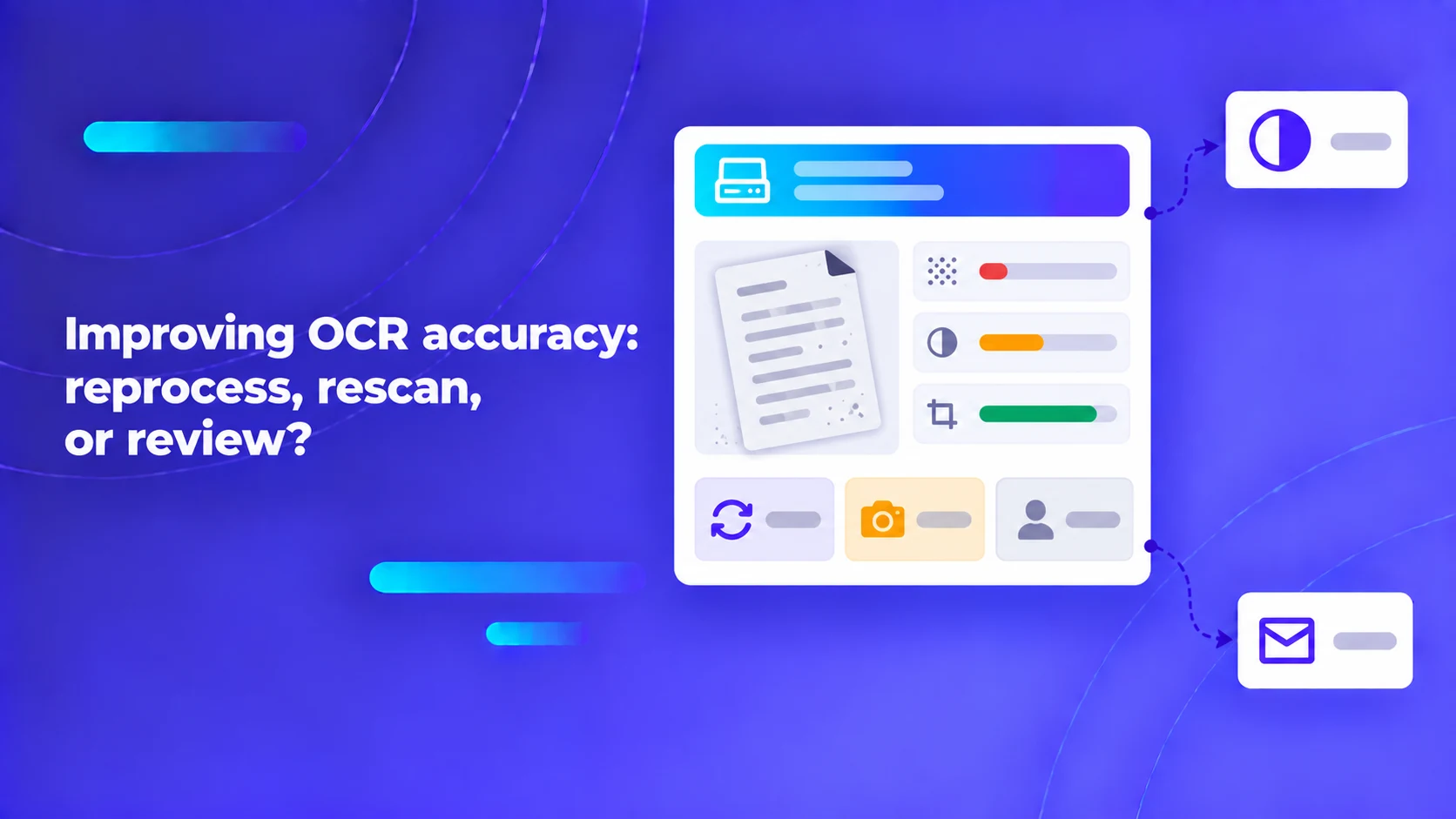
Improving OCR accuracy begins with deciding whether the source contains enough readable information. Reprocessing can help with some orientation or presentation problems. It cannot reliably recreate text that was cut off, covered or never captured. In those cases, requesting a better source or recording an unresolved value is part of a working document process.
In high-throughput enterprise ingestion pipelines—such as mortgage underwriting, freight customs clearance, health insurance claims, and legal discovery—a substantial percentage of inbound documents arrive in severely degraded physical states. Ingested files feature smartphone camera glare, non-linear perspective distortion, multi-generation photocopier noise, thermal receipt fading, folded page occlusions, and severe compression artifacts. When OCR engines fail on these documents, engineering teams often embark on an endless cycle of applying aggressive computer vision filters (such as contrast stretching, threshold binarization, and deep learning denoising). However, algorithmic image processing cannot invent photons that were never captured. Attempting to force unreadable scans through automated extraction without strict triage generates phantom character hallucinations, corrupting core enterprise databases.
Key Architecture Rule: Implement an explicit automated physical triage stage before document parsing. If an incoming image fails objective optical legibility thresholds, halt downstream extraction immediately and trigger deterministic routing: automated customer re-acquisition, operator manual triage, or structured abstention.
Inspect the raw uploaded file before modifying processing settings
Before altering any OCR parameters, image pre-processing scripts, or computer vision models, engineering teams must inspect the verbatim binary file delivered to the ingestion gateway. In production environments, document degradation frequently occurs inside the software transport pipeline rather than at the physical scanner:
- Aggressive Gateway Downsampling: Intake web forms or mobile apps often compress high-resolution 300 DPI images down to 72 DPI JPEG files with 40% compression quality to conserve bandwidth, obliterating fine decimal points and character serifs.
- Client-Side Color Conversion: Naive client-side canvas scripts often convert 24-bit RGB scans into 1-bit monochrome TIFFs using arbitrary global thresholding, causing faint blue ballpoint pen signatures or red approval stamps to vanish completely.
- Mobile Viewport Cropping: Mobile camera capture SDKs that apply automatic edge detection often clip margins aggressively, cutting off column headers or bottom totals.
Amazon Web Services highlights the fundamental importance of input image fidelity in its Amazon Textract best practices reference, emphasizing that avoiding unnecessary file conversions, maintaining minimum 150–300 DPI resolutions, and preserving color gradients are essential prerequisites for reliable document analysis.
Always store the original, untouched binary upload in immutable object storage. When experimenting with pre-processing filters (such as deskewing or unsharp masking), generate derived working copies. Never overwrite the original evidentiary file; if a legal dispute arises, the raw, unedited upload is the only legally admissible record of truth.
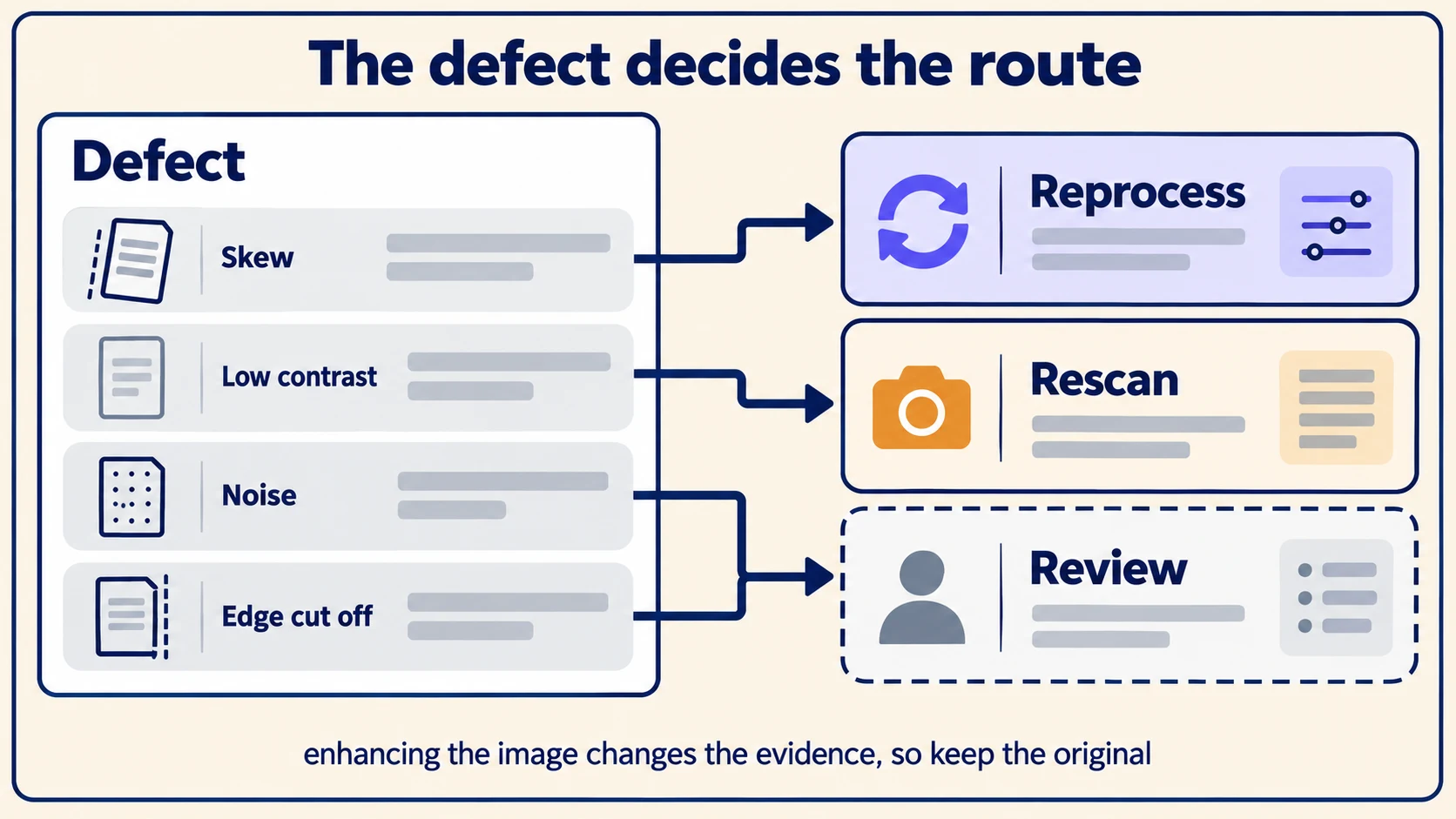
A comprehensive defect-to-action triage decision matrix
To prevent pipeline bottlenecks, establish an objective, rule-based triage policy mapping visible visual defects to deterministic architectural actions. The matrix below illustrates an operational policy for an enterprise intake system. The figures below are deliberately synthetic and illustrative; they do not represent proprietary vendor claims or benchmark results.
| Physical or digital defect | Root physical mechanism | Recommended automated action | Stop condition & fallback |
|---|---|---|---|
| Planar Skew (> 5° rotation) | Feeder misalignment or hand-placed flatbed scan | Apply Hough transform deskewing algorithm to rotate image. | Stop if text boundary coordinates distort or image edges clip. |
| Uniform Low Contrast | Under-exposed camera capture or faint ribbon print | Apply Sauvola adaptive local binarization or CLAHE contrast curves. | Stop if character strokes merge together or punctuation disappears. |
| Specular Glare / Flash Reflection | Direct camera flash on glossy paper or plastic sleeve | Re-acquisition: Request re-capture without flash. | Stop immediately: Saturated white pixels contain zero recoverable data. |
| Margin Truncation / Edge Cutoff | Improper framing or scanner paper feed jam | Re-acquisition: Trigger automated incomplete document alert. | Stop immediately: Models must not hallucinate missing column totals. |
| JPEG Block Compression Noise | Extreme compression (< 50% quality factor) | Seek native PDF or request original uncompressed attachment. | Stop: Neural upscalers invent plausible but incorrect digits (e.g., 8 vs 3). |
| Severe Ink Bleed-Through | Double-sided printing on thin paper stock | Apply multi-spectral thresholding to filter reverse-side bleed. | Stop if foreground characters become eroded or fragmented. |
| Degraded Cursive Handwriting | Unconstrained free-form handwritten notes | Route directly to specialized human transcription queue. | Stop if human reviewers cannot achieve 100% consensus on value. |
The stop condition is the most critical operational safeguard in this matrix. Without strict stop conditions, pipelines enter expensive, endless loops—applying increasingly aggressive filtering that alters characters, turning an "8" into a "3" or erasing a critical negative sign, while creating an illusion of processing progress.
Pro Tip: Beware of deep-learning generative super-resolution models on numerical data. While generative diffusion or GAN models make blurry document photos look crisp and sharp to the human eye, they frequently hallucinate plausible-looking numbers, altering monetary figures and serial numbers without warning.
Treat automated image quality scores as routing signals, not quality guarantees
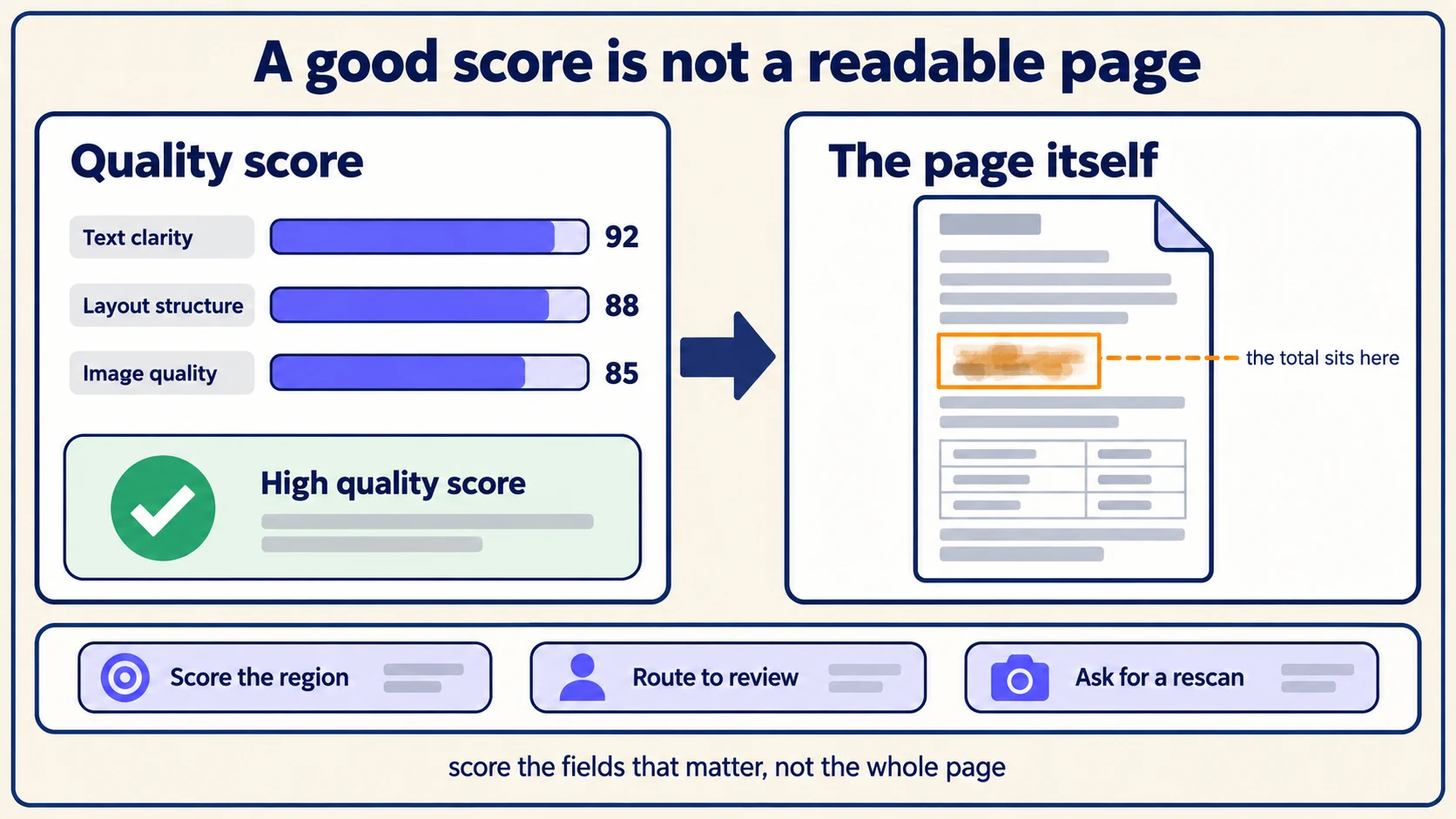
Modern cloud document services emit image-quality metadata and defect scores. Google Cloud's Document AI API reference includes specialized fields for image quality, blurriness, and document condition assessments.
While these automated scores provide valuable telemetry, they must be interpreted within their structural context:
- Global vs. Local Quality: A 10-page contract can score an impressive 95% global image quality score while a thumb smudge completely obscures the single termination date on page 9.
- Criticality Weighting: A blurry legal boilerplate paragraph has near-zero impact on straight-through processing, whereas a blurry tax identification number completely halts accounts payable automation.
Never translate an aggregate image quality score directly into a straight-through processing guarantee. Evaluate quality scores at the field-bounding-box level, and cross-reference scores against calibrated confidence threshold policies before approving automated data writes.
Establish automated customer re-acquisition loops
When an intake triage check determines that an uploaded document is fundamentally unreadable due to severe physical defects, the most cost-effective and accurate operational remedy is requesting a clean replacement file immediately.
However, generic error messages like "Your upload was blurry; please try again" lead to customer frustration and repeated failed uploads. Construct structured, actionable re-acquisition notifications:
- Pinpoint the Defect Location: Specify the exact page number and document section affected (e.g., "Page 2, bottom signature block").
- Explain the Physical Failure: Describe the observable physical issue (e.g., "Flash reflection obscures the policy number" or "The right margin is cut off, hiding line-item totals").
- Provide Concrete Capture Instructions: Advise the customer on specific operational fixes (e.g., "Place the document on a dark, flat surface with even overhead lighting, turn off camera flash, and ensure all four corners of the page are visible").
- Offer Alternative Upload Formats: Encourage uploading the native digital PDF downloaded from the issuer's portal rather than printing and taking a smartphone photo.
Tracking re-acquisition metrics across intake channels reveals systemic operational bottlenecks. If 40% of documents originating from a specific mobile partner application require re-acquisition due to low resolution, the root fix belongs in the mobile app's image compression settings, not in downstream machine learning pipelines.
Balance image enhancement with evidentiary audit standards
In regulated environments subject to legal discovery or financial audits, modifying an evidentiary document using digital enhancement filters introduces legal risk. If an organization applies destructive morphological dilation or contrast adjustments to an invoice image before OCR, opposing counsel in a commercial dispute can challenge the authenticity of the extracted record.
To maintain evidentiary integrity:
- Preserve the Digital Chain of Custody: Retain the pristine original upload with its cryptographic SHA-256 hash.
- Log Derived Transformations: Every derived image generated during pre-processing must be explicitly tagged with the exact algorithm, kernel size, and parameter values used.
- Audit Viewport Interfaces: Ensure reviewer interfaces allow human operators to toggle instantaneously between the raw original scan and the enhanced working view, ensuring full transparency.
When managing multilingual documents or complex international scripts, combine physical scan quality triage with the linguistic protocols detailed in our guide to multilingual OCR evaluation.
For a complete architectural overview of enterprise intake pipelines, read our foundational AI document-processing guide. Learn how our secure File store protects raw evidentiary files and how autonomous Agents coordinate triage workflows. Then, schedule an enterprise architecture demo to test automated scan quality triage on your organization's most challenging document feeds.