Backing up private AI: what needs to be recoverable?
Define a recoverable private AI backup across application data, files, configuration, indexes, and versioned artifacts, then prove it with an isolated restore.

Sarath Chandran
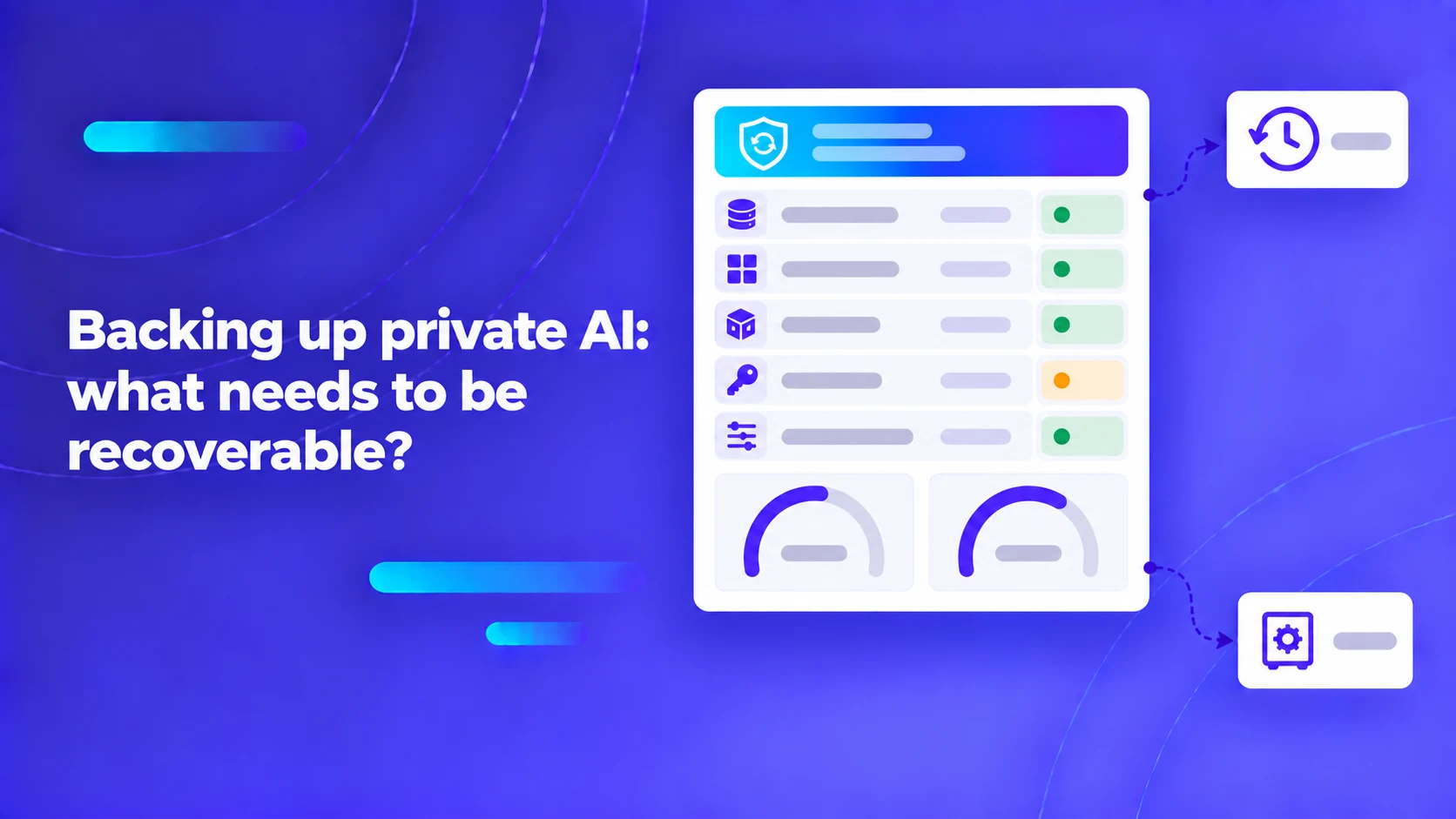
A private AI backup must preserve enough state to restore a usable service. Model weights alone rarely achieve that. The application may also depend on databases, uploaded files, configuration, identity connections, indexes, and compatible software versions.
In enterprise data center disaster recovery, platform teams frequently treat AI workloads as standard stateless container deployments, assuming that as long as model weight checkpoints (such as a 140GB Llama or Mistral directory) are preserved, the system can be restored within minutes. In reality, modern enterprise generative AI systems are deeply stateful, highly distributed architectures. A functioning private AI platform coordinates four interconnected state layers: transactional relational databases (user permissions, chat threads, audit logs), object storage (raw uploaded PDFs, audio recordings, and extracted source images), vector databases (high-dimensional embeddings, chunked text tokens, and HNSW graph indexes), and model runtime configurations. If an organization restores a database without restoring the synchronized object store or vector index snapshot, foreign keys fracture, document grounding fails, and the system emits phantom hallucinated references.
Key Architecture Rule: Never execute disjointed, uncoordinated backups across individual AI microservices. An enterprise private AI backup must be transactionally coordinated—capturing an atomic, point-in-time synchronized snapshot across relational metadata, raw document object storage, and vector retrieval indexes.
Define business disaster recovery targets: RPO and RTO for generative AI
Before architecting backup storage pipelines, systems architects must establish explicit business continuity contracts with enterprise stakeholders:
- Recovery Point Objective (RPO): The maximum tolerable data loss window measured in time (e.g., "we can tolerate losing no more than 15 minutes of user interactions or document uploads").
- Recovery Time Objective (RTO): The maximum allowable downtime before the AI system must be fully restored and operational (e.g., "the knowledge assistant must be operational within 4 hours of a total data center outage").
In generative AI platforms, RTO calculations are profoundly impacted by the decision to restore versus rebuild vector indexes. Consider an enterprise with 500,000 corporate documents totaling 15 million text chunks indexed in a vector database (such as Milvus, Qdrant, or pgvector). If the disaster recovery plan relies on "re-indexing from source documents" rather than restoring a raw vector index snapshot:
- Re-running OCR and document parsing on 500,000 files requires days of intense compute.
- Generating 15 million embeddings across local GPU workers processing at 200 chunks per second requires over 20 continuous hours of dedicated GPU runtime.
- Constructing high-recall Hierarchical Navigable Small World (HNSW) graph indices consumes massive CPU and RAM.
Relying on re-indexing completely shatters a 4-hour RTO. Organizations must preserve cold binary snapshots of the vector index alongside the relational database and object stores.
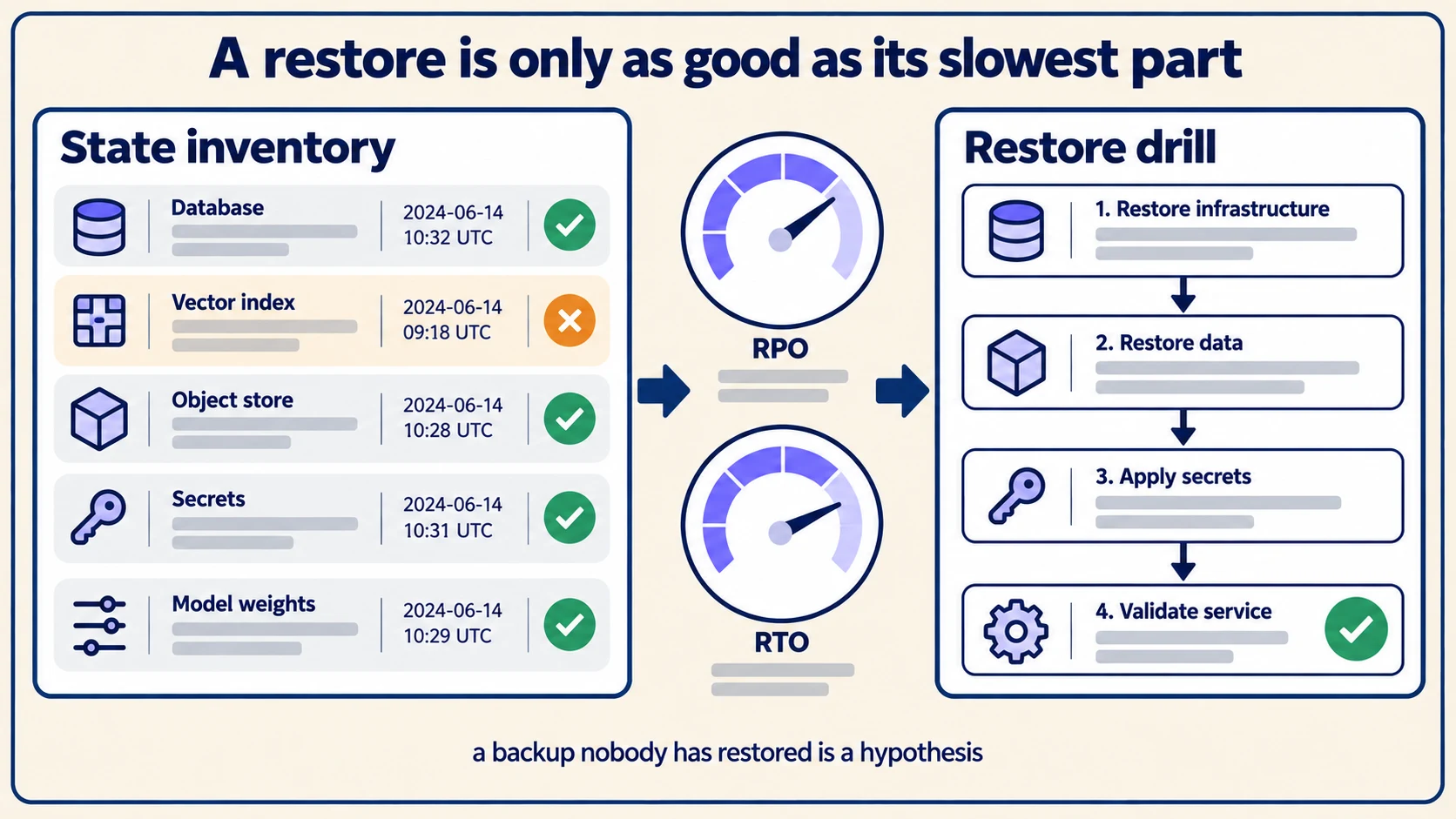
Deconstruct the private AI state inventory
To build a reliable disaster recovery plan, catalog all persistent state across the platform. The table below outlines the seven core state tiers of a private AI deployment. The values below are deliberately synthetic and illustrative; they do not represent proprietary vendor configurations or benchmark claims.
| State tier | Underlying storage technology | Architectural criticality | Disaster recovery & restoration methodology |
|---|---|---|---|
| 1. Application Metadata | PostgreSQL / MySQL | Critical: User accounts, IAM roles, chat sessions, audit trails. | Continuous Write-Ahead Logging (WAL) archiving + daily base backups. |
| 2. Document Object Store | MinIO, Ceph, or Local S3 | Critical: Raw immutable PDFs, audio files, image crops. | Versioned object storage replication; cross-region asynchronous sync. |
| 3. Vector Retrieval Indices | Milvus, Qdrant, pgvector | High: Pre-computed embedding vectors and HNSW graph graphs. | Atomic binary index snapshots; cold volume snapshots. |
| 4. Inverted Lexical Indices | Elasticsearch, OpenSearch | High: BM25 hybrid keyword search indices. | Clustered index snapshots to shared object storage repositories. |
| 5. Model Weight Checkpoints | Shared NFS / Local NVMe | Moderate: Frozen foundational model weights and tokenizers. | Immutable, content-addressable local registry or air-gapped media. |
| 6. Enclave Configuration | Git repository / Vault | Critical: Helm charts, environment configs, secrets, TLS certs. | Version-controlled GitOps repo; offline secrets backup keys. |
| 7. Serving Engine Cache | Redis / Key-Value Cache | Low: Transient session tokens, streaming response buffers. | Ephemeral: Can be safely recreated upon cluster restart. |
Do not store unencrypted database passwords, private API keys, or TLS private keys inside general backup archives. Use envelope encryption managed by an enterprise key management system (KMS), and ensure that recovery keys are stored securely in an audited disaster recovery safe.
Pro Tip: In pgvector or Milvus deployments, decouple transactional conversation history from vector search indices. You can afford an RPO of 24 hours on internal vector knowledge bases that update via nightly batch jobs, but your conversational audit logs and user document uploads require an RPO under 15 minutes to satisfy regulatory compliance.
Ensure consistency between relational databases and object storage
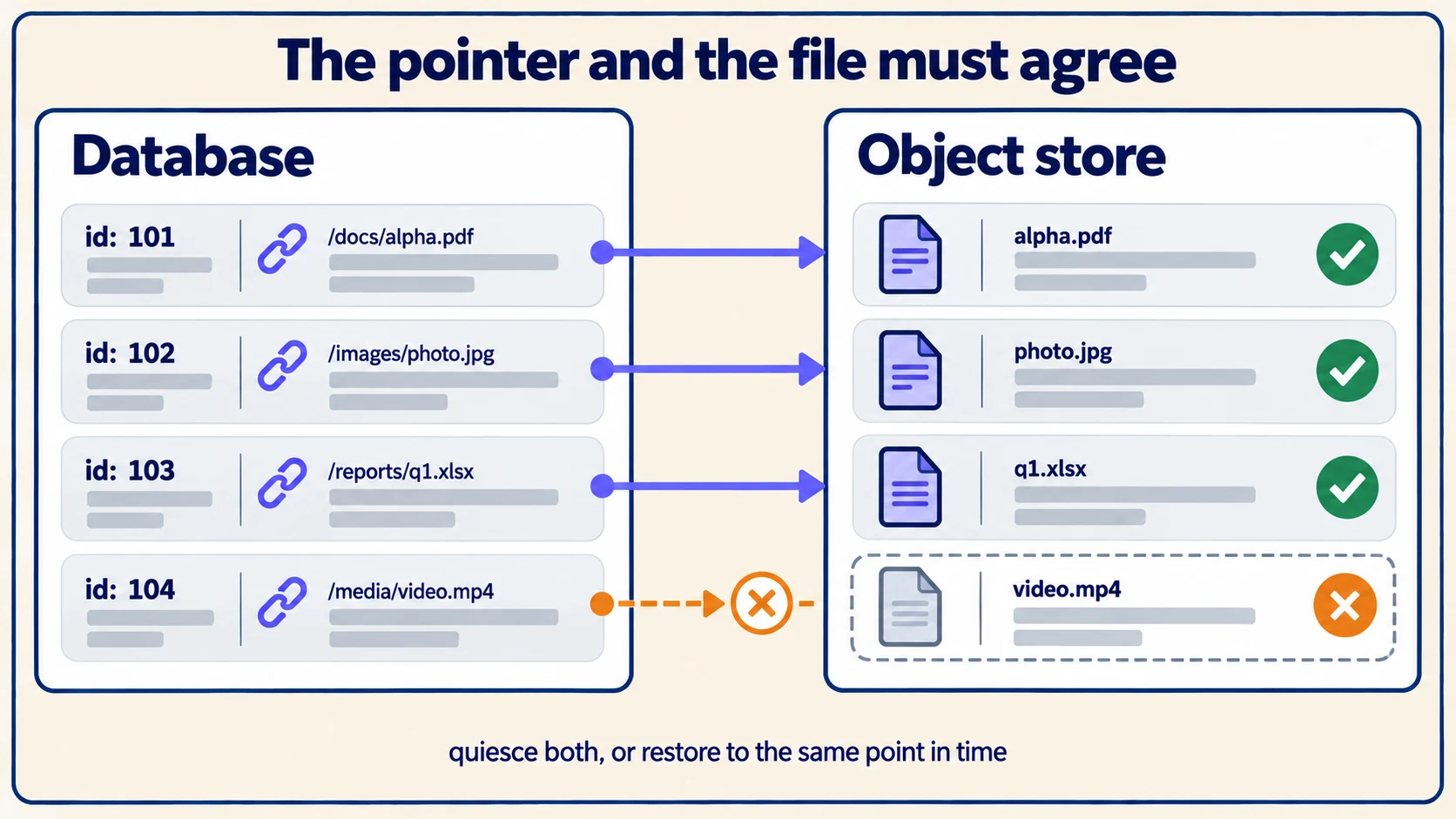
A classic failure in private AI recovery is the "Dangling Pointer Catastrophe." This occurs when an automated backup job dumps the PostgreSQL database at 2:00 AM, while the MinIO object storage backup runs at 4:00 AM.
During that two-hour delta, users upload 200 new contracts. When the platform is restored following a failure:
- The restored database contains zero records of the 200 files uploaded between 2:00 AM and 4:00 AM.
- The restored object store contains the physical files on disk, creating orphaned files that consume storage but cannot be accessed.
- Conversely, if the object store is restored from an older backup than the database, database records point to file paths in object storage that do not exist, triggering
404 Not Foundcrashes when users open historical chat citations.
PostgreSQL’s backup and restore documentation distinguishes between logical SQL dumps (pg_dump), raw file system snapshots, and continuous archiving via Write-Ahead Logging (WAL). Using continuous WAL archiving allows point-in-time recovery (PITR) to the exact millisecond, aligning relational state with the exact timestamp of an object storage snapshot.
Dify's storage and migration architecture reference provides a practical example of coordinating relational schemas, local vector stores, and object storage volumes during self-hosted migrations and backup operations.
Execute isolated disaster recovery drills
A backup script that reports "Success: Exit Code 0" proves only that data was written to disk; it proves nothing about whether that data can be restored into a functioning AI platform. The only way to verify recoverability is executing an unannounced, isolated recovery drill.
Follow the Nine-Step Clean-Room Recovery Protocol:
- Provision a Blank Staging VPC: Spin up an isolated virtual cluster with identical GPU, CPU, and RAM profiles to production, but with zero network routes to the live environment.
- Retrieve Cold Backup Archives: Fetch database WAL archives, MinIO volume snapshots, vector index dumps, and configuration manifests from offsite backup storage.
- Restore Infrastructure Services: Restore DNS records, local Certificate Authority certs, and access credentials from the emergency disaster recovery vault.
- Restore Application Databases: Replay PostgreSQL WAL logs to the target recovery timestamp. Verify relational integrity and table counts.
- Restore Object Storage Files: Mount the MinIO snapshot and verify that file hashes match the checksums recorded in the database
documentstable. - Restore & Warm Vector Indices: Mount the vector database snapshots. Verify that collection schemas load into RAM/VRAM without index rebuilding errors.
- Launch AI Orchestration Services: Boot the LLM inference workers, embedding services, and agent middleware from cold storage.
- Execute Functional Regression Queries: Submit synthetic prompts that require retrieving information from recently ingested documents, executing multi-turn conversations, and calling integrated tools.
- Measure Actual RTO and RPO: Record the exact elapsed time from backup retrieval to successful query response. Compare the measured duration against the business RTO agreement.
Document every friction point encountered during the drill. If an operator had to manually execute an undocumented shell command to fix file permissions on the vector index volume, update the disaster recovery runbook immediately.
Disaster recovery in disconnected and air-gapped enclaves
In physical air-gapped or sovereign enclaves, disaster recovery cannot rely on cloud cross-region replication or offsite multi-cloud backups. All backup archives must be retained within the sovereign physical boundary.
Key operational guidelines for air-gapped recovery:
- Write-Once-Read-Many (WORM) Storage: Store backup snapshots on immutable, append-only physical media or WORM-configured storage arrays to prevent accidental deletion or ransomware encryption.
- Offsite Secondary Enclave Transfer: Periodically transport encrypted backup media via physical secure couriers to a geographically distinct secondary secure facility.
- Model Checkpoint Pinning: Maintain identical, verified model weight archives at both primary and secondary facilities. Downloading a 140GB model checkpoint across an emergency sneaker-net transport during an active data center outage introduces unacceptable recovery latency.
Review our dedicated analysis on air-gapped AI operating requirements to ensure disaster recovery infrastructure complies with strict isolation mandates.
Coordinate your backup retention schedules with the software release cycles described in our self-hosted AI update testing guide.
To explore how our platform simplifies disaster recovery, learn about ExemplaryAI's sovereign deployment options and enterprise File store. When you are ready to review high-availability topologies and disaster recovery playbooks with our engineering team, schedule an enterprise architecture demo to evaluate end-to-end backup and recovery workflows.