Audience-content fit and the YouTube algorithm
What audience-content fit means, what YouTube says its recommendations measure, and the Studio metrics that show whether a video fits its viewers.

Audience-content fit means making each video for a specific viewer and delivering what the title and thumbnail promise, so the people YouTube shows it to actually click, watch, and come away satisfied. It matters because YouTube's recommendation system is built around viewers, not channels. YouTube says its system "compares your viewing habits with those that are similar to yours," and that the homepage "primarily relies on your watch history" (YouTube Help: How YouTube recommendations work). Subscribers are one signal among several. They do not guarantee a video gets seen. A video that fits a clear audience can reach people who have never heard of you. A video that doesn't fit gets shown, skipped, and shown less.
This guide sticks to what YouTube has said publicly (checked September 2026) and turns it into a practical checklist.
What YouTube says it measures
YouTube has not published a formula, but it has named the inputs. In a 2021 post on the YouTube Official Blog, VP of Engineering Cristos Goodrow listed the signals the system uses: clicks, watch time, survey responses, shares, likes and dislikes (YouTube Blog, September 15, 2021). Two details from that post matter for creators:
- Watch time alone is not the goal. YouTube measures "valued watchtime" through surveys that ask viewers to rate a video from one to five stars. Only four- and five-star responses count as valued, and a model predicts the answer for people who don't take the survey.
- Clicks alone are not enough. A click shows intent to watch, not satisfaction. A thumbnail that over-promises can win the click and still lose on the signals that follow.
The current Help Center page lists watch history, search history, channel subscriptions, likes, dislikes, "Not interested" feedback and satisfaction surveys as inputs (YouTube Help). It also separates two surfaces. The homepage runs mostly on the viewer's history. Up Next uses the video currently playing as its main signal.
What YouTube says about subscribers and upload schedules
YouTube's performance FAQ answers several common creator worries directly (YouTube Help: Performance FAQ):
- "Viewers, on average, are subscribed to dozens of channels and may not return for every new upload for channels they're subscribed to."
- "Our recommendation system aims to deliver the right videos to the right viewers, regardless of when that video was uploaded."
- On upload frequency: YouTube found that "growth in views across uploads is not correlated with time between uploads."
- On topics: "It's important that you always keep experimenting with new topics and formats. To build an audience, creators need to both retain their existing viewers and attract new ones."
So audience-content fit isn't a new algorithm. It follows from how YouTube has described its system for years.
What a fit problem looks like
Picture a fitness channel known for HIIT workouts that posts a nutrition explainer. The people most likely to be shown it first are the ones whose history says "workouts." Many of them skip it, and the video struggles. It isn't a bad video. It was matched to the wrong viewers, and the packaging didn't make the new promise clear.
This is why YouTube's advice is to experiment rather than stay rigidly in one lane. When you try a new topic, make the title and thumbnail tell a new viewer exactly who the video is for.
The three parts of fit
- Topic clarity. The title, thumbnail and first 30 seconds all make the same promise.
- Viewer intent. The video solves the problem the viewer had when they clicked, and does it early.
- Satisfaction. The viewer finishes feeling it was worth the time. That shows up in watch time, likes, shares, survey answers, and whether they keep watching on YouTube.
Metrics in YouTube Studio that show fit
These are real YouTube Studio reports. The algorithm uses its own signals, but these reports are the closest view creators get of how viewers responded.
| Report | What it tells you | What to try |
|---|---|---|
| Key moments: Intro | The share of viewers still watching after the first 30 seconds | Deliver the promise sooner. Cut long intros and recaps. |
| Typical retention (gray band) | How this video's retention compares with your last 10 videos of similar length | If it falls below the band, look for the point where it drops. |
| Dips and spikes | Moments people skipped or left (dips), and moments they rewatched or shared (spikes) | Trim what causes dips. Do more of what causes spikes. |
| Impressions and click-through rate | Whether the packaging earns clicks from the people it's shown to | Test titles and thumbnails that name the viewer and the outcome. |
The Intro, Top moments, Spikes and Dips definitions, and the "last 10 of your videos of a similar length" comparison, come from YouTube Help: Measure key moments for audience retention.
The network approach: one promise per channel
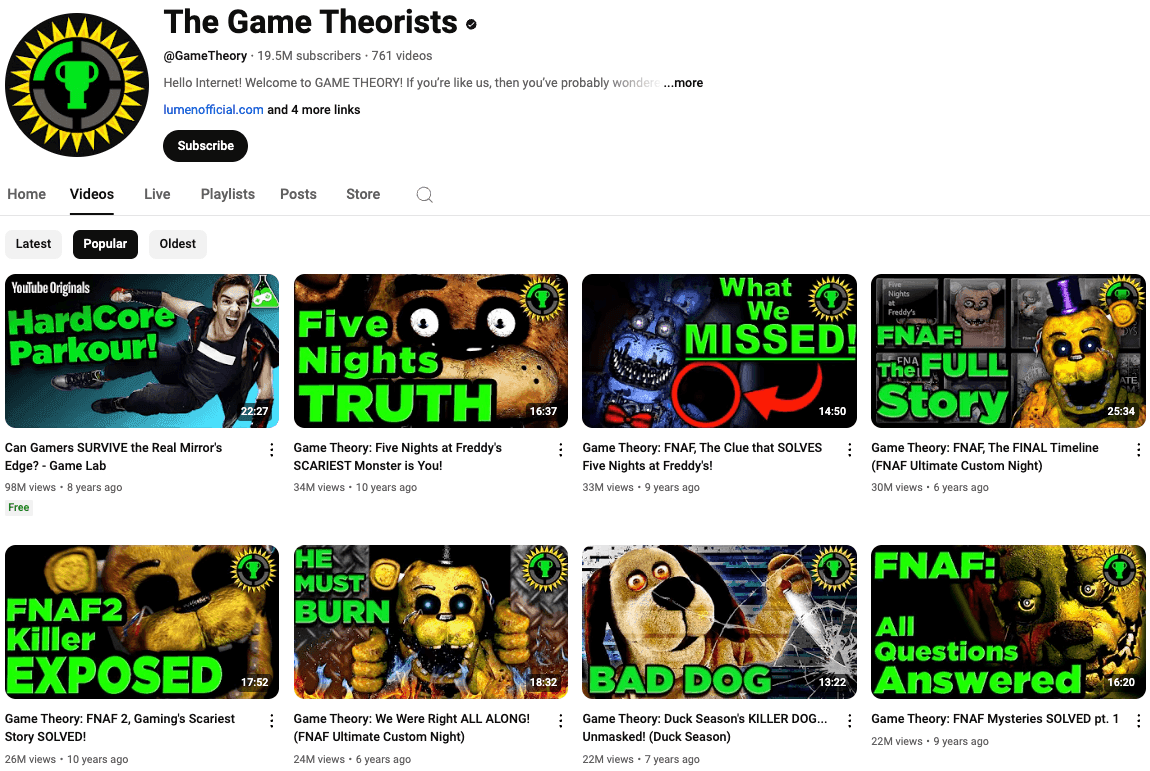
Some larger creators handle fit by giving different audiences different channels. The Theorists network is a well-known example. Game Theory came first, and Film Theory, Food Theory and Style Theory followed, each with its own topic and audience.
You don't need a network to use the idea:
- If a content line serves a clearly different viewer, test it as its own series or playlist first. Give it a separate channel only if it keeps drawing a different audience.
- Keep each channel's promise narrow enough that a new viewer can tell what they'll get.
- Build viewing paths with playlists, end screens and cards that lead to the next video on the same topic.
Audience-content fit checklist
- Write down who the video is for, in one sentence, before you script it.
- Make the title and thumbnail for that viewer, and make sure the video keeps the promise.
- Get to the core value within the first 30 seconds, then check the Intro metric after publishing.
- Compare retention with your typical band, and cut the kinds of segments that cause dips.
- End by pointing to a related video, not a generic "thanks for watching."
- When you try a new topic, treat it as an experiment. Package it clearly for a new audience and judge it on its own numbers.
Where Exemplary AI fits
Disclosure: Exemplary AI is our product. It doesn't change how YouTube ranks videos. It cuts the editing time needed to test more ideas and to reuse long videos you've already made. With AI Clips you can find engaging moments in a long video, reframe them to vertical with active speaker detection, add animated captions and brand templates, remove silences and filler words, and generate titles and descriptions. You can also produce transcripts, subtitles and translations for the full-length video. There's a free plan. See pricing for current plans.
Turn long videos into Shorts
Find the strongest moments in a long video and turn them into captioned vertical clips.
FAQ
What is audience-content fit on YouTube?
Audience-content fit is how well a video matches what a specific group of viewers wants at the moment they see it. On YouTube it shows up as viewers clicking, watching, and rating the video as worth their time. YouTube's recommendation system is built around those viewer responses rather than subscriber counts.
Do subscribers still matter for YouTube views?
Yes, but subscribers don't guarantee views. Subscriptions are one input to recommendations, and YouTube notes that viewers subscribe to dozens of channels and may not watch every new upload. Each video still has to satisfy the viewers it's shown to.
Does posting more often help with the YouTube algorithm?
YouTube's analysis found that growth in views is not correlated with time between uploads. Post as often as you can keep quality up. A steady schedule can help your audience habits, but it isn't a ranking factor YouTube has confirmed.
Can I change topics without hurting my channel?
Yes. YouTube encourages creators to experiment with new topics and formats. The risk is packaging a new topic as if it were the old one. Make the title and thumbnail clear about who the new video is for, and measure it separately.
For more on packaging short-form content, see our guide to creating YouTube Shorts.