AI Clips Maker: Turn Long Videos into Short Clips
Upload a video or paste a YouTube, TikTok, Vimeo or X link. AI picks the moments worth sharing and turns them into captioned clips in 9:16, 1:1 or 16:9. Free to start: 200 one-time credits.
Free to start — no credit card required.


Loved by creators
Exemplary AI Clips is an AI clip maker that turns one long video or podcast (10+ minutes) into short captioned clips for YouTube Shorts, Instagram Reels and TikTok in 9:16, 1:1 or 16:9.
It transcribes the recording, picks the moments that stand on their own, gives each clip a virality score and adds animated captions you can edit. Free plan: 200 one-time credits; files up to 500 MB and 30 min long; 720p video exports with a watermark.
How it works
How to make AI clips
- Upload a video or audio file (MP3, WAV, M4A, MP4, WEBM, MOV or MKV) or paste a YouTube, TikTok, Vimeo or X link. The source has to be at least 10 minutes long.
- Pick the spoken language, a clip duration and a video category, and add keywords if you only want clips about certain topics.
- Review the clips, sorted by virality score. Open one in the editor to trim it, change the layout or restyle and correct the captions.
- Export the clip as an MP4 and post it to YouTube Shorts, Instagram Reels, TikTok or anywhere else.
AI Clips at a glance
Facts checked .
- Input
- A video or audio upload (MP3, WAV, M4A, MP4, WEBM, MOV or MKV), or a YouTube, TikTok, Vimeo or X link. Audio becomes audiogram clips: a waveform over a background.
- Source length
- At least 10 minutes
- Clip length
- <30s, 30-45s, 45-60s, 60-90s, 90-3min, 3-5min or 5-10min; longer choices need a source of at least 15 minutes
- Video categories
- General, Podcast, Webinar, Q & A, Marketing, Academic, News, VLog and Meeting, or your own
- Aspect ratios
- 9:16 (portrait), 1:1 (square) and 16:9 (landscape)
- Layouts
- Fill, Fit, Split, 3 Split and 4 Split, with automatic speaker framing
- Caption styles
- 5 animations: Karaoke, Pop word, Box spotlight, Highlight word and Bazooka
- Caption languages
- 99 languages; captions translate into 116 languages
- Export
- MP4 (H.264) video; subtitles as SRT, VTT and TXT. You post the clips yourself.
- Free plan
- Included: 200 one-time credits; files up to 500 MB and 30 min long; 720p video exports with a watermark.
Features
Turn one long video into a set of short clips
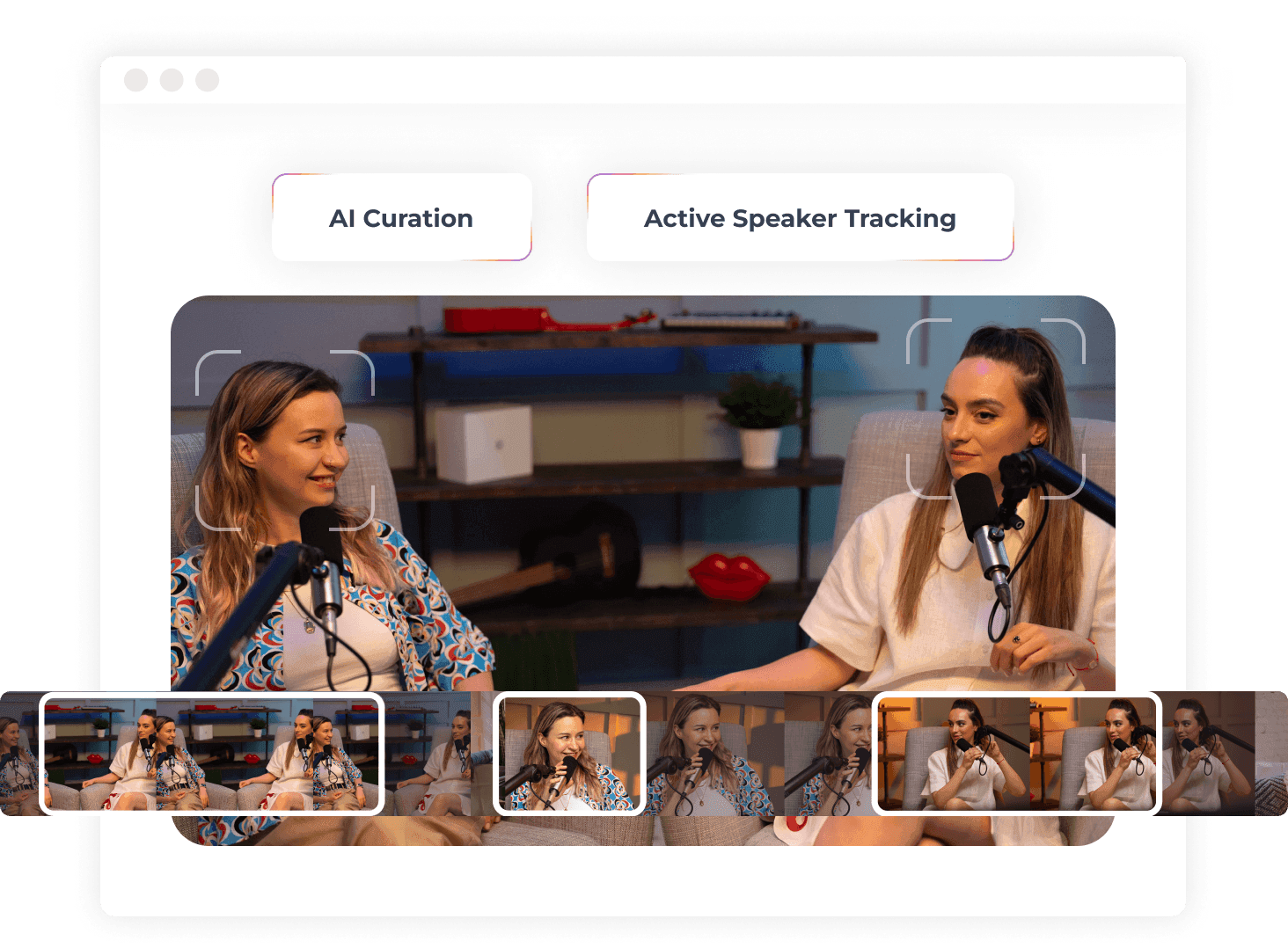
Find the moments that work on their own
AI reads the transcript, picks self-contained moments and rates each one with a virality score.
- Clips sorted by virality score.
- Filter by topic with keywords.
- Speaker framing that follows the active speaker.
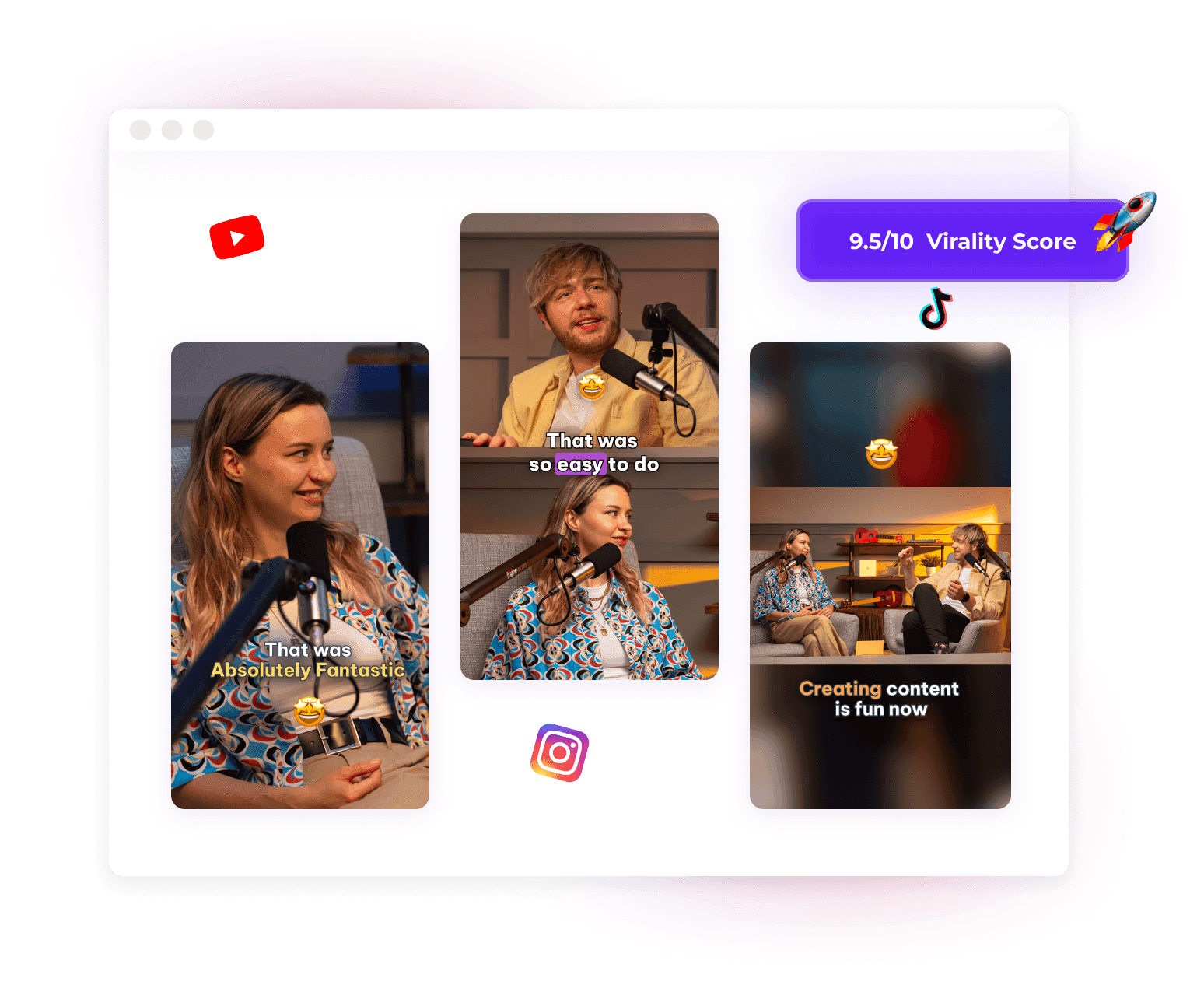
Reframe for any feed
Turn landscape videos into portrait or square with fill, fit or split layouts.
- Switch between 9:16, 1:1 or 16:9 in one click.
- Split the frame for two, three or four speakers.
- Portrait 9:16 for the YouTube Shorts maker and the Instagram Reel maker.
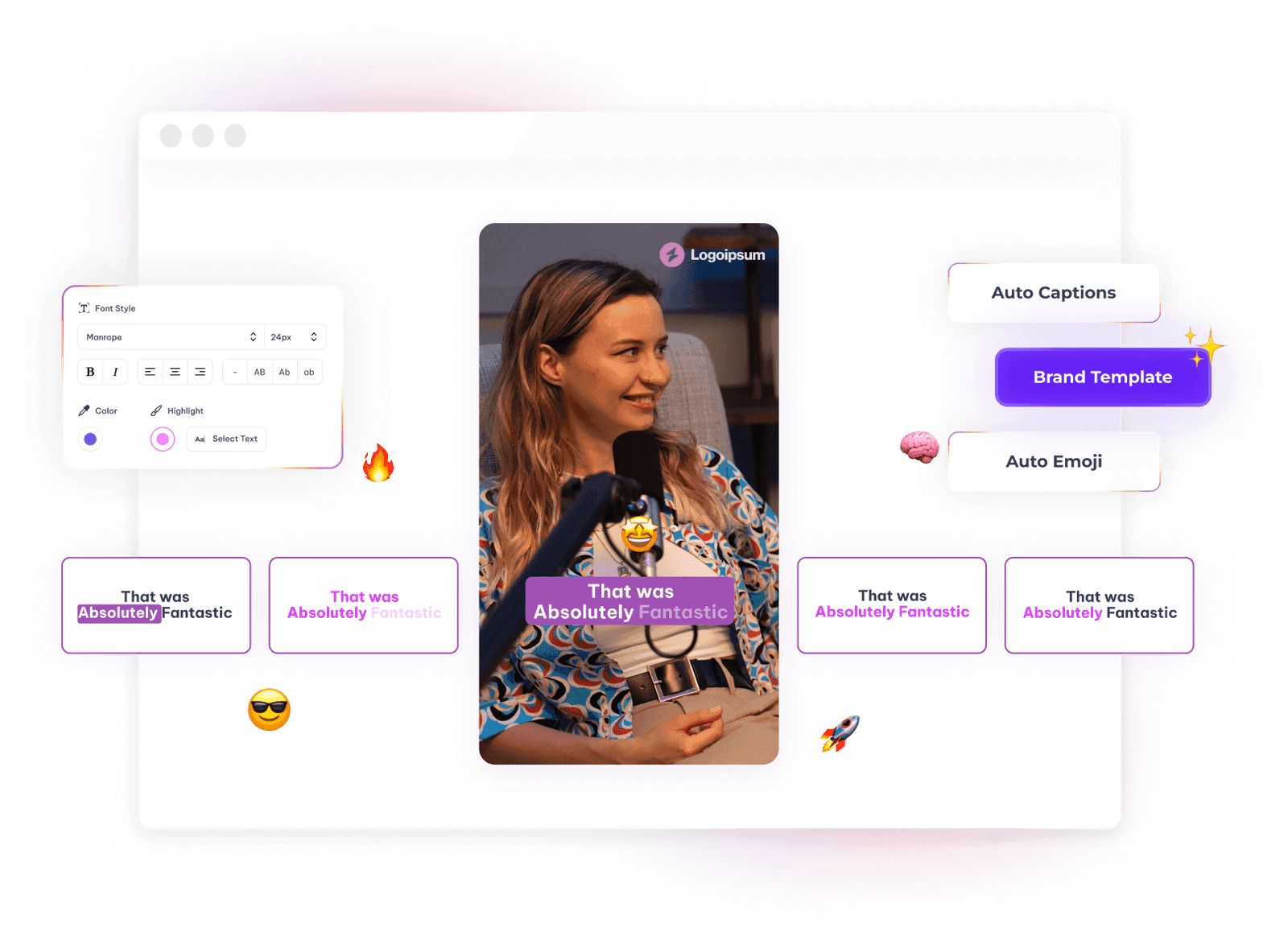
Animated captions you can edit
Choose a caption animation, fix any word, and set fonts and colours to match your brand.
- 5 caption animations, including Karaoke and Highlight word.
- Correct any word in the captions.
- Save a brand template.
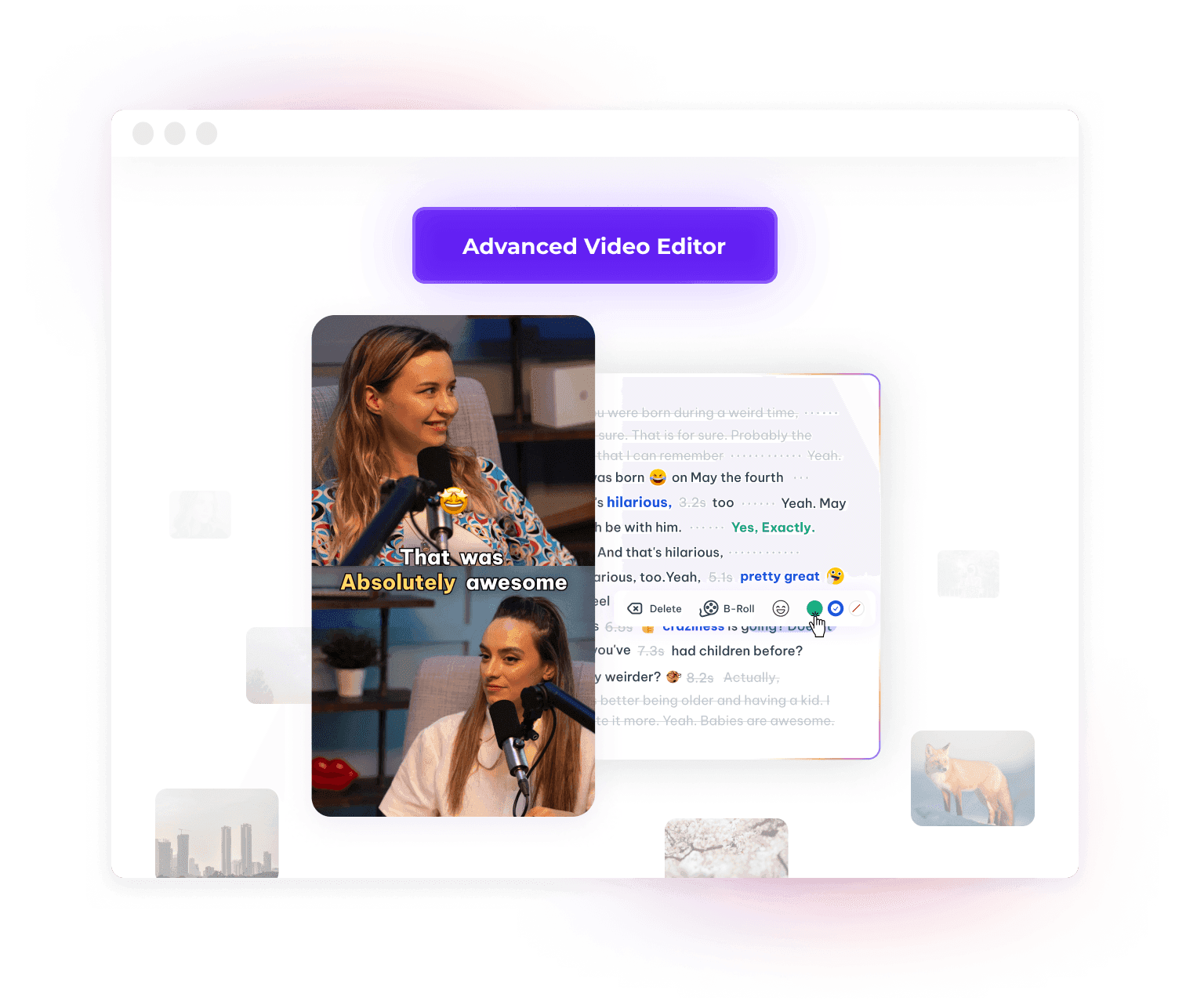
Edit the video by editing the text
Delete words in the transcript to cut them from the clip, and add stock B-roll automatically.
- Remove silences and filler words in one click.
- Add B-roll automatically.
- Cut and trim from the transcript.
Trending styles
Create content like top creators
Four formats people are actually posting, with the captions and framing each one leans on.

Alex Hormozhi@AlexHormozhi

Marques Brownlee@mkbhd

Mr.Beast@MrBeast

Ali Abdaal@aliabdaal
How it works
From one long video to short clips in three steps
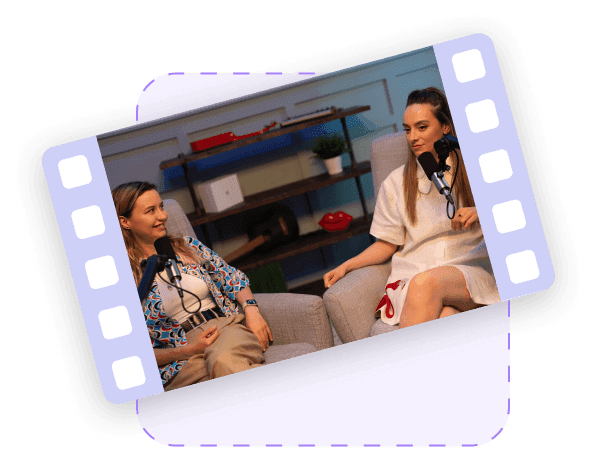
Upload or paste a link
Upload a file or paste a YouTube, TikTok, Vimeo or X link. Choose the language, clip duration and video category.
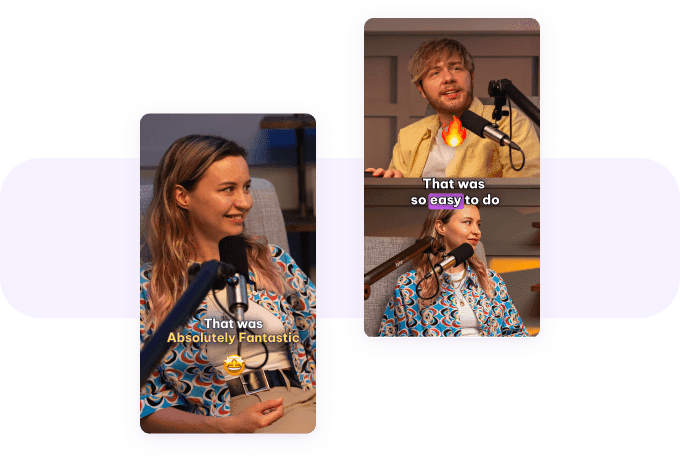
Review and edit the clips
Clips come back sorted by virality score, with captions. Open any clip in the text-based editor to change it.
Download
Export each clip as an MP4 (H.264) file and post it where you like.
Beyond AI Clips
More ways to reuse the same recording
02 / 06
Turn audio into audiograms
Upload audio to get audiogram clips: a waveform, captions and a background. Recorded a video podcast? Make podcast clips from it.
03 / 06
Get titles and descriptions from AI
Generate video titles and descriptions from the same transcript.
04 / 06
Make clips by hand, with auto framing
Pick your own start and end points and let speaker framing position the shot.
06 / 06
Clips ranked by virality score
Each clip gets a score for how likely it is to do well, so you know which to post first.
Loved by creators
CarloslmSM
“Es una herramienta muy potente (rápida y de gran precisión)... Su gran integración con la IA en múltiples acciones la convierte en una de las mejores herramientas para creadores/as de contenido. Recomendable a 100%... En Español funciona de maravilla.”
Read more ↓bryan_orton
“I find this tool easy to use and really practical. I was primarily looking for something to transcribe videos and audio files. This is doing that easily and much more. It has a lot more features that I didn't expect but appreciate. Happy with this purchase and recommend it.”
Read more ↓sarah745
“I'm genuinely thrilled that I decided to invest in this tool. It's been a game-changer for me. It not only helps me analyze my videos but also seamlessly connects to Zoom, eliminating the need to manually upload Zoom recordings.”
Read more ↓ecclesia
“I like the tool and it has key features from other tools done nicely here.”
eloy.giles.og
“To be honest I was not expecting this level of performance from this tool. Since I bought it a couple of days ago Im optimizing YT videos left and right and creating a lot of blog posts from existing videos. There were some hiccups while importing YT videos a couple of days ago but the team was very responsive and said they were fixing some bugs but that it should be back up at the end of the weekend, and they delivered. ”
Read more ↓
ChristopheHK
“I have lot of side projects around AI and automation, I ant and need to learn a lot : this product has revolutionized the way I work. I extensively use Exemplary AI for my Google Meet meetings and for getting summary, report, "tutorials" and translation from YouTube videos. And it works incredibly well !”
Read more ↓
PokeX
“This product shattered my expectations. I mainly got this to transcribe my videos on YouTube and translate the transcriptions so I can reach a wider market. This product not only transcribed my video, and translated my content but it gives me a ton of other content out of nowhere to use to promote my content and even expand on it on other platforms. ”
Read more ↓
hamishmacdonald
“EXEMPLARY IS AMAZING! I've been needing and searching for this tool for a long time now. The transcription is spot-on precise, the speaker identification is excellent, and the AI tools for 'talking' to the transcript let you get exactly what you need from it and the UX feels mature and finished”
Read more ↓
Giliancovici
“When you do not just copy paste others great products are born. Just 15 min test and no thinking now to opus or others. Great job. Congrats to all team”
AI Clips FAQ
Clip lengths, formats, languages and what the Free plan includes.
How does AI Clips choose which moments to clip?
It transcribes the video, then AI picks passages that make sense on their own, using the video category and any keywords you gave it. Each clip gets a virality score, an estimate of how likely it is to do well rather than a guarantee, and the clips are listed with the highest scores first.
How long does my video have to be?
At least 10 minutes. AI Clips refuses shorter videos, uploaded or linked, because clips cut from a shorter video are rarely good enough.
How long are the clips?
You pick a clip duration before processing: <30s, 30-45s, 45-60s, 60-90s, 90-3min, 3-5min or 5-10min; longer choices need a source of at least 15 minutes. After that you can trim or extend any clip in the editor, up to 10 minutes.
Which aspect ratios can I export for Shorts, Reels and TikTok?
9:16 (portrait), 1:1 (square) and 16:9 (landscape). Use 9:16 for YouTube Shorts, Instagram Reels and TikTok, 1:1 for square feeds, and 16:9 for regular YouTube or LinkedIn video. Switching ratio reframes the clip with a fill, fit or split layout.
Can I make clips from a YouTube link?
Yes. Paste a YouTube, TikTok, Vimeo or X link instead of uploading a file. You can also upload MP3, WAV, M4A, MP4, WEBM, MOV or MKV files.
Which languages can the captions be in?
Captions come from the transcript, which supports 99 languages. You can then translate the captions into 116 languages.
Is AI Clips free?
Yes, AI Clips is on the Free plan, with 200 one-time credits; files up to 500 MB and 30 min long; 720p video exports with a watermark. AI tasks use credits; no fixed number of clips or minutes is implied.
