01 / 04
Upload once
One recording feeds every tool on the site. A file you transcribed can be clipped, captioned and summarised without uploading it again.
Ask any question about your YouTube and podcast content—our AI chat responds instantly with precise, helpful answers.
AI Chat revolutionizes communication, allowing effortless conversations in natural language. Gain insights, solve queries, and Enhance productivity.
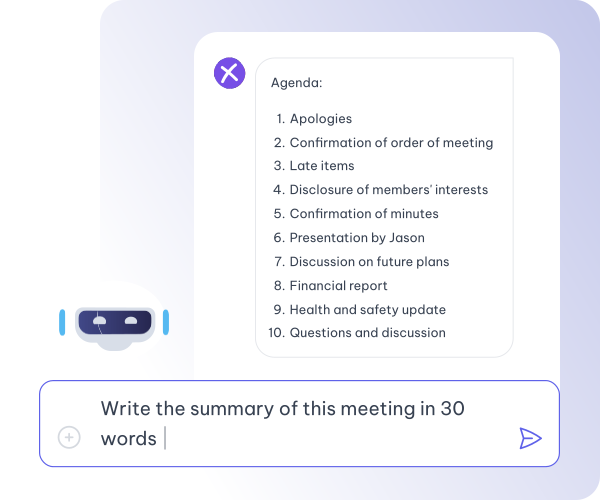
Unlock information from your recordings swiftly and elevate productivity with AI insights. Use our AI content to generate detailed content effortlessly.
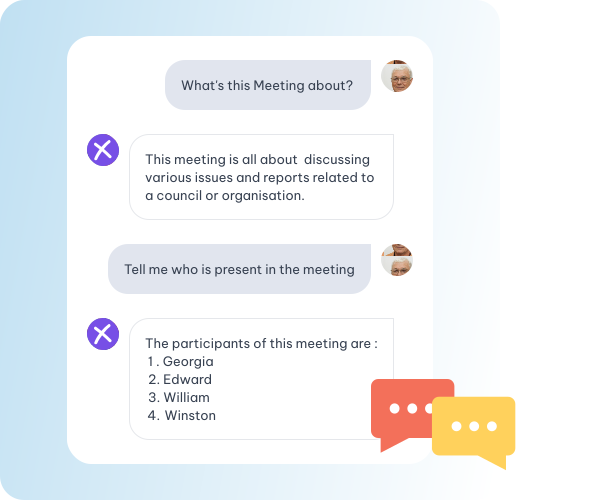
Engage in seamless AI conversations in your preferred language for personalized insights.
Deep Insights, Simple Queries. AI Chat for Easy Understanding and Strategic Decision-Making. Also You can create Social Media Posts with our tool.
Explore the Advanced NLP for Clearer and More Effective Conversations.
AI Chat Tailored Responses with Deep Contextual Understanding
Save Time, Increase Productivity, and Achieve More with Streamlined Workflows. Along with Video Creation Tools for Social Media.
Facilitating Conversations in Your Mother Tongue for Enhanced Communication.
Whatever you came here for, the rest is already available from the file you just uploaded — there is no second product to buy and nothing to export and re-import.
One recording feeds every tool on the site. A file you transcribed can be clipped, captioned and summarised without uploading it again.
Cut a sentence and the video cuts with it. Fix a name once and it is right in every caption, subtitle file and draft that follows.
Burned-in captions or subtitle files, in the spoken language or translated with the cue timings kept intact.
Clips, chapters, show notes, blog drafts and social posts all come off the one transcript.
Drop in a recording and work from the transcript — clips, captions, chapters, show notes and posts all come from the same file.