Skip to content

Transform clips into compelling highlight reels

Merge video moments into captivating highlight reels for Instagram, TikTok, and YouTube. Style captions to share your story with flair and ease.

How it works

Connect and Craft Engaging Stories

Craft narratives effortlessly and Unleash your creativity by connecting clips and weaving them into compelling stories
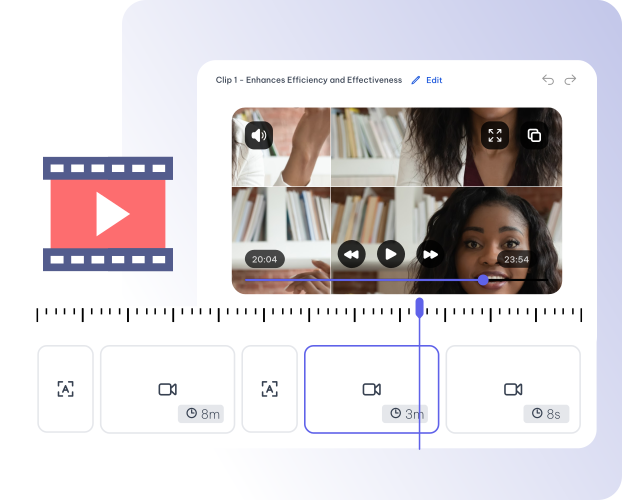
Craft Captivating Narratives Easily.

Unleash your creativity effortlessly, weaving captivating stories that captivate your audience with seamless ease.

  • Seamlessly connect clips and captivating narrative
  • Capture audience's attention through creative storytelling

Connecting Clips from Different Projects

Seamlessly blend clips from diverse projects, craft a cohesive and engaging story
  • Blend clips from various projects effortlessly
  • create a unified and comprehensive narrative

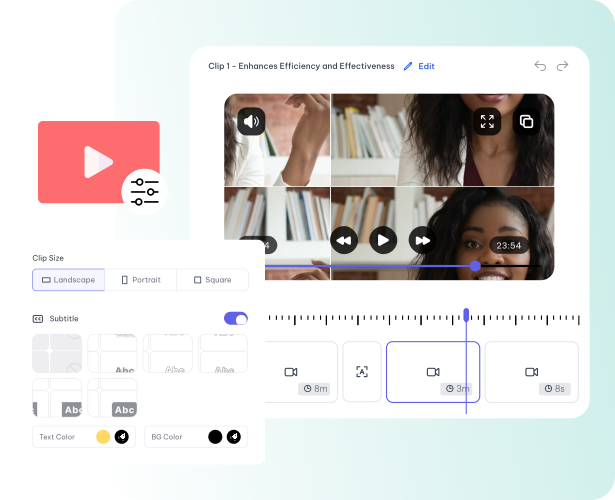
Customize your Clips within Story

Edit clips within your story, ensuring each moment aligns with your narrative vision..

  • Edit Clips inside Story Editor
  • Customize clips to fit your story
Features

Story Features

Connect and Craft capitative story

Unleash your Creative Potential and Craft Engaging Narratives

Connect clips and Create Global Story

Combine Clips from Various Projects, Crafting a Unified Global Story

Drop, Drop and Sequence your Story

Easily Drag, Drop, and Sequence Your Story, Empowering Effortless Creation

Your Sequence, Your Narrative!

Craft a Unique Storyline of Your Choice and Create Engaging Stories

Real-Time Preview for higher Flexibility

Experience Real-Time Previews for Instant Adjustments and Enhanced Flexibility

Instant Download, Easy Sharing!

Download Instantly, Share with Ease! Effortless Downloads, Seamless Sharing

The rest of it

This is one tool in one workspace

Whatever you came here for, the rest is already available from the file you just uploaded — there is no second product to buy and nothing to export and re-import.

01 / 04

Upload once

One recording feeds every tool on the site. A file you transcribed can be clipped, captioned and summarised without uploading it again.

02 / 04

The transcript is the editor

Cut a sentence and the video cuts with it. Fix a name once and it is right in every caption, subtitle file and draft that follows.

03 / 04

Caption and translate

Burned-in captions or subtitle files, in the spoken language or translated with the cue timings kept intact.

04 / 04

Repurpose without re-editing

Clips, chapters, show notes, blog drafts and social posts all come off the one transcript.

At a glance

What you get

Languages
99 languages
Upload formats
MP4 · MOV · AVI · MKV · MP3 · WAV · M4A
Exports
SRT · VTT · TXT · DOCX · MP4 · vertical clips
Editing
Text-based — edit the transcript, not a timeline
From one upload
Clips · captions · chapters · audiograms · posts
Questions

Before you start

Do I need to know how to edit video?
No. Editing happens in the transcript — delete a sentence and the matching video is removed with it. Anyone who can edit a document can produce a finished clip.
What can I upload?
Common video and audio containers including MP4, MOV, AVI, MKV, MP3, WAV and M4A. You can also paste a link or record straight in the browser.
What if the recording is in another language?
Transcription covers 99 languages and runs in the language that was spoken. Subtitles can be translated afterwards with the cue timings preserved, so the translated track stays in sync.
Can I correct mistakes before exporting?
Yes, and the order matters: the transcript is the editing surface, so a term corrected there is right in the captions, the subtitle files and anything generated from it afterwards.

One upload. Every format you need.

Drop in a recording and work from the transcript — clips, captions, chapters, show notes and posts all come from the same file.